EasyManua.ls Logo

Sharp ZQ-6100M - Page 110

Sharp ZQ-6100M
194 pages
Print Icon
To Next Page IconTo Next Page
To Previous Page IconTo Previous Page
Loading...
Viewing
an
Outline
If
an
outline
runs
off
the
screen,
use
the
following
keys
to
view
the
topic
you
want.
-
Lv]
or
[4]
Move
down
or
up
one
displayed
topic
at
a
time.
[<]
Move
to
the
parent
of
the
current
topic.
Ly]
-
Move
to
the
next
sibling
down
from
the
current
topic.
[e]
[a]
Move
to
the
previous
sibling
of
the
current
topic.
Below
are
several
useful
techniques
for
selectively
compressing
information
to
give
a
clearer
view
of
the
structure.
Collapsing
families
Collapsing
a
family
means
to
take
all
of
a
topic’s
children
off
the
display
to
reduce
cluttering.
The
diamond
remains
hollow
to
indicate
a
topic
is
a
parent
of
others.
You
can
collapse
one
family
at
a
time
or
all
families.
To
collapse
one
family,
select
its
parent
by
making
its
diamond
flash,
and
press
.
If
the
title
is
selected,
the
entire
outline
will
collapse,
leaving
only
the
title
on
display.
To
collapse
all
families
leaving
only
the
title
and
its
immediate
children
(useful
for
seeing
a
clear
overview
of
the
outline),
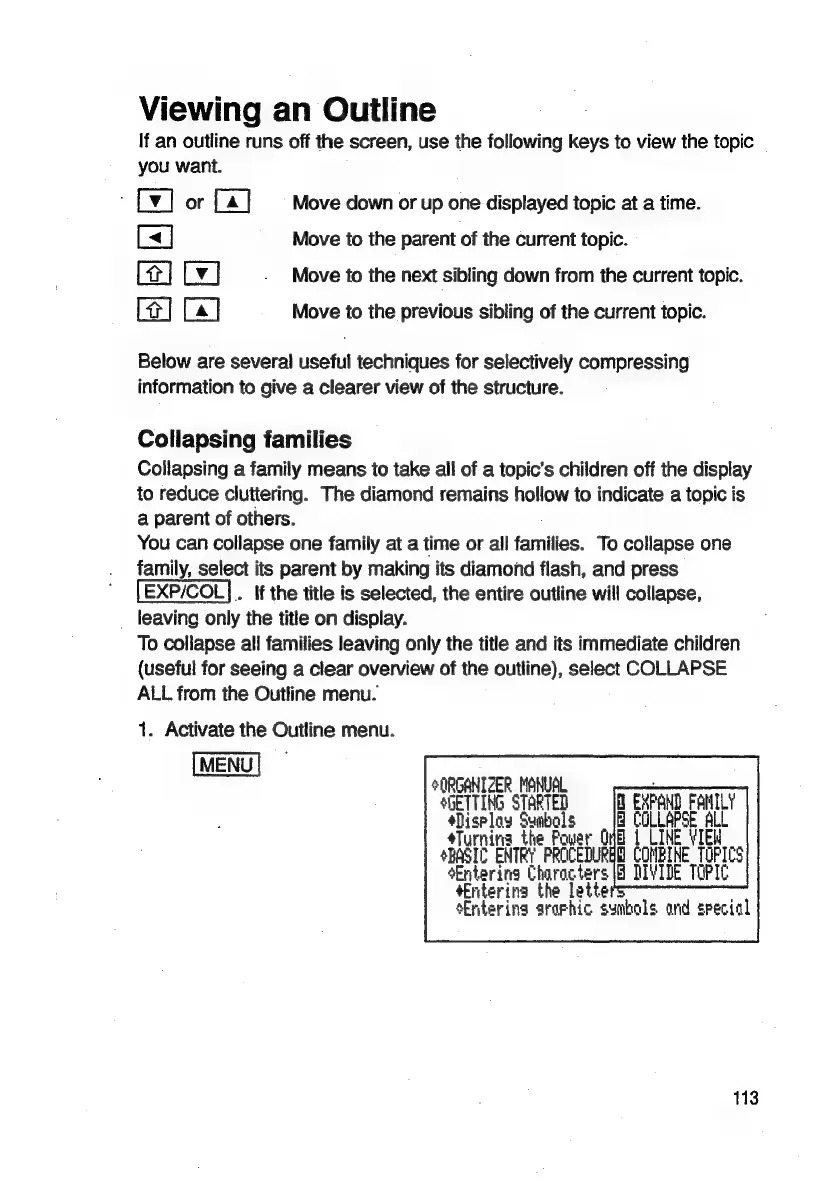
select
COLLAPSE
ALL
from
the
Outline
menu.
1.
Activate
the
Outline
menu.
ORGANIZER
MANUAL
:
SHETTING
STARTED
EXPAND
FAHILY
*Display
Symbols
&
COLLAPSE
ALL
sTurnina
the
Power
GHB
1
CINE
VIEW
SBASIC
ENTRY
PROCEDURBG
COMBINE
TOPICS
Entering
Characters
(8
DIVIDE
TOPIC
Entering
the
lette
sEntering
ararhic
symbols
and
special
113

Related product manuals