EasyManua.ls Logo

Sharp ZQ-6100M - Page 111

Sharp ZQ-6100M
194 pages
Print Icon
To Next Page IconTo Next Page
To Previous Page IconTo Previous Page
Loading...
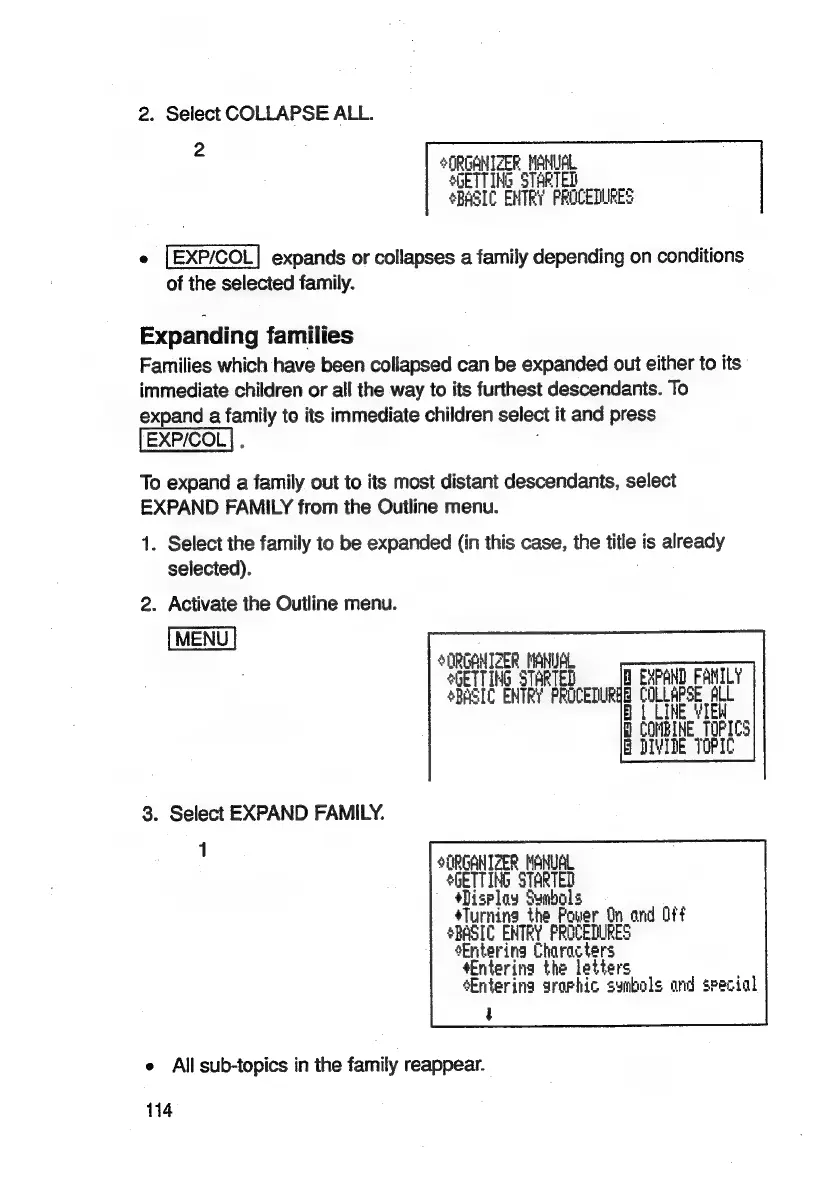
2.
Select
COLLAPSE
ALL.
2
ORGANIZER
MANUAL
SGETTING
STARTED
BASIC
ENTRY
PROCEDURES
e
{EXP/COL|
expands
or
collapses
a
family
depending
on
conditions
of
the
selected
family.
Expanding
families
Families
which
have
been
collapsed
can
be
expanded
out
either
to
its
immediate
children
or
all
the
way
to
its
furthest
descendants.
To
expand
a
ee
to
its
immediate
children
select
it
and
press
To
expand
a
family
out
to
its
most
distant
descendants,
select
EXPAND
FAMILY
from
the
Outline
menu.
1.
Select
the
family
to
be
expanded
(in
this
case,
the
me:
is
already
selected).
2.
Activate
the
Outline
menu.
*ORGANTCER
MANUAL
*bETTING
STARTED
A
EXPAND
FAMILY
SBASIC
ENTRY
PROCEDURHE
COLLAPSE ALL
Bt
LINE
VIEW
H
COMBINE
TOF!
B
BIVIDE
TOPIC
t
oa
3.
Select
EXPAND
FAMILY.
:
SORGANIZER
MANUAL
SGETTING
STARTED
a
Symbols
éTurnina
the
Power
On
and
Off
SBASIC
ENTRY
PROCEDURES
Entering
Characters
¢Entering
the
letters
Entering
arorhic
sunbols
and
special
4
®
All
sub-topics
in
the
family
reappear.
114

Related product manuals