EasyManua.ls Logo

Sharp ZQ-6100M - Page 116

Sharp ZQ-6100M
194 pages
Print Icon
To Next Page IconTo Next Page
To Previous Page IconTo Previous Page
Loading...
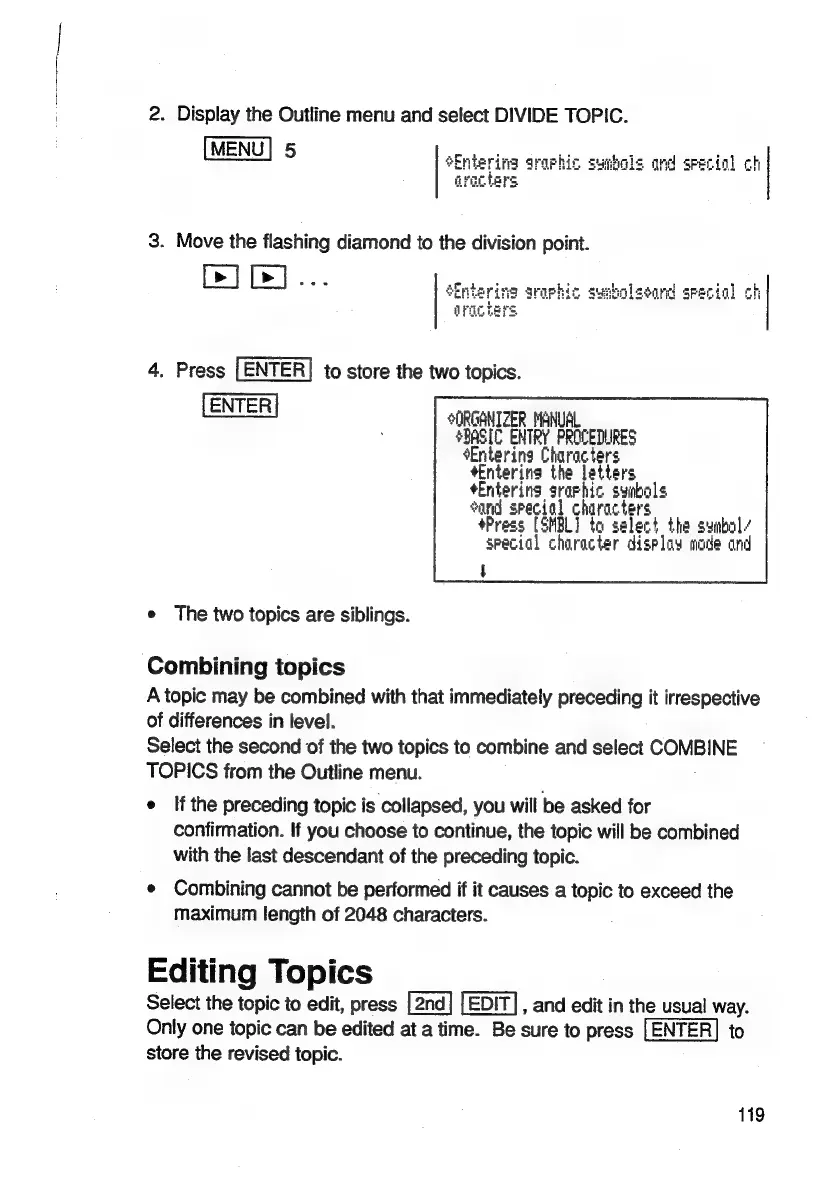
2.
Display
the
Outline
menu
and
select
DIVIDE
TOPIC.
[MENU]
5
Sintering
araphic
symbols
and
special
ch
qracters
3.
Move
the
flashing
diamond
to
the
division
point.
ine
araphic
surbholsoard
srecig]
4.
Press
[ENTER]
to
store
the
two
topics.
|
ORGANIZER
MANUAL
4BASIC
ENTRY
PROCEDURES
Entering
Characters
*Enterina
the
letters
*Entering
graphic
symbols
Sand
special
characters
Press
[SMBL]
to
select
the
symbol
/
special
character
display
made
and
e
The
two
topics
are
siblings.
Combining
topics
A
topic
may
be
combined
with
that
immediately
preceding
it
irrespective
of
differences
in
level.
Select
the
second
of
the
two
topics
to
combine
and
select
COMBINE
TOPICS
from
the
Outline
menu.
e
Ifthe
preceding
topic
is
collapsed,
you
will
be
asked
for
confirmation.
If
you
choose
to
continue,
the
topic
will
be
combined
with
the
last
descendant
of
the
preceding
topic.
e
Combining
cannot
be
performed
if
it
causes
a
topic
to
exceed
the
maximum
length
of
2048
characters.
Editing
Topics
Select
the
topic
to
edit,
press
,
and
edit
in
the
usual
way.
Only
one
topic
can
be
edited
at
a
time.
Be
sure
to
press
to
store
the
revised
topic.
119

Related product manuals