EasyManua.ls Logo

Sharp ZQ-6100M - Page 115

Sharp ZQ-6100M
194 pages
Print Icon
To Next Page IconTo Next Page
To Previous Page IconTo Previous Page
Loading...
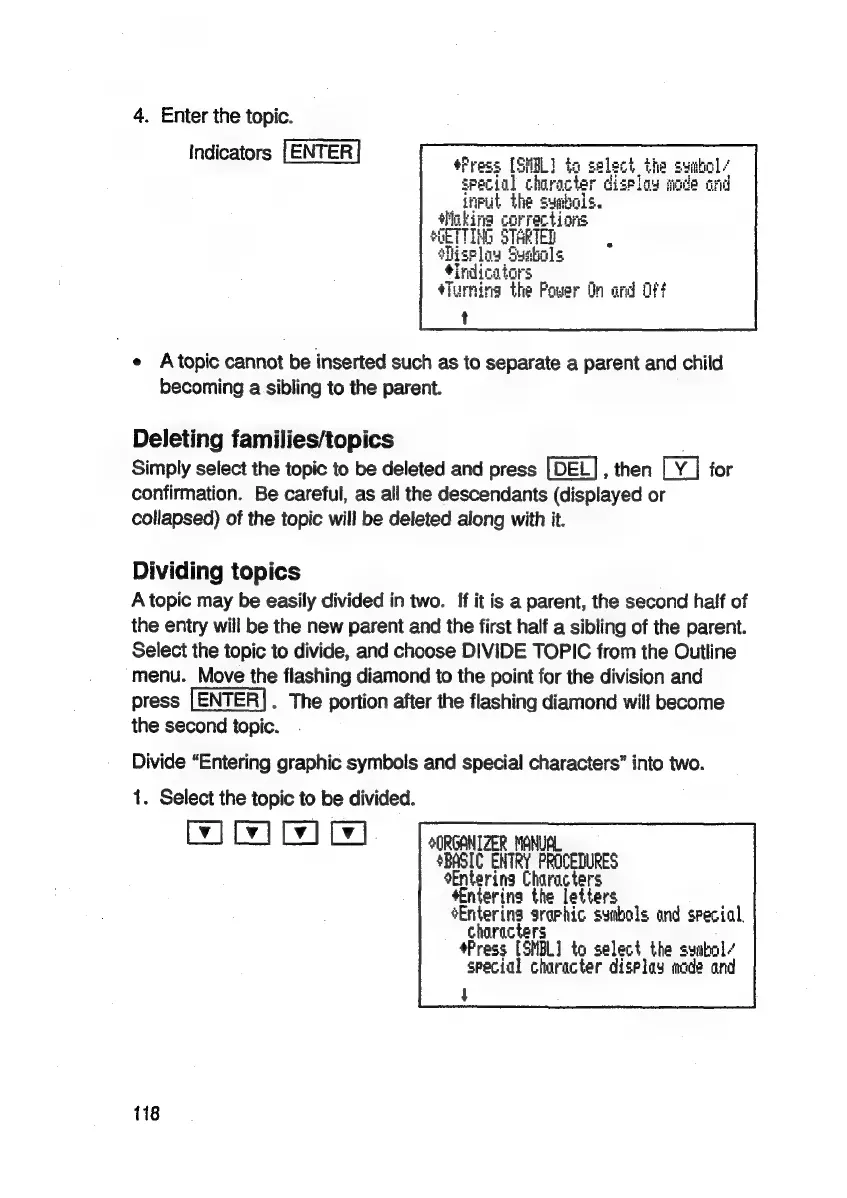
4.
Enter
the
topic.
Indicators
[ENTER
#Press
[SHEL]
to
:
select
the
syabol-
special
chiracter
display
mode
and
input
the
symbols.
Hlokina
corrections
SGETTING
STARTED
‘Miselay
Syabols
indicators
4Turnina
the
Power
dn
and
oft
t
e
Atopic
cannot
be
inserted
such
as
to
separate
a
parent
and
child
becoming
a
sibling
to
the
parent.
Deleting
families/topics
Simply
select
the
topic
to
be
deleted
and
press
[DEL],
then
na
for
confirmation.
Be
careful,
as
all
the
descendants
(displayed
or
collapsed)
of
the
topic
will
be
deleted
along
with
it.
Dividing
topics
A
topic
may
be
easily
divided
in
two.
If
it
is
a
parent,
the
second
half
of
the
entry
will
be
the
new
parent
and
the
first
half
a
sibling
of
the
parent.
Select
the
topic
to
divide,
and
choose
DIVIDE
TOPIC
from
the
Outline
menu.
Move
the
flashing
diamond
to
the
point
for
the
division
and
press
.
The
portion
after
the
flashing
diamond
will
become
the
second
topic.
Divide
“Entering
graphic
symbols
and
special
characters”
into
two.
1.
Select
the
topic
to
be
divided.
WI Wd
Gd)
SORGANIZER
MANUAL
SBASIC
ENTRY
PROCEDURES
Entering
Characters
Entering
the
letters
Entering
sraphic
symbols
and
special,
characters
+Press
(SHEL
to
select
the
syabal/
special
character
display
made
and
t
118

Related product manuals