EasyManua.ls Logo

Sharp ZQ-6100M - Page 13

Sharp ZQ-6100M
194 pages
Print Icon
To Next Page IconTo Next Page
To Previous Page IconTo Previous Page
Loading...
Display
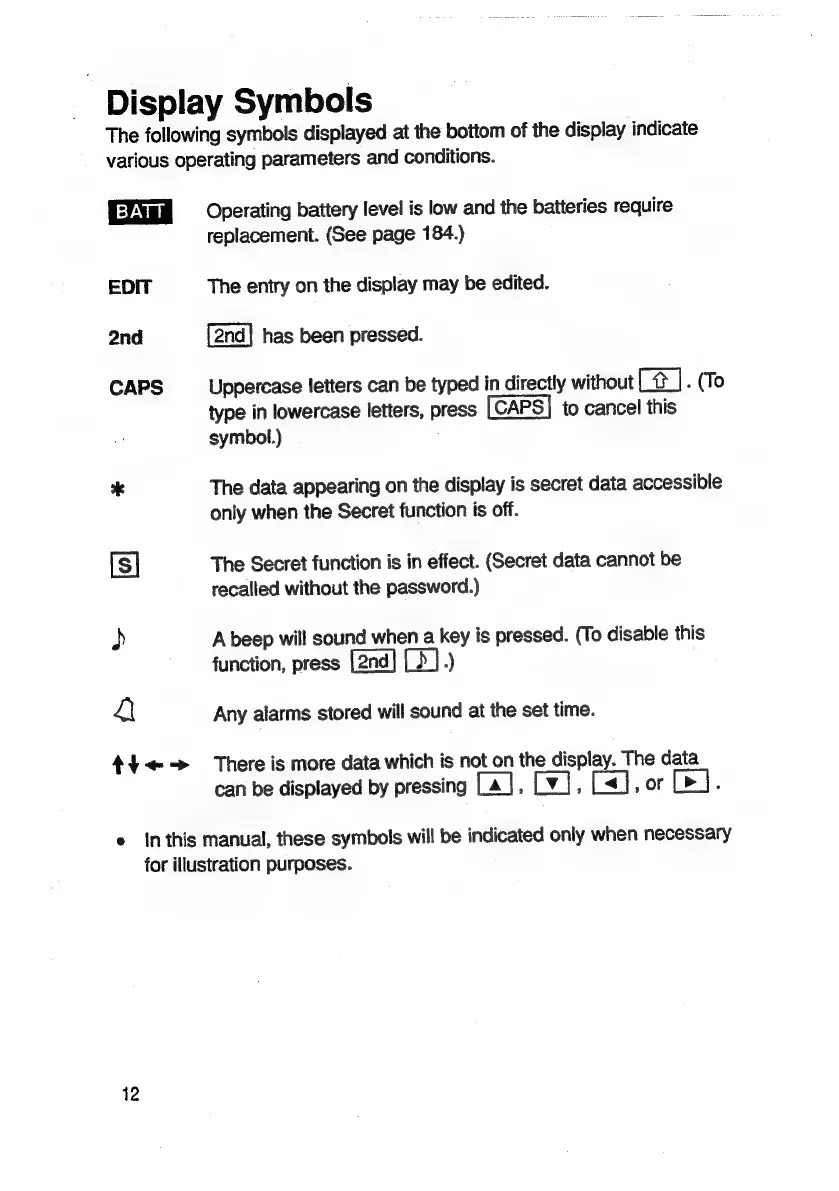
Symbols
The
following
symbols
displayed
at
the
bottom
of
the
display
indicate
various
operating
parameters
and
conditions.
EDIT
2nd
CAPS
*
[s]
)
4
th<«->
Operating
battery
level
is
low
and
the
batteries
require
replacement.
(See
page
184.)
The
entry
on
the
display
may
be
edited.
has
been
pressed.
Uppercase
letters
can
be
typed
in
directly
without
C#
|.
(To
type
in
lowercase
letters,
press
[CAPS]
to
cancel
this
symbol.)
The
data
appearing
on
the
display
is
secret
data
accessible
only
when
the
Secret
function
is
off.
The
Secret
function
is
in
effect.
(Secret
data
cannot
be
recalled
without
the
password.)
A
beep
will
sound
when
a
key
is
pressed.
(To
disable
this
function,
press
.)
Any
alarms
stored
will
sound
at
the
set
time.
There
is
more
data
which
is
not
on
the
display.
The
data
can
be
displayed
by
pressing
La],
Lv],
[<1],
or
e
inthis
manual,
these
symbols
will
be
indicated
only
when
necessary
for
illustration
purposes.
12

Related product manuals