EasyManua.ls Logo

Sharp ZQ-6100M - Page 14

Sharp ZQ-6100M
194 pages
Print Icon
To Next Page IconTo Next Page
To Previous Page IconTo Previous Page
Loading...
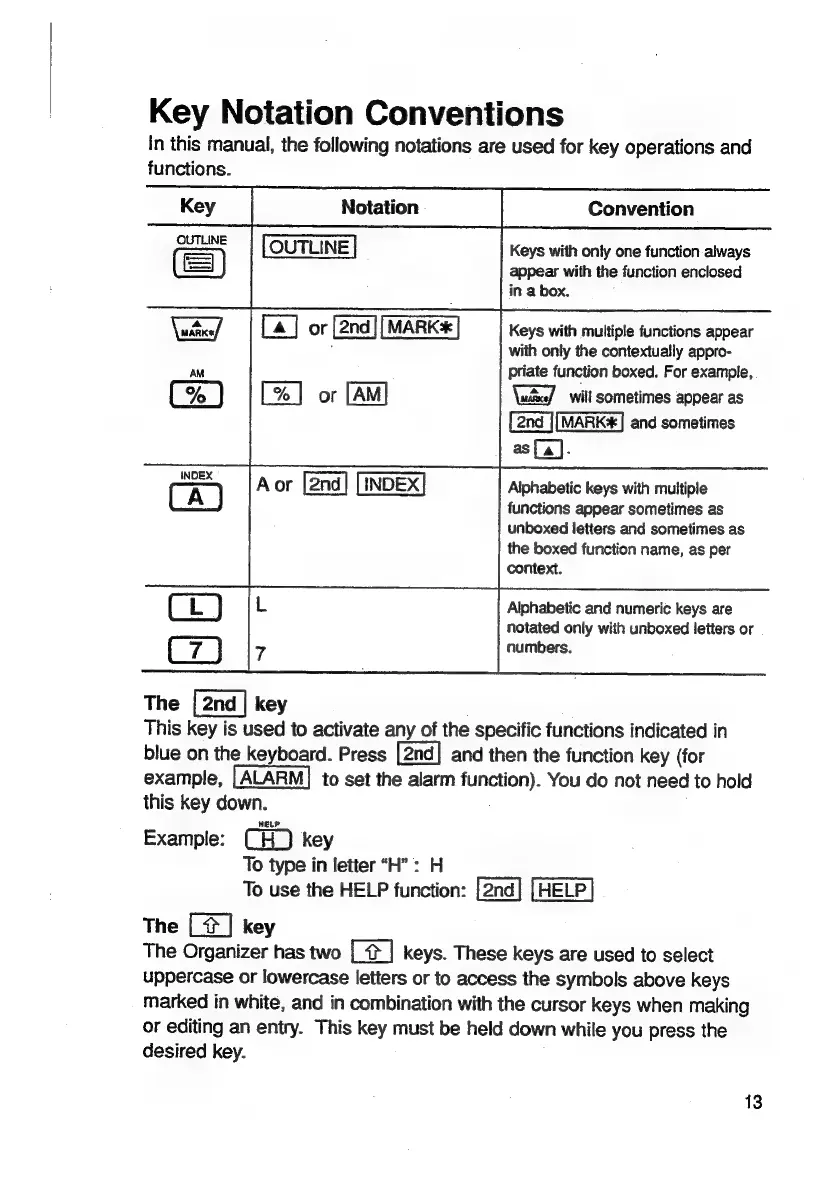
Key
Notation
Conventions
In
this
manual,
the
following
notations
are
used
for
key
operations
and
functions.
Convention
Keys
with
only
one
function
always
appear
with
the
function
enclosed
in
a
box.
Keys
with
multiple
functions
appear
with
only
the
contextually
appro-
priate
function
boxed.
For
example,
will
sometimes
appear
as
MARK#]
and
sometimes
as
[a].
Alphabetic
keys
with
multiple
functions
appear
sometimes
as
unboxed
letters
and
sometimes
as
the
boxed
function
name,
as
per
context.
Alphabetic
and
numeric
keys
are
notated
only
with
unboxed
letters
or
numbers.
The
key
This
key
is
used
to
activate
any
of
the
specific
functions
indicated
in
blue
on
the
keyboard.
Press
and
then
the
function
key
(for
example,
to
set
the
alarm
function).
You
do
not
need
to
hold
this
key
down.
Example:
CH)
key
To
type
in
letter
“H”
:
H
To
use
the
HELP
function:
HELP
The
[2]
key
The
Organizer
has
two
[|
keys.
These
keys
are
used
to
select
uppercase
or
lowercase
letters
or
to
access
the
symbols
above
keys
marked
in
white,
and
in
combination
with
the
cursor
keys
when
making
or
editing
an
entry.
This
key
must
be
held
down
while
you
press
the
desired
key.
13

Related product manuals