EasyManua.ls Logo

Sharp ZQ-6100M - Page 15

Sharp ZQ-6100M
194 pages
Print Icon
To Next Page IconTo Next Page
To Previous Page IconTo Previous Page
Loading...
Power
On
and
Off
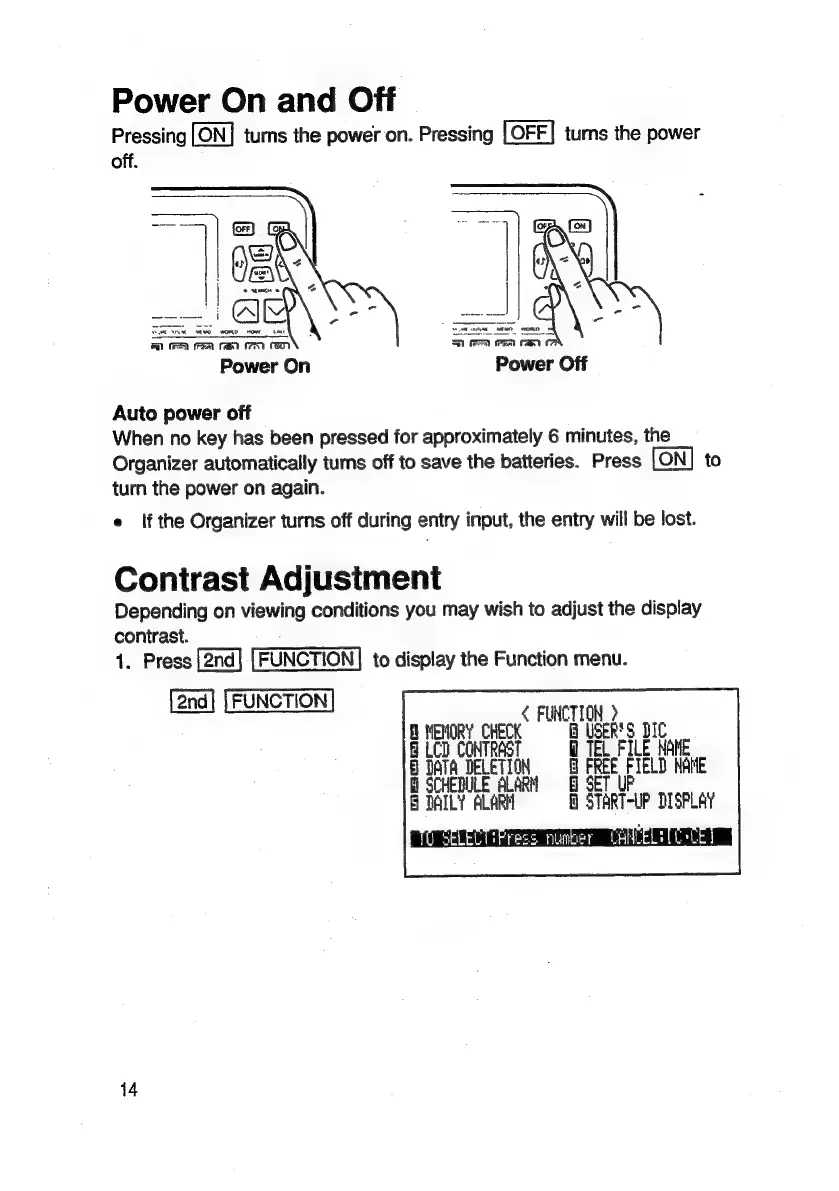
Pressing
turns
the
power
on.
Pressing
turns
the
power
off.
CR
(Fm
PAR
781
FEN
Power
On
Power
Off
rT
Auto
power
off
When
no
key
has
been
pressed
for
approximately
6
minutes,
the
Organizer
automatically
turns
off
to
save
the
batteries.
Press
to
turn
the
power
on
again.
e
If
the
Organizer
turns
off
during
entry
input,
the
entry
will
be
lost.
Contrast
Adjustment
Depending
on
viewing
conditions
you
may
wish
to
adjust
the
display
contrast.
1.
Press
FUNCTION]
to
display
the
Function
menu.
[2nd]
[FUNCTION]
«
FUNCTION
>
MEMORY
CHECK
B
USER'S
BIC
B
LCD
CONTRAST
TEL
FILE
NAME
LETION
@
FREE
FIELD
NAME
SCHEDULE
ALARM
F
B
DAILY
ALARM
M
START-UP
DISPLAY
14

Related product manuals