EasyManua.ls Logo

Sharp ZQ-6100M - Page 152

Sharp ZQ-6100M
194 pages
Print Icon
To Next Page IconTo Next Page
To Previous Page IconTo Previous Page
Loading...
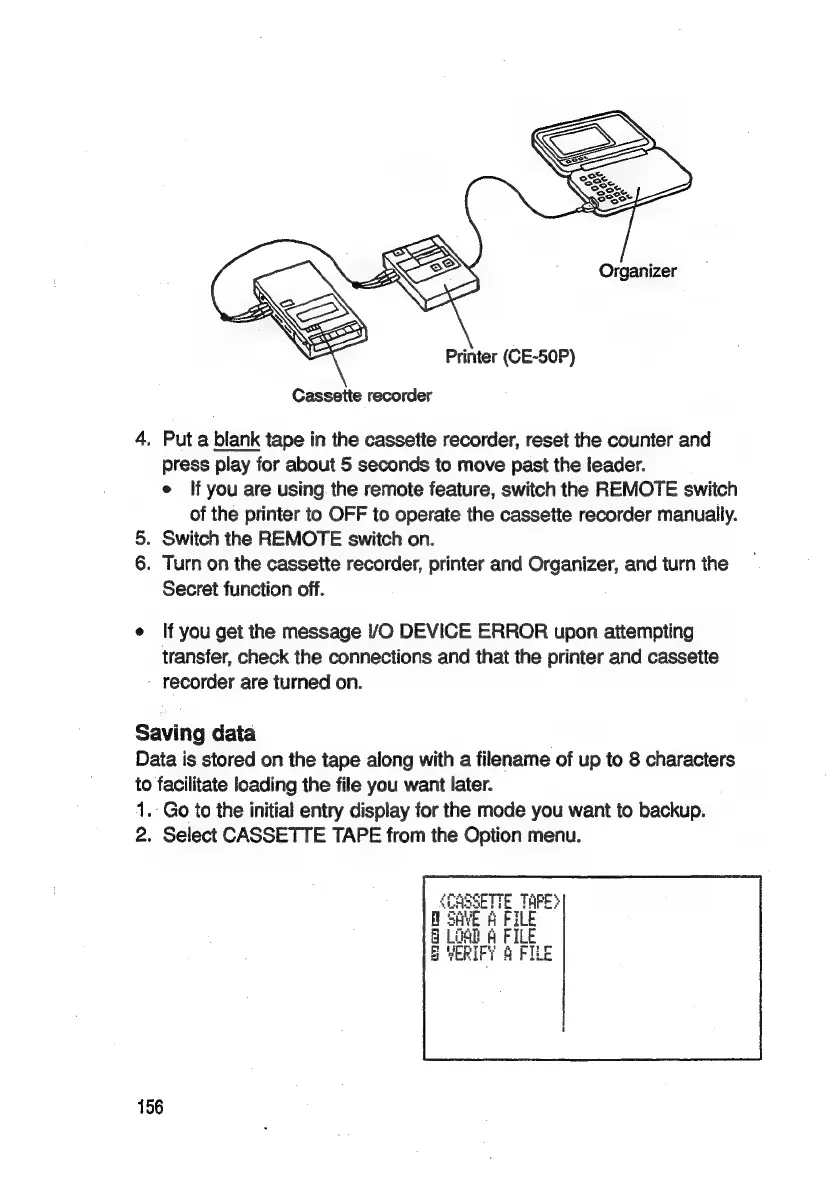
Cassette
recorder
4,
Put
a
blank
tape
in
the
cassette
recorder,
reset
the
counter
and
press
play
for
about
5
seconds
to
move
past
the
leader.
e
lf
you
are
using
the
remote
feature,
switch
the
REMOTE
switch
of
the
printer
to
OFF
to
operate
the
cassette
recorder
manually.
5.
Switch
the
REMOTE
switch
on.
6.
Turn
on
the
cassette
recorder,
printer
and
Organizer,
and
turn
the
Secret
function
off.
e
If
you
get
the
message
I/O
DEVICE
ERROR
upon
attempting
transfer,
check
the
connections
and
that
the
printer
and
cassette
-
recorder
are
turned
on.
Saving
data
Data
is
stored
on
the
tape
along
with
a
filename
of
up
to
8
characters
to
facilitate
loading
the
file
you
want
later.
1.
Go
to
the
initial
entry
display
for
the
mode
you
want
to
backup.
2.
Select
CASSETTE
TAPE
from
the
Option
menu.
156

Related product manuals