EasyManua.ls Logo

Sharp ZQ-6100M - Page 177

Sharp ZQ-6100M
194 pages
Print Icon
To Next Page IconTo Next Page
To Previous Page IconTo Previous Page
Loading...
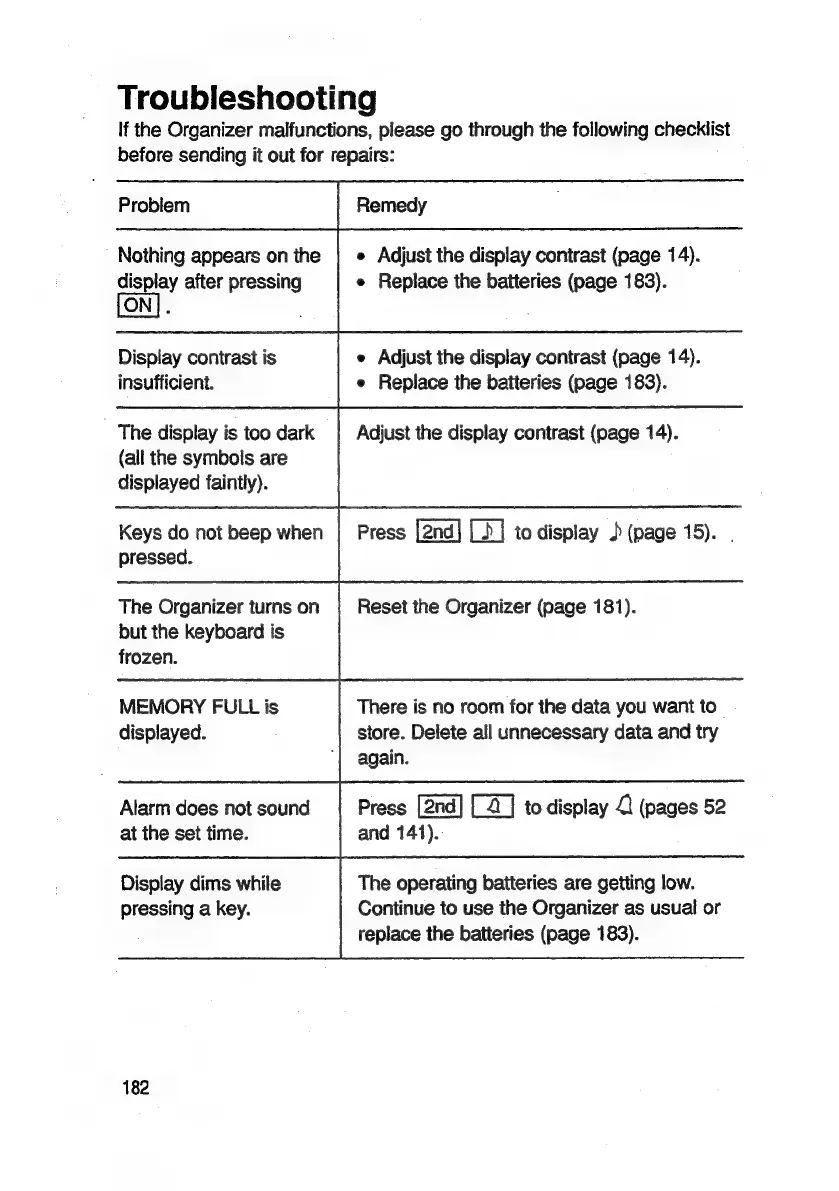
Troubleshooting
If
the
Organizer
malfunctions,
please
go
through
the
following
checklist
before
sending
it
out
for
repairs:
Problem
Nothing
appears
on
the
display
after
pressing
Display
contrast
is
insufficient.
The
display
is
too
dark
(all
the
symbols
are
displayed
faintly).
Keys
do
not
beep
when
pressed.
The
Organizer
turns
on
but
the
keyboard
is
frozen.
MEMORY
FULL
is
displayed.
Alarm
does
not
sound
at
the
set
time.
Display
dims
while
pressing
a
key.
182
Remedy
Adjust
the
display
contrast
(page
14).
Replace
the
batteries
(page
183).
Adjust
the
display
contrast
(page
14).
Replace
the
batteries
(page
183).
Adjust
the
display
contrast
(page
14).
Press
to
display
J
(page
15).
Reset
the
Organizer
(page
181).
There
is
no
room
for
the
data
you
want
to
store.
Delete
all
unnecessary
data
and
try
again.
Press
[2]
to
display
2
(pages
52
and
141).
The
operating
batteries
are
getting
low.
Continue
to
use
the
Organizer
as
usual
or
replace
the
batteries
(page
183).

Related product manuals