EasyManua.ls Logo

Sharp ZQ-6100M - Page 26

Sharp ZQ-6100M
194 pages
Print Icon
To Next Page IconTo Next Page
To Previous Page IconTo Previous Page
Loading...
Setting
the
HOME
clock
The
HOME
clock
is
the
reference
time
used
by
the
SCHEDULE,
TO
DO
and
CALENDAR
modes
and
the
WORLD
clock.
The
WORLD
time
is
only
correct
when
the
HOME
clock
is
set
correctly.
First
select
the
HOME
city
(usually
your
city),
then
set
the
current
time
and
date.
Selecting
the
HOME
city
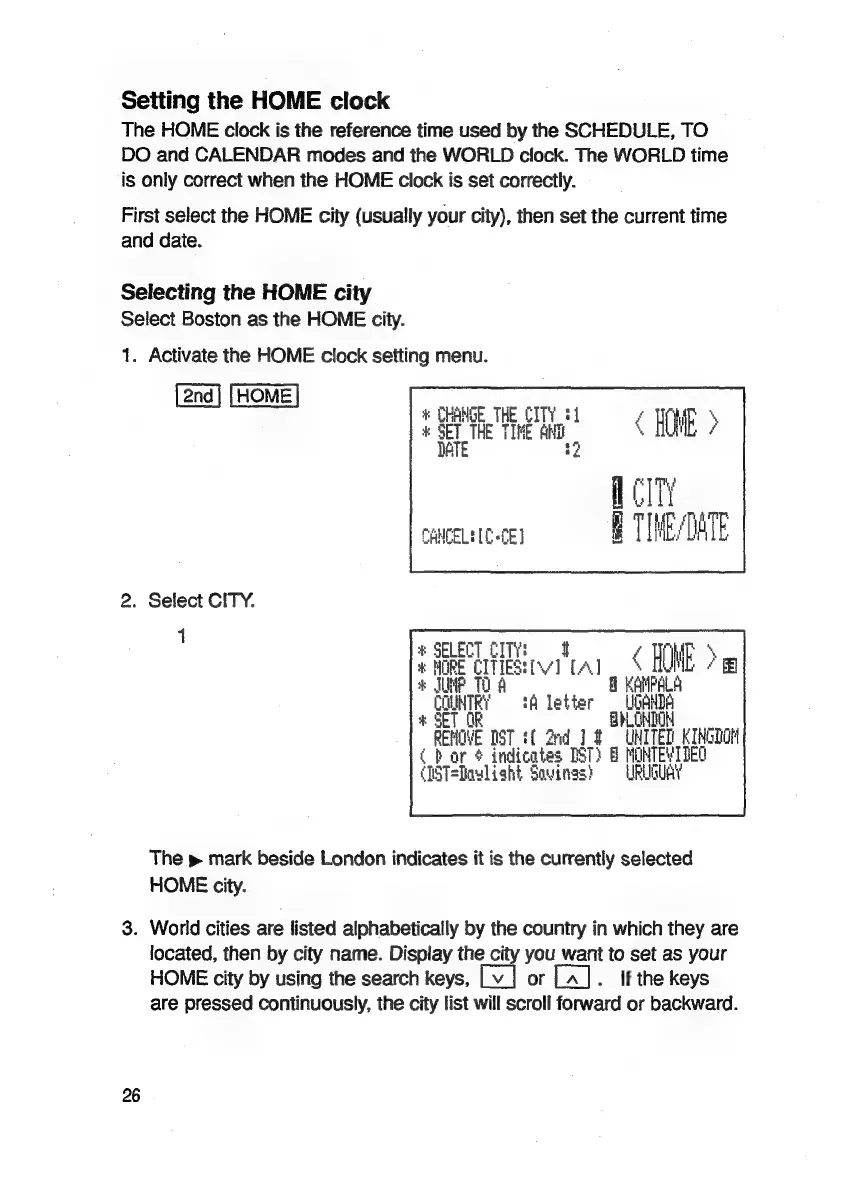
Select
Boston
as
the
HOME
city.
1.
Activate
the
HOME
clock
setting
menu.
[2nd]
[HOME]
:
CHANGE
THE
CITY
@4
é
HME
5
*
SET
THE
TIME
Ani
,
1
a
DATE
2
CANCELED
fE]
2.
Select
CITY.
1
#
SELECT
CITY!
uf
Eq
WWE
>
*
HORE
CITIES:
iv] LA]
+
ME
10
A
n
KAHPALA
.
oe
tA
letter
iit
SE OH
*
EHO
[ST
tf
2nd
lt
UHI
TED
KINGTON
(bor
¢
indicates
TST)
B
MOHTEVIDEO
(1ST=Dawlisht
Sovinas?
=
URUGUAY
The
p
mark
beside
London
indicates
it
is
the
currently
selected
HOME
city.
3.
World
cities
are
listed
alphabetically
by
the
country
in
which
they
are
located,
then
by
city
name.
Display
the
city
you
want
to
set
as
your
HOME
city
by
using
the
search
keys,
or
.
ff
the
keys
are
pressed
continuously,
the
city
list
will
scroll
forward
or
backward.
26

Related product manuals