EasyManua.ls Logo

Sharp ZQ-6100M - Page 31

Sharp ZQ-6100M
194 pages
Print Icon
To Next Page IconTo Next Page
To Previous Page IconTo Previous Page
Loading...
Correcting
the
HOME
time
and
date
If
you
wish
to
correct
the
current
HOME
time
and
date,
set
it
again
according
to
“Setting
the
HOME
time
and
date”
above.
Skip
step
4
if
you
do
not
want
to
change
the
time
or
step
5
if
you
do
not
want
to
change
the
daie.
Canceling
DST
for
the
HOME
city
When
DST
ends,
you
must
cancel
the
DST
setting
for
the
HOME
city.
The
time
will
be
automatically
move
back
one
hour.
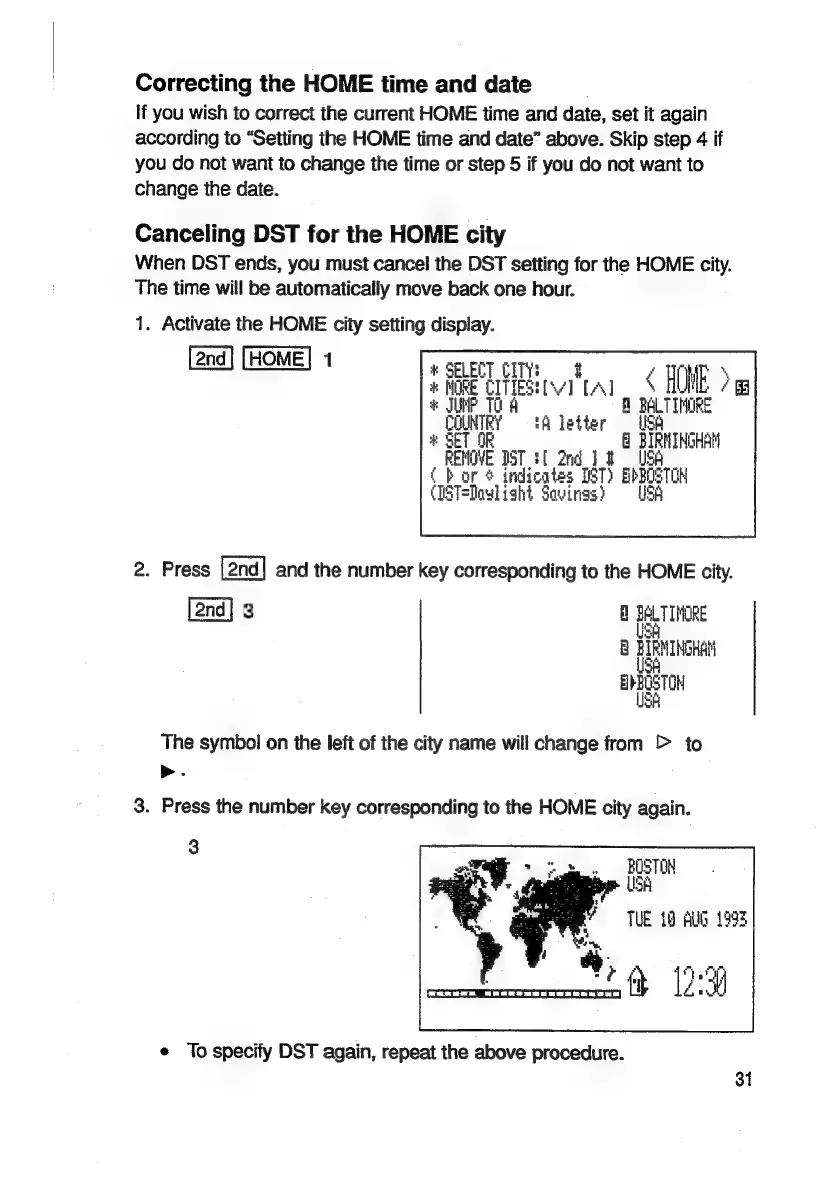
1.
Activate
the
HOME
city
setting
display.
:
ais
CITIES!
tive
[A]
Mi’
UNP
TO
A
A
BALTIMORE
‘A
letter
USA
*
SET
OR
8
BIRMINGHAM
RENOVE
IST
tf
2nd
]
8
USA
bor
4
>
indicates
TST)
EbBOSTOR
(DST=Doul
ight
Savings?
=
USK
2.
Press
and
the
number
key
corresponding
to
the
HOME
city.
3
8
Ba
TIPORE
8
fee
sell
The
symbol
on
the
left
of
the
city
name
will
change
from
>
to
>.
3.
Press
the
number
key
corresponding
to
the
HOME
city
again.
3
BOSTON
USA
TUE
18
Auld
1998
a
¢
To
specify
DST
again,
repeat
the
above
procedure.
31

Related product manuals