EasyManua.ls Logo

Sharp ZQ-6100M - Page 33

Sharp ZQ-6100M
194 pages
Print Icon
To Next Page IconTo Next Page
To Previous Page IconTo Previous Page
Loading...
e
If
the
city
you
seek
is
in
the
favorite
city
list,
select
the
number
which
corresponds
to
it.
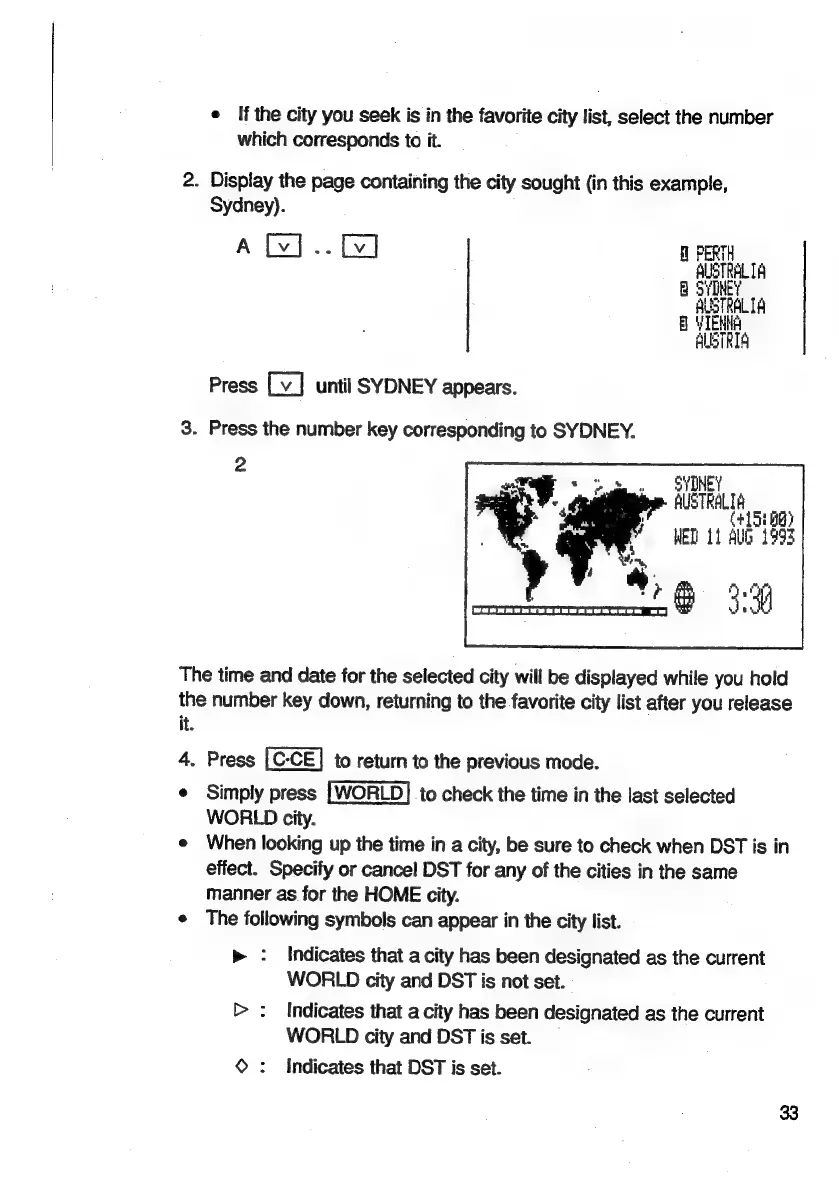
2.
Display
the
page
containing
the
city
sought
(in
this
example,
Sydney).
A
-
fl
PERTH
AUSTRALIA
SYINE
AUSTRALIA
B
YTEN
ALBTRIA
Press
until
SYDNEY
appears.
3.
Press
the
number
key
corresponding
to
SYDNEY.
2
SYDNEY
AUSTRALIA
(+1
5080)
WED
11
Aub
1993
The
time
and
date
for
the
selected
city
will
be
displayed
while
you
hold
the
number
key
down,
returning
to
the
favorite
city
list
after
you
release
it.
4.
Press
to
return
to
the
previous
mode.
¢
Simply
press
to
check
the
time
in
the
last
selected
WORLD
city.
e
When
looking
up
the
time
in
a
city,
be
sure
to
check
when
DST
is
in
effect.
Specify
or
cancel
DST
for
any
of
the
cities
in
the
same
manner
as
for
the
HOME
city.
e
The
following
symbols
can
appear
in
the
city
list.
:
Indicates
that
a
city
has
been
designated
as
the
current
WORLD
city
and
DST
is
not
set.
>
:
Indicates
that
a
city
has
been
designated
as
the
current
WORLD
city
and
DST
is
set.
©
:
Indicates
that
DST
is
set.

Related product manuals