EasyManua.ls Logo

Sharp ZQ-6100M - Page 34

Sharp ZQ-6100M
194 pages
Print Icon
To Next Page IconTo Next Page
To Previous Page IconTo Previous Page
Loading...
Enabling
and
Disabling
DST
The
DST
settings
for
ihe
HOME
and
WORLD
cities
can
be
disabled
or
.
enabled
as
a
whole.
This
is
particularly
useful
if
most
of
the
cities
you
commonly
deal
with
changeover
between
DST
and
ordinary
time
simultaneously.
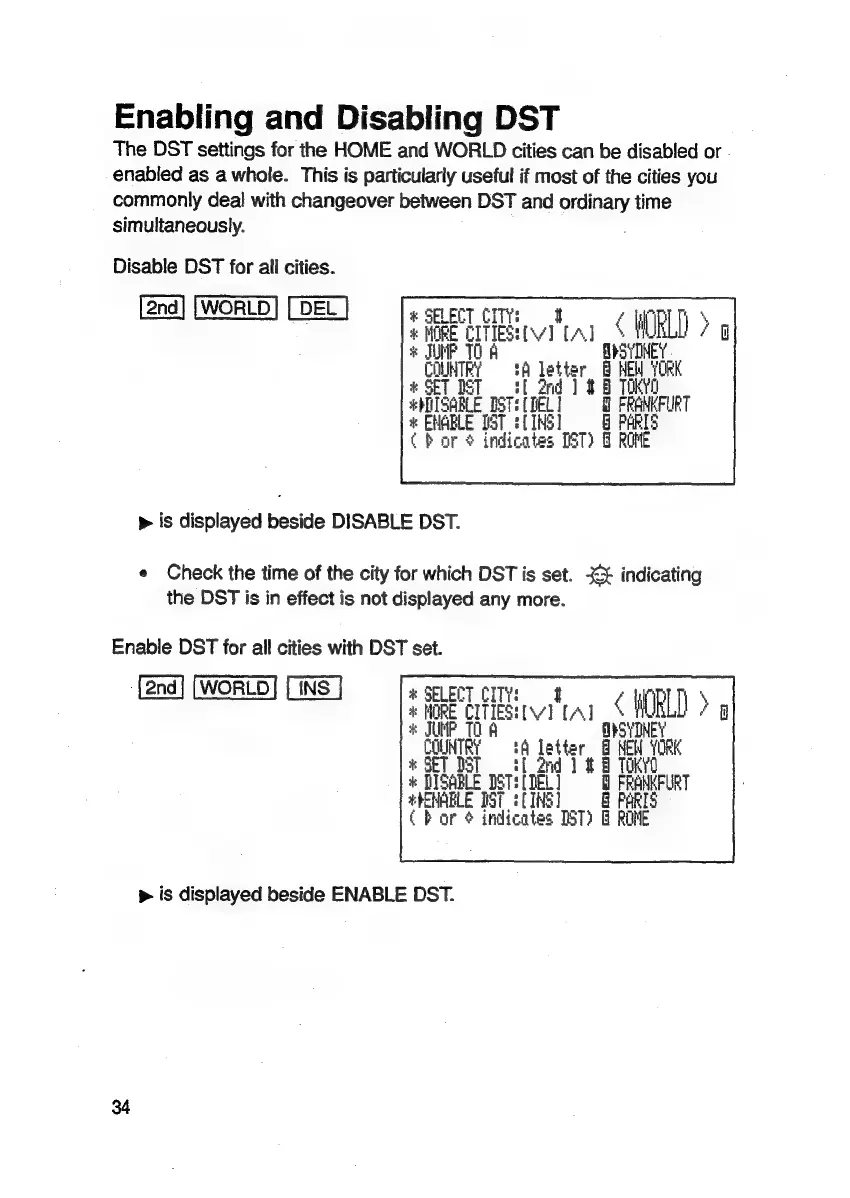
Disable
DST
for
all
cities.
®
SELECT
CITY:
<
H
HD
>
:
MORE
CITIES:
ve
[A]
TOA
Tl
*
JU
,
Gate
iA
letter
:
ak
i
#
SET
DST
ott
2rd
]
2
8
TOKYO
#hITSARLE
BST:
(NEL
a
FRANKFURT
*
ENABLE
TST
3
(IHS)
163
Char
é
indic
ates
IST)
8
ROME
>
is
displayed
beside
DISABLE
DST.
e
Check
the
time
of
the
city
for
which
DST
is
set.
3€£
indicating
the
DST
is
in
effect
is
not
displayed
any
more.
Enable
DST
for
all
cities
with
DST
set.
TINS
]
&
SELECT
CITY:
SHURE
CITES
[Al
|
*
JUMP
TO
A
,
ee
0
*
SET
DST
+
DISABLE
DS
TEETEL]
Ml
FRANKFURT
#hENABLE
IST
{(1NE]
PARIS
bor
¢
indicates
IST)
&
ROME
p
is
displayed
beside
ENABLE
DST.
34

Related product manuals