EasyManua.ls Logo

Sharp ZQ-6100M - Page 42

Sharp ZQ-6100M
194 pages
Print Icon
To Next Page IconTo Next Page
To Previous Page IconTo Previous Page
Loading...
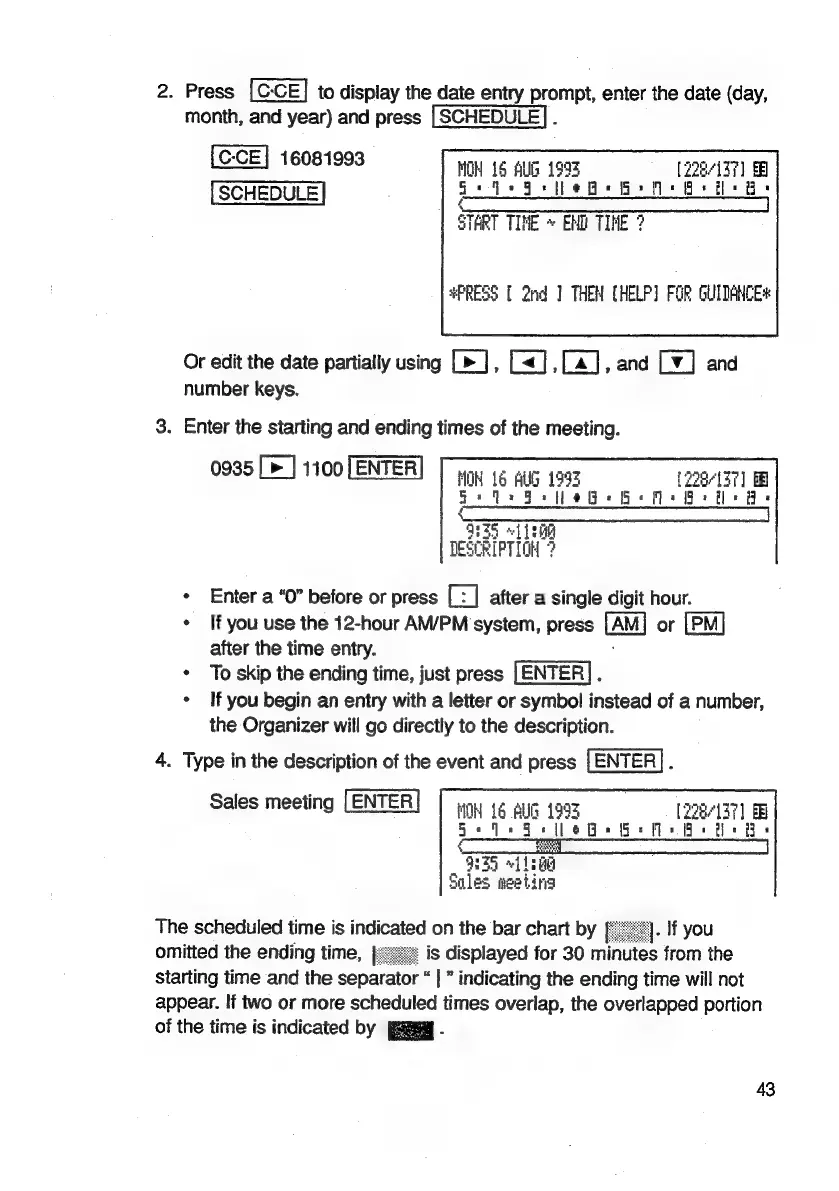
2.
Press
to
display
the
date
entry
prompt,
enter
the
date
(day,
month,
and
year)
and
press
|
SCHEDULE}.
16081993
HON
16
ALG
1955
(228/137)
SCHEDULE
Gedo
Hee
Gea
8
iB:
ee
en
eS
START
TINE
*
EMD
TINE
?
PRESS
[
2nd]
THEN
(HELP)
FOR
GUITANCE
Or
edit
the
date
partially
using
,
L<],
[4],
and
Ly]
and
number
keys.
3.
Enter
the
starting
and
ending
times
of
the
meeting.
0935
[>]
1100
[ENTER]
[pny
1
aug
199
[228-137]
BB
Fo
tee
Be
(a=
a
“ae
“1
}
THe
DESCRIPTION
?
*
Enter
a
“0”
before
or
press
a
after
a
single
digit
hour.
*
If
you
use
the
12-hour
AM/PM
system,
press
[Au]
or
[PM]
after
the
time
entry.
*
To
skip
the
ending
time,
just
press
.
*
If
you
begin
an
entry
with
a
letter
or
symbol
instead
of
a
number,
the
Organizer
will
go
directly
to
the
description.
4.
Type
in
the
description
of
the
event
and
press
[ENTER].
Sales
meeting
LENTER!
|
my
Lg
AUG
1998
[228/137]
5
JE
Ee
eB
i:
i:
935
Ltt
i
les
eeting
The
scheduled
time
is
indicated
on
the
bar
chart
by
omitted
the
ending
time,
|<
Starting
time
and
the
separator
“|
indicating
the
ending
time
will
not
appear.
If
two
or
more
scheduled
times
overlap,
the
overlapped
portion
of
the
time
is
indicated
by
paEeg
.
43

Related product manuals