EasyManua.ls Logo

Sharp ZQ-6100M - Page 41

Sharp ZQ-6100M
194 pages
Print Icon
To Next Page IconTo Next Page
To Previous Page IconTo Previous Page
Loading...
Making
a
New
Schedule
Entry
Entering
a
new
schedule
entry
is
done
in
2
steps,
or
3
if
you
are
setting
an
alarm.
e
Select
the
date
for
the
entry.
e
Make
the
entry.
e
Set
the
alarm.
e
Even
if
the
desired
date
has
an
entry
displayed,
just
go
ahead
and
type
in
the
new
entry.
The
Organizer
will
assume
you
are
making
a
new
entry
on
the
same
day.
Selecting
the
date
There
are
3
ways
to
select
the
day
for
the
new
entry
in
the
SCHEDULE
mode.
¢
Go
directly
to
today
using
;
e
Step
up
or
down
a
day
at
a
time
using
or
:
e
Enter
the
date
directly
using
,
enter
the
date,
and
press
Alternatively,
select
the
day
in
CALENDAR
and
switch
to
the
SCHEDULE
mode.
e
lf
you
switch
between
any
of
the
weekly
display,
daily
display,
SCHEDULE
or
CALENDAR
modes,
the
day
will
remain
the
one
active
in
the
previous
mode.
Making
an
entry
An
entry
consists
of
the
scheduled
time
and
a
description.
The
whole
scheduled
time
or
just
the
finishing
time
may
be
omitted.
There
is
a
staff
meeting
to
discuss
monthly
sales
on
16
August
1993
from
9:35
to
11:00.
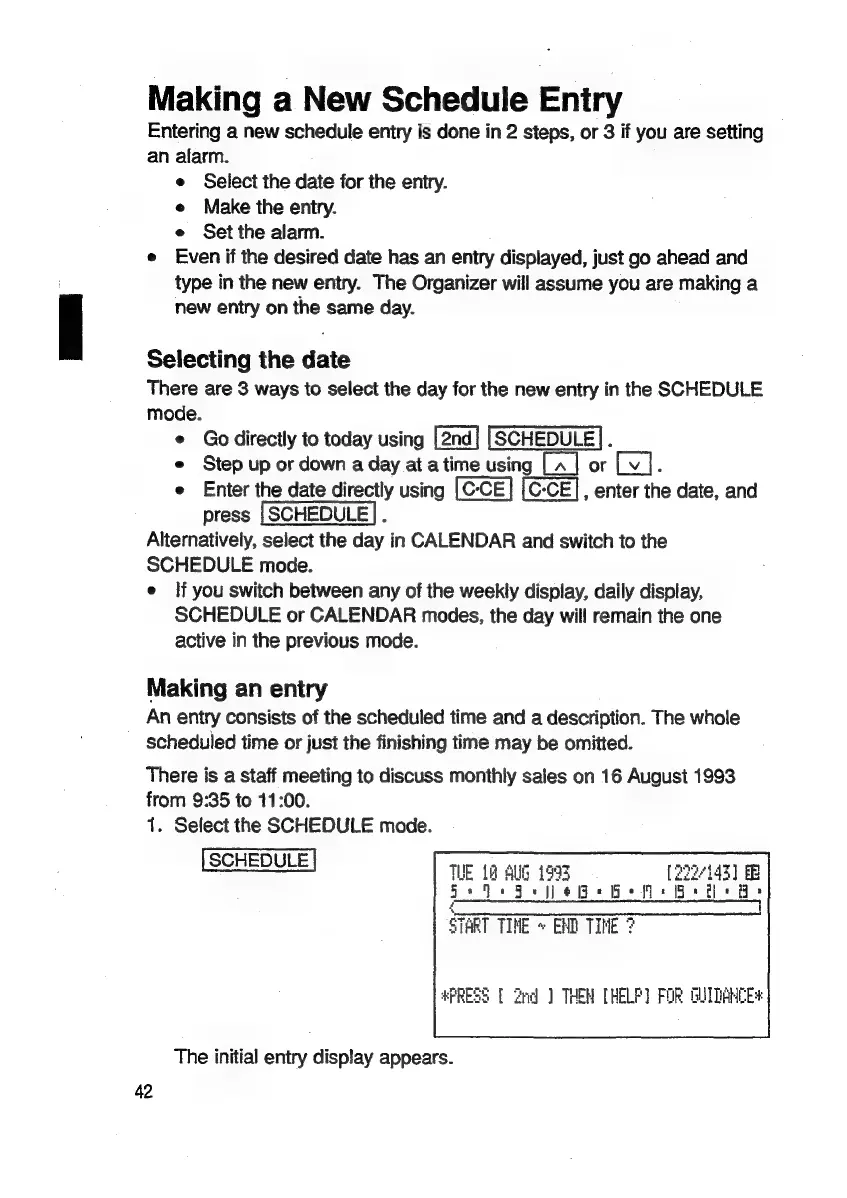
1.
Select
the
SCHEDULE
mode.
[SCHEDULE]
TUE
12
AUG
1993
[222/143]
Se
Qe
Fee
He
Be
Me
Grete
Fe
Soe
ee
ee
ee
me
eet
START
TINE
»
END
TINE
3
*PRESS
[
2nd
]
THEN
[HELP]
FOR
GUIDANCE
The
initial
entry
display
appears.
42

Related product manuals