EasyManua.ls Logo

Sharp ZQ-6100M - Page 75

Sharp ZQ-6100M
194 pages
Print Icon
To Next Page IconTo Next Page
To Previous Page IconTo Previous Page
Loading...
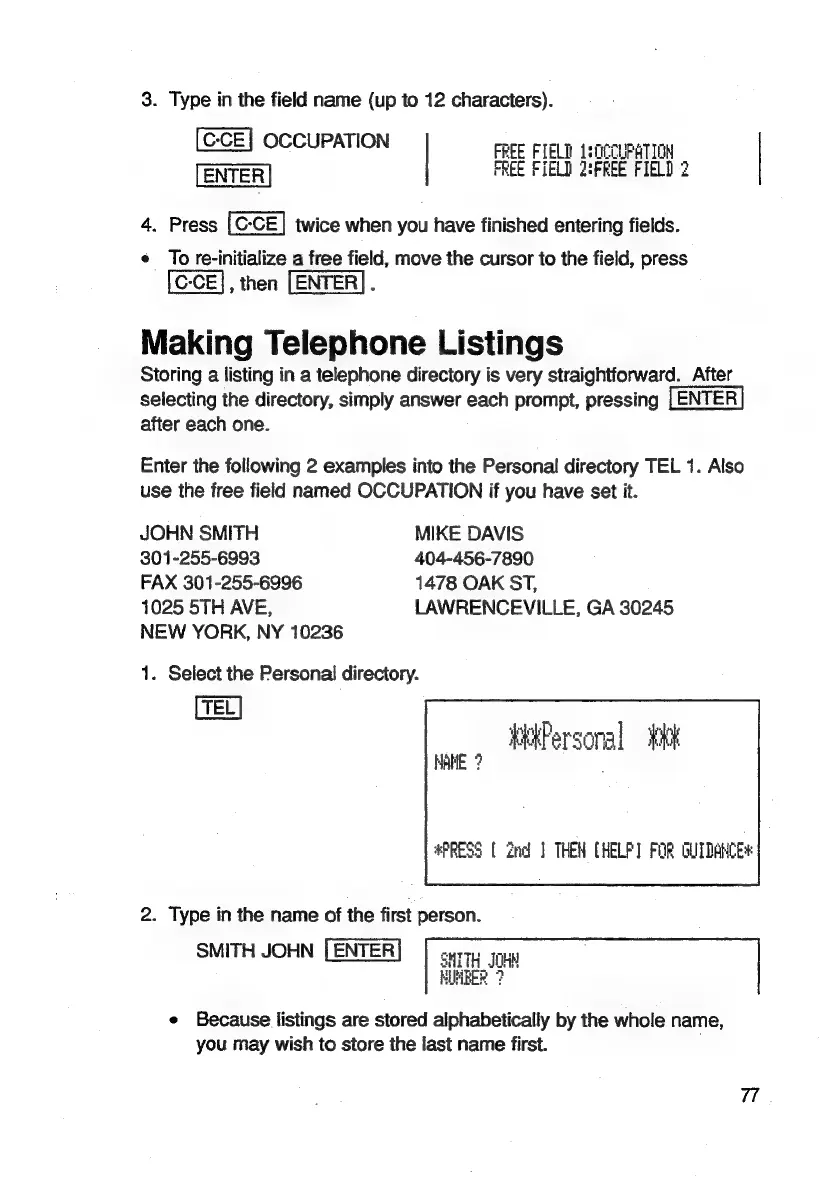
3.
Type
in
the
field
name
(up
to
12
characters).
[C-CE]
OCCUPATION
FREE
FIELD
1s0CCUPATION
FREE
FIELD
2:FKEE
FIELD
2
4.
Press
twice
when
you
have
finished
entering
fields.
¢
To
re-initialize
a
free
field,
move
the
cursor
to
the
field,
press
-
(G-CE],
then
[ENTER].
Making
Telephone
Listings
Storing
a
listing
in
a
telephone
directory
is
very
straightforward.
After
selecting
the
directory,
simply
answer
each
prompt,
pressing
|
ENTER
after
each
one.
Enter
the
following
2
examples
into
the
Personal
directory
TEL
1.
Also
use
the
free
field
named
OCCUPATION
if
you
have
set
it.
JOHN
SMITH
MIKE
DAVIS
301-255-6993 404-456-7890
FAX
301-255-6996
1478
OAK
ST,
1025
5TH
AVE,
LAWRENCEVILLE,
GA
30245
NEW
YORK,
NY
10236
1.
Select
the
Personal
directory.
TEL
HAME
?
#PRESS
[
2nd
}
THEN
CHELP]
FOR
GUIDANCE
2.
Type
in
the
name
of
the
first
person.
SMITH
JOHN
SMITH
JOH
NUMBER
?
e
Because
listings
are
stored
alphabetically
by
the
whole
name,
you
may
wish
to
store
the
last
name
first.

Related product manuals