EasyManua.ls Logo

Sharp ZQ-6100M - Page 81

Sharp ZQ-6100M
194 pages
Print Icon
To Next Page IconTo Next Page
To Previous Page IconTo Previous Page
Loading...
BUSINESS
CARD
The
Business
Card
function
gives
you
a
handy
information
file
on
business-related
matters
including
company
names,
department
or
section
names,
telephone
numbers
(main
and
extension),
fax
numbers,
office
addresses,
and
individuals’
names
and
positions.
In
addition,
you
can
also
define
up
to
5
additional
fields
of
your
choice.
In
this
way,
you
could
have
business-dedicated
information
convenient
for
customer/client
management.
Press
[BUSINESS
CARD
|
to
select
the
BUSINESS
CARD
mode.
Using
the
Free
Fields
The
BUSINESS
CARD
mode
is
preset
with
8
standard
fields
(company
name,
department,
telephone
number,
fax
number,
office
address,
personal
name,
position,
and
extension/direct
call
number).
in
addition,
you
can
define
up
to
5
other
fields
for
data
categories
of
your
choice.
A
field
must
be
named
before
the
Organizer
will
prompt
you
for
information.
This
name
can
be
up
to
12
characters
long.
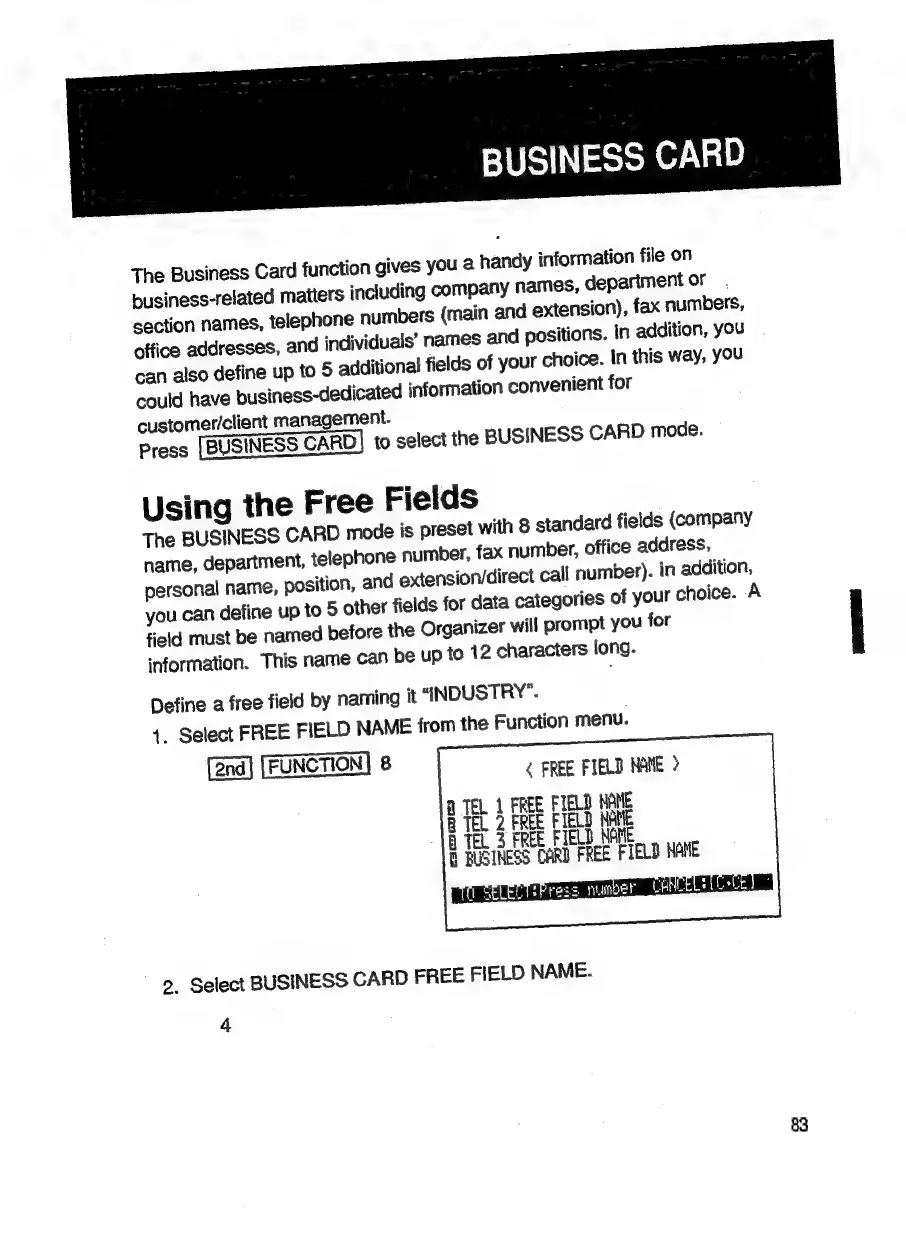
Define
a
free
field
by
naming
it
“ANDUSTRY”.
4.
Select
FREE
FIELD
NAME
from
the
Function
menu.
[2nd]
[FUNCTION]
8
&
FREE
FIELD
NAME
>
MTEL
1
FREE
FIELD
NANE
8
TEL
2
FREE
FIELD
NAME
B
TEL,
3
FREE
FIELD
NAME
E
BUSINESS
CARD
FREE
FIELD
ANE
TO
SELECTSPress
Nunoet
2.
Select
BUSINESS
CARD
FREE
FIELD
NAME.
4
83

Related product manuals