EasyManua.ls Logo

Sharp ZQ-6100M - Page 91

Sharp ZQ-6100M
194 pages
Print Icon
To Next Page IconTo Next Page
To Previous Page IconTo Previous Page
Loading...
Edit
as
necessary
and
press
to
store
the
entry.
e
This
will
update
the
company/department
details
for
all
members
of
the
department.
e
All
entries
are
resorted
according
to
the
changes
made.
Processing
time
will
vary
depending
on
the
number
of
entries.
During
this
time,
SORTING
will
appear
on
the
display.
Deleting
Entries
You
can
delete
any
or
all
members
of
a
particular
department,
or
the
entire
BUSINESS
CARD
file.
Deleting
an
individual
Retrieve
the
entry
you
want
to
delete
and
press
.
You
will
be
asked
for
confirmation
before
the
entry
is
erased.
Press
to
continue
or
any
other
key
to
leave
it
intact.
Deleting
an
entire
department
1.
Display
the
company
and
department
names
in
the
index.
2.
Move
the
pointer
to
indicate
the
department
you
want
to
delete.
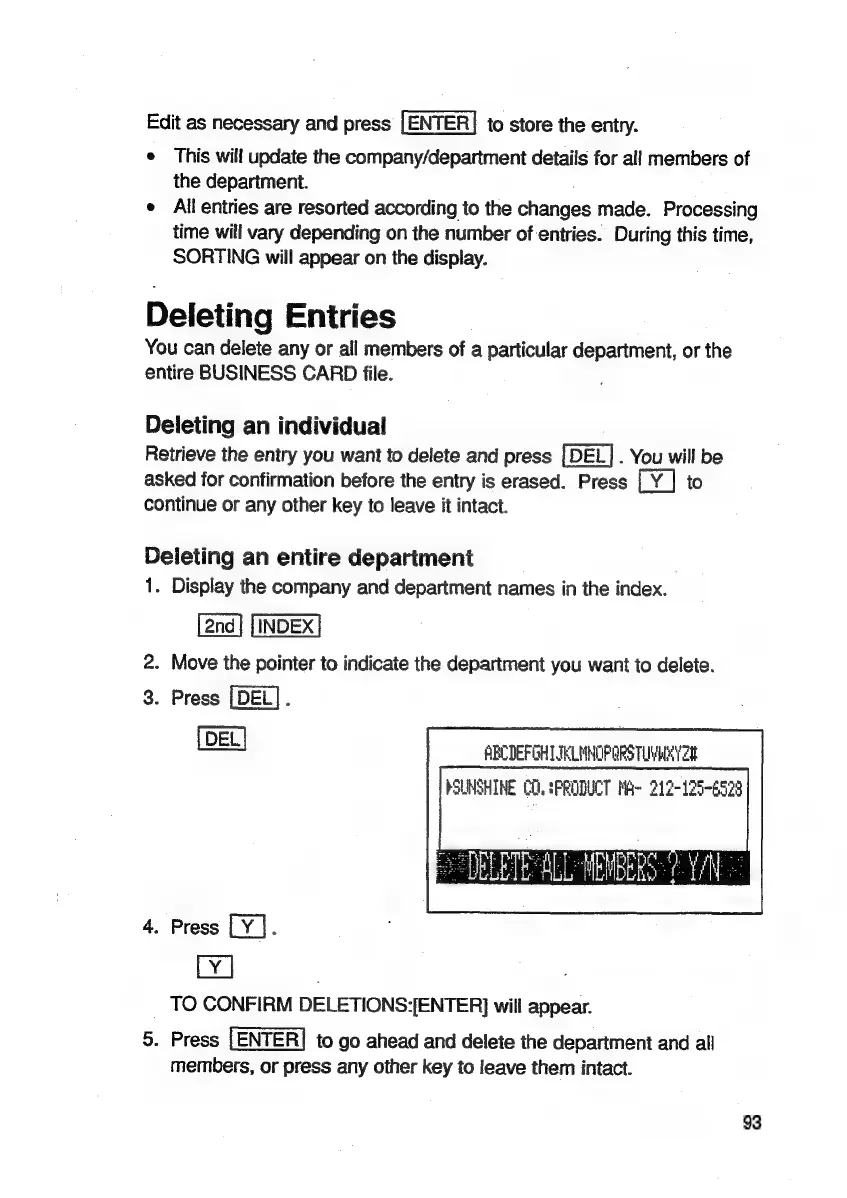
3.
Press
[DEL].
ABCDEFGHTIELMNOPORS
TUVH
YS
PSUNSHINE
CO.
SPRODUCT
MA~
212-125-6523
=
DELETE
ALL
WEWBERS-
Y/N
=
4.
Press
.
TO
CONFIRM
DELETIONS:[ENTER]
will
appear.
5.
Press
[ENTER]
to
go
ahead
and
delete
the
department
and
all
members,
or
press
any
other
key
to
leave
them
intact.
93

Related product manuals