EasyManua.ls Logo

Sharp ZQ-6100M - Page 93

Sharp ZQ-6100M
194 pages
Print Icon
To Next Page IconTo Next Page
To Previous Page IconTo Previous Page
Loading...
KEEPING
MEMOS
The
MEMO
mode
conveniently
stores
odd
bits
of
information
such
as
notes,
ideas
and
lists.
If
numbers,
for
example
prices,
appear
in
a
memo,
they
can
be
entered
directly
into
calculations.
Memos
are
stored
in
order
of
entry
but
can
be
rearranged
as
you
wish.
Press
to
select
the
MEMO
mode.
Making
Memos
Entering
a
memo
is
extremely
simple.
Just
type
it
in
and
press
.
Even
if
another
entry
is
already
being
displayed,
the
Organizer
will
assume
you
are
making
a
new
one.
To
make
entries
easy
to
read,
words
which
are
cut
at
the
end
of
a
line
are
moved
on
to
the
next
line
when
the
entry
is
stored.
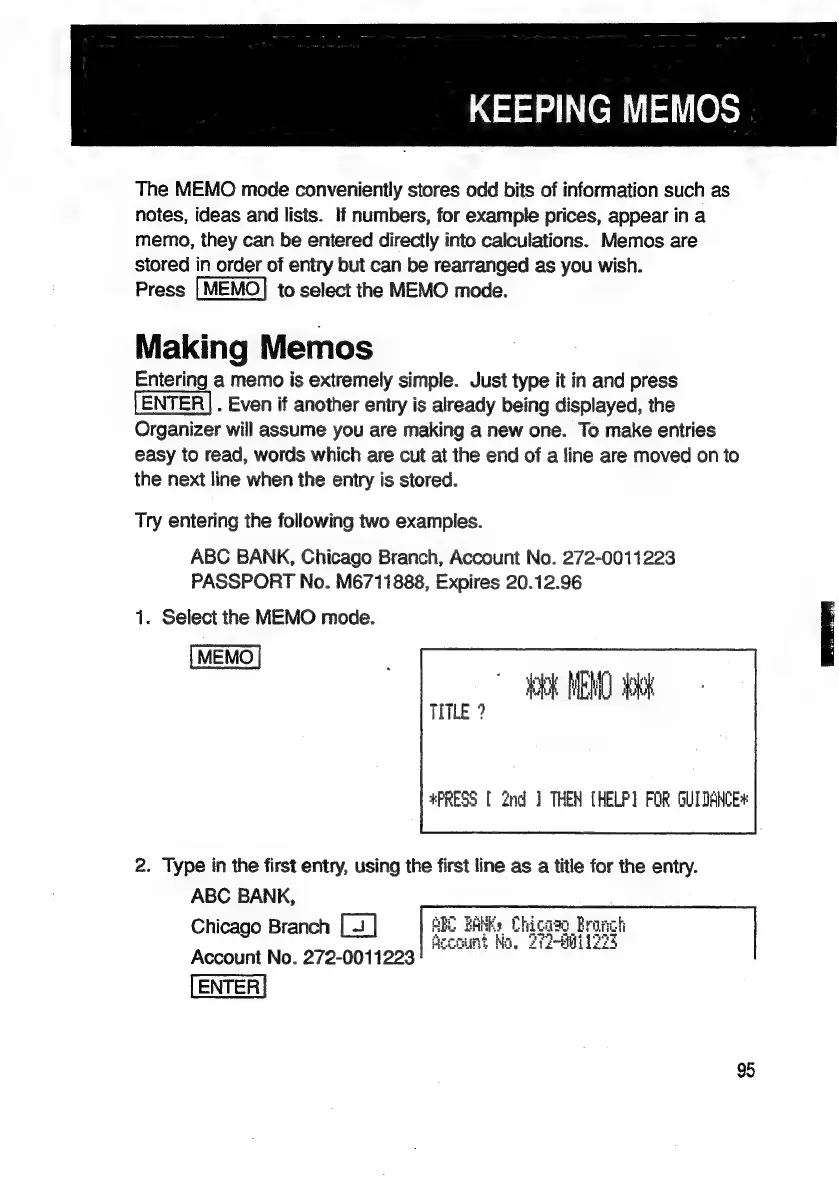
Try
entering
the
following
two
examples.
ABC
BANK,
Chicago
Branch,
Account
No.
272-0011223
PASSPORT
No.
M6711888,
Expires
20.12.96
1.
Select
the
MEMO
mode.
MEN
kk
LE?
*PRESS
[
2nd
]
THEN
[HELP]
POR
GUIDANCE*
2.
Type
in
the
first
entry,
using
the
first
line
as
a
title
for
the
entry.
ABC
BANK,
Chicago
Branch
Account
No.
272-0011223
95

Related product manuals