Warning Indicators
Lo: If Lo appears on the LCD, replace the batteries.
(See Replacing the Batteries.)
Err: The scale is unable to measure weight if Err appears on the
display. Step off the scale, wait for a few seconds, then try again.
Ensure you stand still.
Replacing the Batteries
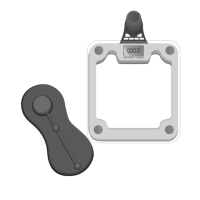
1. Remove the battery-compartment cover.
2. Remove the batteries and replace with two new ones
(CR2032 button cell). Observe proper +/– polarities.
3. Replace the battery-compartment cover, ensuring the cover
snaps into place.
Storage
• Keep the scale in a clean, dry environment.
• Avoid using the batteries unnecessarily. For example, do not
store any items on the scale.
• When storing the scale for a long period of time, remove
the batteries.


 To Next Page