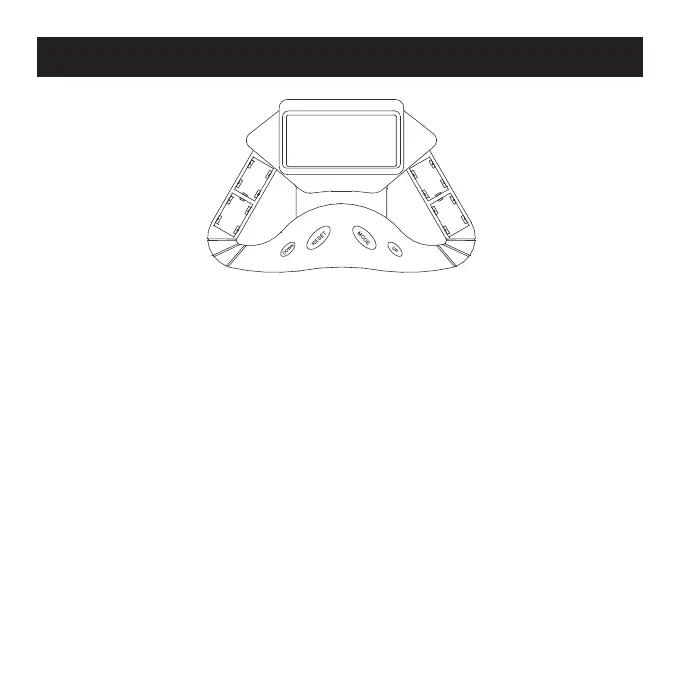
MODE - Press to scroll through each function on the LCD.
RESET - Press to individually reset each preset value.
UP - Press to increase time, count and calorie values before
exercising. Note: UP button only works when the monitor is in
the Stop mode.
DOWN - Press to decrease time, count and calorie values before
exercising. Note: DOWN button only works when the monitor is
in the Stop mode.
Functions


 To Next Page