
 Need help?
Do you have a question about the Sheffield PL1997 and is the answer not in the manual?
Covers electrical, fire, water, heat, ventilation, and placement hazards.
Addresses battery hazards and risks from excessive sound pressure.
Explains responsible disposal of the product according to EU regulations.
Covers laser, child use, battery charging, and USB port usage.
Details copyright protection and serial number recording.
Explains the function of buttons 1-16 on the main unit.
Explains the function of buttons 1-14 on the remote control.
Continues the explanation of remote control buttons 15-27.
Guides on entering and navigating the general setup menu.
Details settings for downmix, digital output, and Dolby digital.
Explains adjustments for sharpness, brightness, contrast, hue, and saturation.
Covers TV type, audio, subtitle, disc menu, and parental settings.
Continues user preference settings including TV system and languages.
Explains how to set and manage passwords for parental controls.
Lists technical specifications for power, dimensions, weight, and output.
Provides specifications for battery charging, discharging, and operating environments.
This document serves as a user manual for the Sheffield PL1997 Portable DVD player, providing essential information for its safe operation, control identification, and setup.
The Sheffield PL1997 is a portable digital video disc player designed for personal entertainment. It supports various disc formats, including DVD, VCD, CD, and MP3 CD, allowing users to watch movies, view pictures, and listen to music on the go. The device features a built-in LCD screen for direct viewing and offers connectivity options to external displays and audio systems. It incorporates Dolby Digital technology for enhanced audio experience and is compatible with Kodak Picture CDs. The player is powered by an AC adapter and includes a rechargeable Lithium battery for portable use.
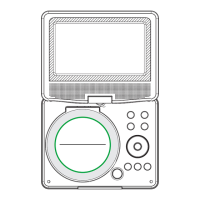
The device's main unit includes a comprehensive set of controls for navigation and playback. The front panel features a MENU button to access the main menu, a SOURCE button to switch between different input sources (DVD, SD/MMC/MS card, USB), and VOL-/VOL+ buttons for volume adjustment. An ENTER button confirms selections, while directional buttons (up/down/right/left) are used for menu navigation, fast forward/reverse during playback, and track selection. A STOP button halts playback, and a PLAY/PAUSE button controls playback initiation and pausing. The OPEN button releases the disc tray. Connectivity options on the side include slots for SD/MMC/MS cards and a USB port for media playback, an AV OUT port for connecting to external displays, an earphone socket for private listening, and a COAXIAL output for digital audio. A DC IN 9-12V port is provided for power input, and an ON/OFF switch controls the device's power state.
The remote control unit offers an extended range of functions for convenient operation. Number buttons (0-9) and a 10+ button allow for direct track selection. The SOURCE button on the remote mirrors the main unit's function, while a MUTE button instantly silences audio. A DISPLAY button shows playtime and status information. The MENU/PBC button returns to the DVD root menu or toggles PBC (Programmed Back Control) for VCDs. The AUDIO button cycles through available audio languages or channels (Left, Right, Mix, Stereo). PLAY/PAUSE and STOP buttons function similarly to those on the main unit, with the STOP button offering a resume function if pressed once. The MODE button adjusts LCD parameters like brightness, contrast, and saturation. VOL+ and VOL- buttons control volume. Forward Skip and Reverse Skip buttons move between chapters or tracks. Fast forward (>>) and fast reverse (<<) buttons allow skipping ahead or back at multiple speeds (X2, X4, X8, X16, X32), returning to normal playback with the PLAY button. Additional remote functions include STEP for frame-by-frame motion, SEARCH for navigating to specific time points, titles, or chapters, SUBTITLE for selecting subtitle languages, ANGLE for changing viewing angles on supported DVDs, TITLE for returning to the DVD title menu, ENTER for confirming selections, and SETUP for accessing or exiting the setup menu. The REPEAT button allows users to select various repeat modes (single, all, folder, chapter, title) depending on the disc type. The SLOW button enables slow playback at different speeds (1/2, 1/4, 1/8, 1/16). The PROGRAM function allows users to create custom playlists of their favorite tracks. The ZOOM function enlarges or shrinks the video image during DVD/VCD playback and allows for zooming and navigation within JPEG images.
The manual emphasizes several safety precautions for the device's maintenance and longevity. Users are warned against opening the unit to avoid electric shock and laser radiation exposure, as there are no user-serviceable parts inside. The device should be kept away from water, direct sunlight, and heat sources. Ventilation openings must not be blocked to prevent overheating. The unit should be placed on a stable surface to avoid falls and potential damage. Only the included AC adapter should be used, as using other adapters will void the warranty. The AC adapter plug serves as the disconnect device and should be readily accessible. When not in use, the power should be unplugged from the outlet.
Battery-specific warnings are also provided. The battery should not be exposed to excessive heat, and incorrect replacement poses an explosion risk, requiring replacement with the same or equivalent type (Lithium battery). Charging the battery on surfaces with insufficient ventilation, such as mattresses or sofas, is prohibited. The manual also highlights the environmental aspects of battery disposal, encouraging users to recycle the product responsibly through designated collection systems.
The setup menu offers various adjustments for optimal performance. The General Setup Page allows configuration of TV display aspect ratio (4:3 Pan Scan, 4:3 Letterbox, 16:9, Wide Squeeze), Angle Mark display, OSD Language, Closed Captions, and Screen Saver. The Audio Setup Page provides options for Downmix (LT/RT, Stereo), Digital Output (SPDIF Off, SPDIF/RAW, SPDIF/PCM), and Dolby Digital settings (Dual Mono, Dynamic). The Video Setup Page enables adjustment of Sharpness, Brightness, Contrast, Hue, and Saturation to fine-tune video quality. The Preference Page allows setting the TV Type (PAL, NTSC, Auto), default Audio, Subtitle, and Disc Menu languages, and Parental control levels. A Password Setup Page enables users to set or change a password for parental control, with a default password provided. These settings allow users to customize the device's operation and ensure its proper functioning.
 General
| Screen Size | 7 inches |
|---|---|
| Screen Resolution | 480 x 234 pixels |
| Playable Media Format | DVD, CD, MP3, JPEG |
| Connectivity | AV output, headphone jack |
| Power Source | AC adapter, rechargeable battery |

 To Next Page