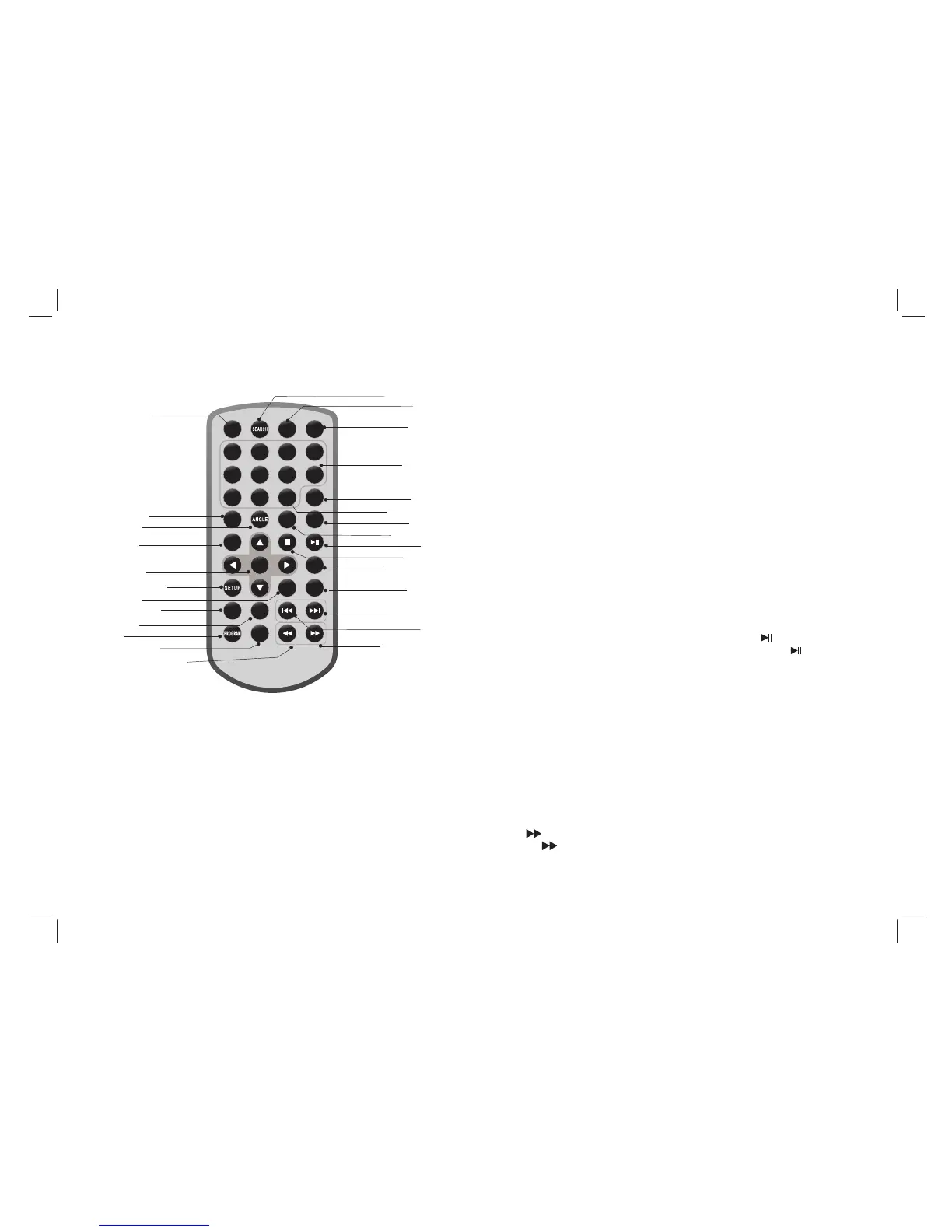
Remote control unit
Identification of Controls
1. SOURCE
DVD/CARD/USB.
3. 0-9 NUMBER BUTTON
Selects numbered items in a menu.
4. DISPLAY
To display the playtime and status information.
2. MUTE
Disable Audio output.
5. 10+ BUTTON
In order to select a track 10 or greater, first press 10+, For example;
select track 12, first press 10+, and then press number 2 button.
6. MENU/PBC
Return to DVD root menu(DVD).
PBC on/off switch (VCD) .
7. AUDIO
DVD: Press AUDIO repeatedly during playback to hear a different
audio language or audio track, if available.
MP3 CD VCD: Press AUDIO repeatedly during playback to
hear a different audio channel ( Left,Right,Mix,Stereo).
10. MODE
Set LCD parameter (adjust brightness, contrast and saturation).
14. BUTTON
Press BUTTON allow skipping ahead at 5-level speed(X2->X4->
X8->X16->X32->PLAY), press PLAY button return to normal playback.
8. PLAY/PAUSE
Press PLAY/PAUSE once to pause playback, pressing PLAY/
PAUSE a second time will resume the playback.
13. Reverse Skip
Go to previous chapter/ track to the beginning.
12. Forward Skip
Go to next chapter/ track.
9. STOP
When this button is pressed once, the unit records the stopped
point,from where playback will resume if PLAY( ) is pressed again.
But if STOP button is pressed again instead of PLAY( ) button,
there will be no resume function.
11. VOL+
Adjust volume
23. VOL-
1 2
3
4
5
6 7 8
9 0
10+
REPEAT
TITLE
ENTER
MODE
SUBTITLE
AUDIO
MUTE
SOURCE
STEP
DISPLAY
MENU
/PBC
VOL+VOL-
SLOW
ZOOM
16
17
2
1
3
4
5
6
7
8
9
10
11
12
13
14
15
27
26
25
24
23
22
21
20
18
19
4


 To Next Page