SETUP Menu Setting
General Setup Page
6
OSD Language
You can select your own preferred language settings.
Wide Squeeze:
Set screen mode to 4:3.
Angle Mark
Displays current angle setting information on the right hand corner
of the TFT screen (if available on the disc).
Closed Captions
Closed captions are data that is hidden in the video signal of some
discs.Before you select this function please ensure that the disc
contains closed captions information and your TV set also has this
function.
Screen Saver
This function is used to turn the screen saver On or Off.
Audio Setup Page
Audio Setup Page
Press SETUP button to enter the setup menu. Use direction buttons
to select the preferred item. After finishing settings, press
SETUP again to exit back to normal display.
The following menu items can be changed:
GENERAL: selects the GENERAL PAGE menu.
AUDIO: selects the AUDIO PAGE menu.
VIDEO: selects the VIDEO PAGE menu.
PREFERENCE : selects the PREFERENCE PAGE menu.
PASSWORD: selects the PASSWORD PAGE menu.
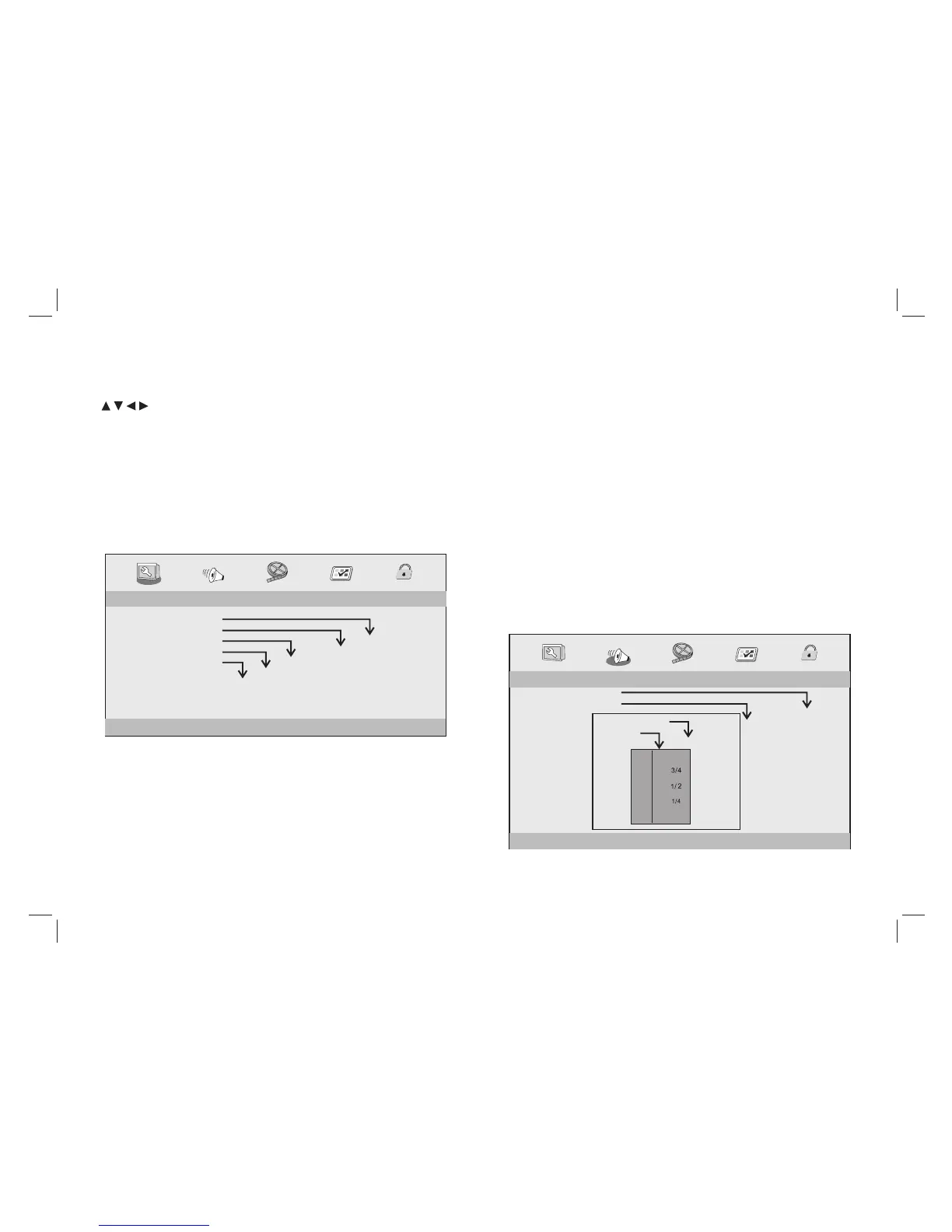
General Setup Page
- - GENERALSETUP PAGE - -
GOTO GENERAL SETUP PAGE
TV DISPLAY WIDE
ANGLE MARK ON
OSD LANGUAGE ENG
CLOSED CAPTIONS ON
SCREEN SAVER ON
4:3 PANSCAN
4:3 LETTERBOX
16:9
WIDE SQUEEZE
ON
OFF
ENGLISH
FRENCH
GERMAN
ITALIAN
SPANISH
PORTUGUESE
ON
OFF
ON
OFF
TV DISPLAY: selects the aspect ratio of the playback picture.
4:3 PANSCAN: if you have a 4:3 TV and want both sides of a 16:9
picture to be trimmed or formatted to fit your TV screen.
4:3 LETTERBOX: if you have a 4:3 TV, a 16:9 picture will fit the
screen but will have black bands on the upper and lower portions of
the TV screen.
16:9: for wide screen TV.
-- --
DOWNMINX
STR
DIGITAL OUTPUT
RAW
DOLBY DIGITAL
LT/RT
STEREO
SPDIF/OFF
SPDIF/RAW
SPDIF/PCM
DUAL MONO
DYNAMIC
STR
STR
L-MONO
R-MONO
MIX-MONO
-
-
-
-
-
-
-
-
-
-
-
-
-
-
-
-
-
-
FULL
OFF
-
- - - -AUDIO SETUP PAGE
GO TO AUDIO SETUP PAGE


 To Next Page