AFTER SALES SUPPORT
Email: service@prolinkbrands.co.nz
Phone: 0508 776 546 - Mon-Fri 8:30am – 4.30pm Page 10
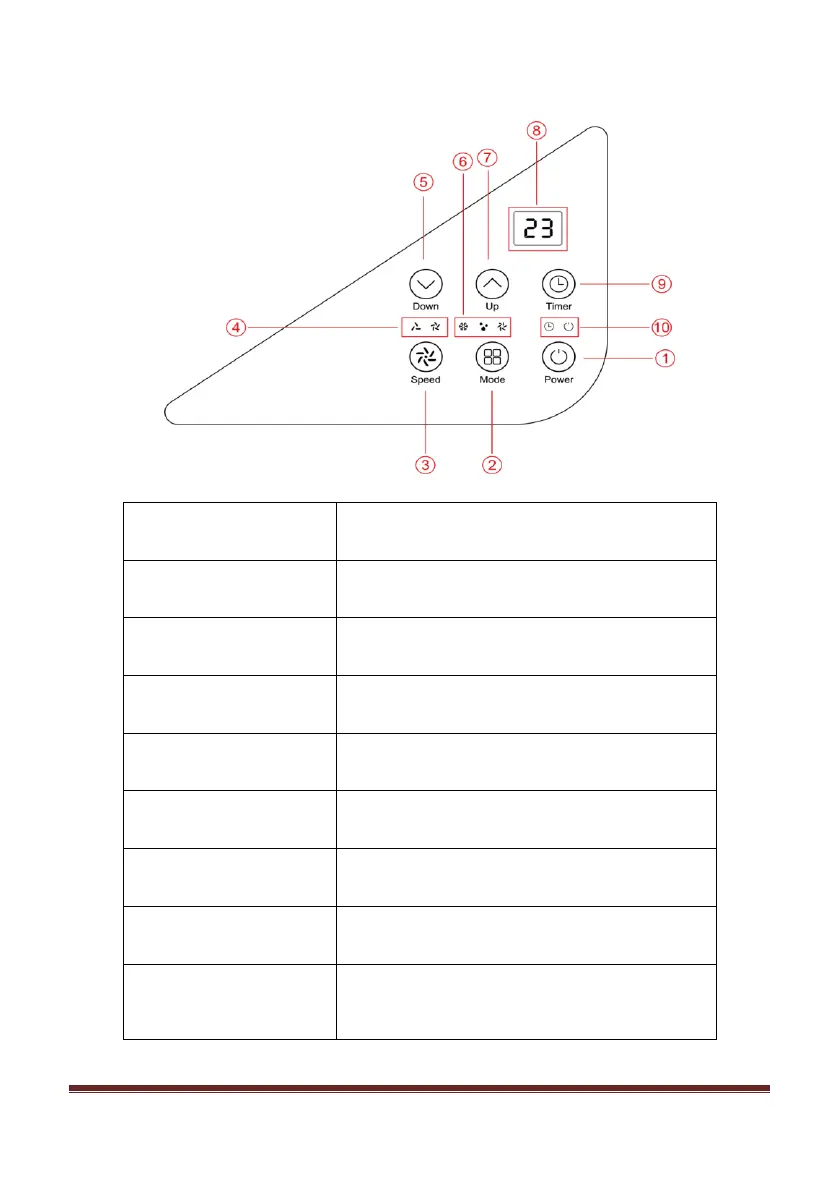
CONTROL PANEL
Press to switch the machine on or off.
Press to switch the operation mode between
cool, dehumidify, and fan.
Press to adjust the fan speed between HIGH
and LOW.
Indicator for showing what fan speed is
selected.
Press to decrease the desired temperature
or timer setting. (16-32
o
C)
Indicator for showing what mode is selected.
Press to increase the desired temperature or
timer setting. (16-32
o
C)
Displays timer, temperature setting and
room temperature.
Sets a time for the unit to automatically start
or stop. The range of the timer is 1-24
hours.


 To Next Page