Timer - to manage the power supply automatically, you can use:
• Auto OFF - after turning on, the power supply will automatically shutdown after a
predefined time (in seconds). A value of 0 will cancel the automatic shutdown.
• Auto ON - after turning off, the power supply will be automatically turned on after a
predefined time (in seconds). A value of 0 will cancel the automatic power-on.
Weekly schedule - this function requires an Internet connection. To use the Internet,
a Shelly device has to be connected to a local WiFi network with working Internet
connection. Shelly may turn on/off automatically at a predefined time.
Sunrise/Sunset - this function requires an Internet connection. To use the Internet, a
Shelly device has to be connected to a local WiFi network with а working Internet
connection. Shelly re ceives actual information through the Internet about the time
of sunrise and sunset in your area. Shelly may turn on or off automatically at
sunrise/sunset, or at a specified time before or after sunrise/sunset.
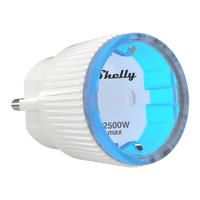
Safety - With max power you can limit the maximum power the socket will supply. If
the pre-set current draw is exceeded, Shelly will turn the socket off. Allowable power
can be set between 1 to 2500W.
Internet/Security
• WiFi mode client - allows the device to con nect to an available WiFi network. After
typing the details in the respective fields, press Connect.
• WiFi Mode аcess point - Configure Shelly to create a Wi-Fi Access point. After
typing the details in the respective fields, press Create Access Point.
• Cloud - enable or Disable connection to the Cloud service.
• Restrict login - restrict the web interface of Shely with a Username and Password.
After typing the details in the respective fields, press Restrict Shelly.
Advanced developer settings - here you can change the action execution вia CoAP
(CoIOT) or Via MQTT.
⚠WARNING! To reset the device, press and hold the Button for at least 10 seconds.
After the Button begins to flash in red/blue, release it.
Settings
Power ON default mode - This sets the default output state when Shelly is powered.
• ON: Configure Shelly to turn ON, when it has power.
• OFF: Configure Shelly to turn OFF, when it has power.


 To Next Page
 Loading...