Need help?
Do you have a question about the Sherbourn PA2-160 and is the answer not in the manual?
Explains situations that require qualified service personnel for the 2-160 amplifier.
Discusses precautions to prevent defeating the component's grounding or polarization.
Details procedures for grounding antenna systems to protect against surges and static.
Instructions to record the serial number and date of purchase for warranty purposes.
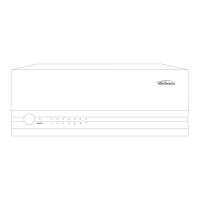
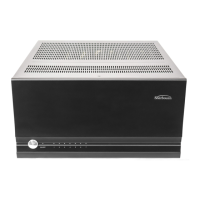
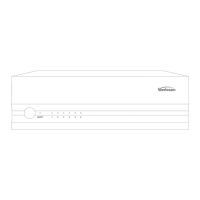
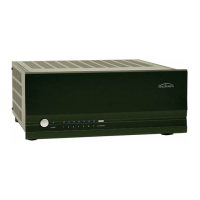
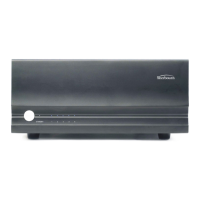
Describes the power switch and its standby illumination.
Explains the LED indicators for amplifier status (OFF, Normal, Fault).
Advises against removing feet for airflow, stability, and vibration isolation.
Switch used to turn the status LEDs on or off.
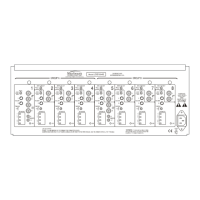
Connection for standard XLR audio output from a preamplifier or processor.
Selector to choose between RCA (Unbalanced) and XLR (Balanced) inputs.
Connection for standard RCA audio output from a preamplifier or processor.
Rotary dial to adjust the output level for system integration.
Terminals for connecting speaker wire, banana plugs, or spade connectors.
Switch to indicate amplifier operation on 115V or 230V.
3.5mm jack for remote power activation from another device.
Rocker switch that provides the master power to the amplifier.
Standard IEC 2-prong power inlet for AC input.
Discusses electrical socket requirements and power load for the amplifier.
Mentions the amplifier's built-in overcurrent, undercurrent, and spike protection.
Advice on placement, ventilation, and avoiding heat sources for optimal operation.
Recommendations for using high-quality shielded RCA cables and avoiding interference.
Details on using standard binding posts for speaker connections.
General tips for making connections to ensure optimal sound quality.
Explains the 12V trigger input for remote power on/off synchronization.
Pre-checks regarding input selectors and LED status selectors before initial power-up.
Describes how to connect speakers in series, end-to-end.
Describes how to connect speakers in parallel, creating multiple paths.
Important considerations for using loudspeakers of the same type and impedance.
Steps to diagnose and fix issues when no sound is produced by speakers.
Troubleshooting for amplifier auto shutdown or frequent circuit breaker trips.
Diagnosing and fixing poor bass output from full-range speakers.
Solutions for minimizing or eliminating audio thumps during power cycling.
Troubleshooting methods for identifying and resolving hum noise in speakers.
Additional potential causes of audio noise, such as AC line interference or component placement.
Interpreting blinking red lights as fault conditions and resolving them.
Guidance on seeking assistance for complex, system-wide issues.
Details what the Sherbourn warranty protects against (defects in materials and workmanship).
Specifies the duration of the warranty, including exceptions for certain components.
Outlines Sherbourn's options for resolving warranty claims: repair, replace, or refund.
Lists exclusions from warranty coverage, such as damage from misuse or unauthorized service.
Provides step-by-step instructions for making a warranty claim and obtaining service.
Explains how state laws may affect warranty rights, including limitations on damages.
 General
| Channels | 2 |
|---|---|
| Frequency Response | 20Hz - 20kHz |
| Input Sensitivity | 1.2V |
| Input Impedance | 47k Ohms |
| Damping Factor | > 500 |
| Power Output (8 Ohms) | 160W |

 To Next Page