Need help?
Do you have a question about the Sherbourn PT-7020A and is the answer not in the manual?
Covers installation safety, environment, power, grounding, FCC compliance, and service requirements.
Guidelines for proper grounding of cable television and antenna systems according to NEC.
Instructions for unpacking the unit, saving packaging, and recording serial number and purchase details.
Details on DSP, audio decoding, scaling engine, OSD, bass management, EQ, and video support.
Lists all available input and output connections for audio and video signals.
Precautions for unit placement and electrical power supply requirements for stable operation.
Advice on cable routing, quality, and connection techniques to minimize interference and optimize sound.
Explains Composite, S-Video, Component, and HDMI video connection standards.
Describes Analog and Digital audio signal transmission methods.
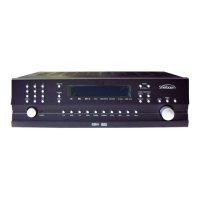
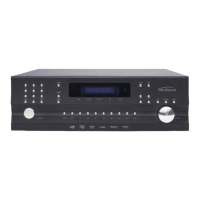
Details on the power button, volume knob, input selection, and AM/FM tuner controls.
Explanation of signal indicators, processor display, IR receiver, and navigation/control buttons.
Covers FM/AM antenna inputs, microphone input, USB data port, and future expansion.
Details on analog/digital audio I/O, component/HDMI video, trigger outputs, and RS-232 port.
Information on the IEC power cord socket and basic remote control operation and FCC compliance.
Covers power, input selection, volume adjustment, and mode selection buttons on the remote.
Details on Zone 2 controls, status display, dimming, and menu navigation.
Guide to navigating the OSD main menu, setting up inputs, and naming sources.
Details on configuring input levels, lipsync, triggers, EQ, and video adjustments.
Explanation of Direct, DSP, PLIIx, and Neo:6 audio processing modes and their selections.
Diagrams for HDMI, Digital Audio+Component, and Analog Audio+Composite connections for sources.
Diagrams for 7.1 Analog inputs, CD Digital audio, Tape/DAT decks, and AM/FM antennas.
Diagrams showing connections to 7.1 amplifiers, powered subwoofers, and Zone 2 amplifiers.
Recommendations for positioning front, center, surround, and surround back speakers for optimal sound.
Steps for setting speaker size, crossover, levels, distance, and running calibration routines.
Detailed steps for configuring the automatic room correction system using the microphone.
Instructions for setting up and operating the AM/FM tuner, including auto-tuning and presets.
Addresses issues like the unit not turning on, no sound, and poor AM/FM reception.
Troubleshooting for no picture, OSD problems, remote not working, and Zone 2 operation.
Covers amplifier shutdown, firmware updates, lock-ups, and resolving hum or noise issues.
Details the warranty period, coverage, exclusions, and owner's obligations.
Procedure for obtaining warranty service, including Return Authorization Number and contact details.
Information regarding licensing for DTS, Dolby, and HDMI technologies used in the product.
 General
| Channels | 7 |
|---|---|
| Total Harmonic Distortion (THD) | < 0.05% |
| HDMI Outputs | 1 |
| Input Sensitivity | 1.2 V |
| Frequency Response | 20 Hz - 20 kHz |
| Signal-to-Noise Ratio | > 100 dB |
| Input Impedance | 47 kOhm |
| Type | Power Amplifier |
| Audio Decoding | Dolby TrueHD, DTS-HD Master Audio |

 To Next Page