EasyManua.ls Logo

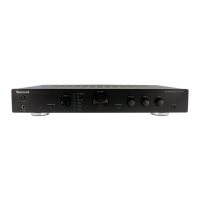
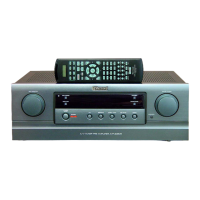
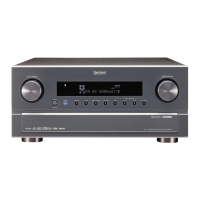
Sherwood AX-5505 - User Manual

Sherwood AX-5505
14 pages
Print Icon
To Next Page IconTo Next Page
Loading...
AX
-
5505
OPERATING INSTRUCTIONS
MANUEL D'UTILISATION
BEDIENUNGSANLEITUNG
ISTRUZIONI PER L’USO
MANUAL DE INSTRUCCIONES
Stereo Integrated Amplifier
Amplificateur intégré stéréophonique
Stereo-Vollverstärker
Amplificatore lntegrato Stereo
Amplificador Integrado Estéreo
AX5505(EFDIS)cover_cover.qxp 2010-02-23 오후 2:03 페이지 1

Questions and Answers

  • F
    fblackwellAug 11, 2025
    Why is there no sound from my Sherwood Amplifier?
    • R
      Robin GlennAug 11, 2025
      If there's no sound from your Sherwood Amplifier, several factors could be responsible: * Speaker cords might be disconnected, so check the speaker connections. * Both SPEAKER SELECTOR A and B buttons may be off; switch the desired speakers on. * The volume might be too low; adjust it accordingly. * The MUTE button on the remote could be activated; press it to cancel muting. * The input source might be incorrectly selected; choose the correct one. * The connections between components may be faulty; ensure they are correctly made.
  • S
    Scott PriceAug 21, 2025
    What to do if my Sherwood AX-5505 Amplifier has no power?
    • S
      swansonlindseyAug 21, 2025
      If your Sherwood Amplifier isn't powering on, it could be due to a disconnected AC input cord. Ensure the cord is securely connected. Alternatively, the AC wall outlet might have a poor connection or be inactive. Test the outlet with a lamp or another appliance to confirm it's working.
  • J
    Jose BaldwinAug 29, 2025
    Why is my Sherwood Amplifier not recording?
    • M
      Megan WashingtonAug 29, 2025
      If your Sherwood Amplifier is not recording, it might be due to incorrect connections. Ensure that all connections are made correctly. Another possible reason is incorrect operation of the tape deck (or MD recorder); make sure you are operating it correctly.

Summary

Introduction

System Connections

Connecting Audio and System Control Components

Connect audio sources like CD players, tuners, and tape decks, and system control components.

Speaker Connections and Wiring

Connecting Speakers

Connect main and remote speakers, ensuring correct polarity and impedance.

Connecting Speaker Wire

Step-by-step guide for preparing and connecting speaker wires.

Front Panel Controls

Power, Indicators, and Selection Controls

Operation of power switch, indicators, speaker, and input selectors.

Audio Adjustment and Tone Controls

Using volume, bass, treble, balance, tone direct, and loudness controls.

Headphone Jack and Remote Sensor

Connecting headphones and the function of the remote sensor.

DIGI LINK III System Remote Controls

Remote Control Buttons and Functions

Explains key buttons like Power, Input Selector, Numeric, and operational functions.

Remote Control Operation and Setup

Remote Control Operation Range

Guidelines for optimal remote control usage range and angle.

Loading Batteries

Instructions for inserting and handling remote control batteries.

Operations

Listening to a Program Source

Steps to turn on the amplifier and select a source for listening.

Recording Operations

Recording with TAPE 1;MD

How to record to TAPE 1/MD from selected sources.

Recording with TAPE 2 MONITOR

How to record using TAPE 2 MONITOR.

Troubleshooting Guide

Specifications

Sherwood AX-5505 Specifications

General IconGeneral
Frequency Response20Hz - 20kHz
Input Impedance47k ohms
Input Sensitivity200mV
Speaker load impedance4 - 16 ohms
Signal-to-Noise Ratio100dB

Related product manuals