6
66
6
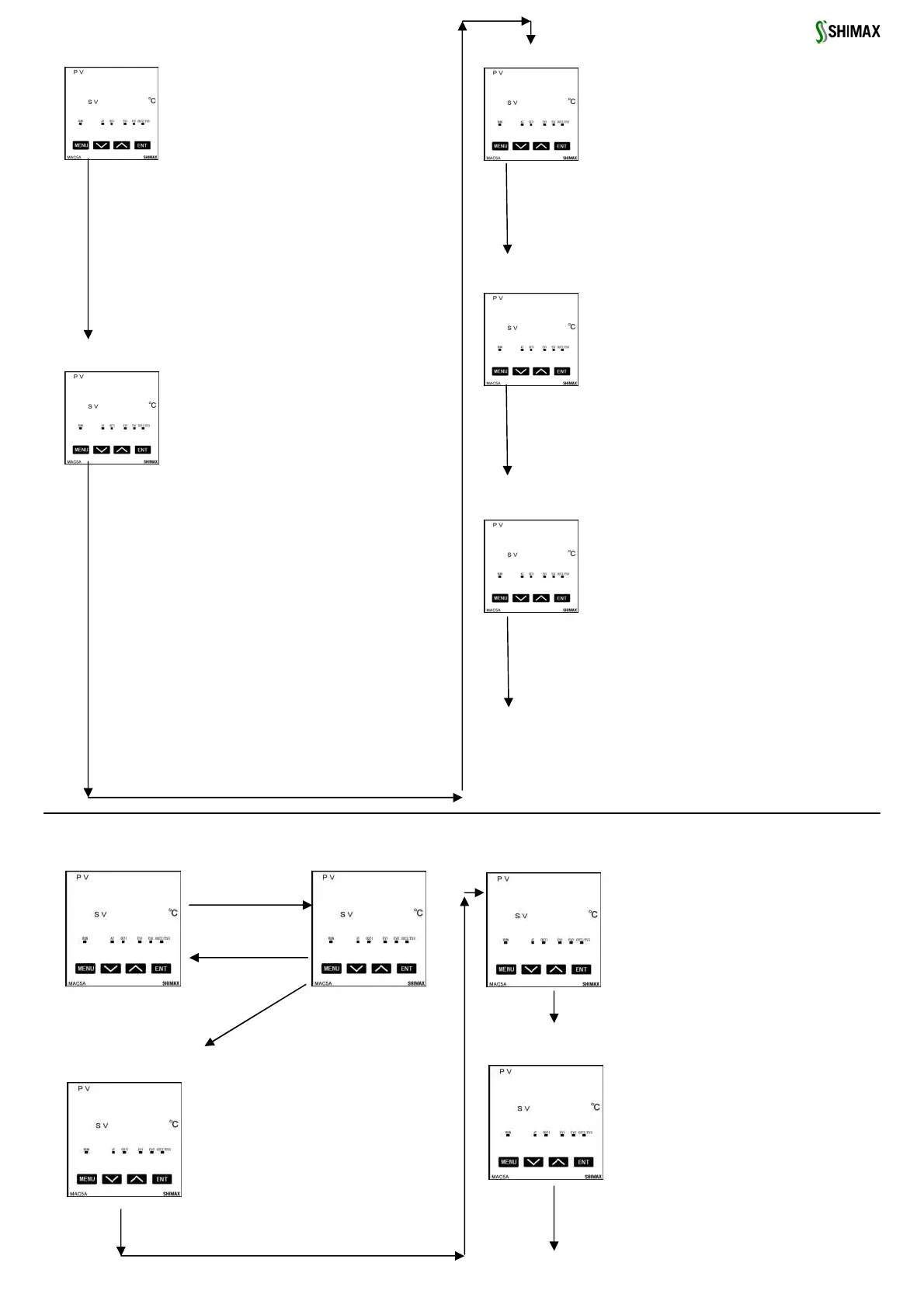
AT (Auto tuning) execution screen
AT (Auto tuning) execution screenAT (Auto tuning) execution screen
AT (Auto tuning) execution screen
Initial value::
Setting range:: 、
AT is performed by ON selection ,and canceled by
OFF selection. Not displayed at the time of STBY, a
manual output, and P (proportional band) =OFF.
Except in the setting of key lock OFF, AT is unable to
perform in scale over.
(At the time of DI allotment, execution of AT by DI
can be performed .)Even in such a case, halfway
release is performed on this screen.
Release of AT, STBY, EV operating point, setting of
key lock, and mode 5 ~ 6 screen are operate able
with key. Except in the setting of AT normal end,
execution of AT is canceled compulsorily at the time
of STBY(RST) selection and AT release setup.
EV1(Enent 1)operationg point setting screen
EV1(Enent 1)operationg point setting screenEV1(Enent 1)operationg point setting screen
EV1(Enent 1)operationg point setting screen
Initial value: upper limit absolute value measuring
range Scaling upper limit lower limit absolute value
measuring range Scaling lower limit
Upper limit deviation
Lower limit deviation
Within deviation
Outside deviation
guarantee
Setting range: upper limit absolute value within
measuring range within scaling limit lower limit
absolute value within measuring range within
scaling limit
Upper limit deviation ~ unit
Lower limit deviation ~ unit
Within upper-lower limit deviation ~
unit
Outside upper-lower limit deviation ~
unit
The operating point of the alarm type allotted to
EV1 is set up. No option, No display when ,
, are allotted to EV1. The operation mode of
each deviation alarm is .
Effective at the time of automatic output.
Each deviation alarm serves as PV’s deviation to
Execution SV.
Event operation other than each deviation alarm is
EV2(Enent 2)operating point setting screen
EV2(Enent 2)operating point setting screenEV2(Enent 2)operating point setting screen
EV2(Enent 2)operating point setting screen
Initial value ,setting range, contents are the same
with EV1
EV3(EVnent 3)operating point setting screen
EV3(EVnent 3)operating point setting screenEV3(EVnent 3)operating point setting screen
EV3(EVnent 3)operating point setting screen
Initial value, setting range, contents are the same
with EV1
When EV3 option is added, event 3 is displayed as
the same contents with EV 1 and 2, irrespective of
EV 1 and 2.
Initial value::
Setting range:: release EV1
release EV2
release EV3
release all EV at a time
On the latching setting screen of each EV mode,
№ and which chose are
displayed. If latching is ,once EV is outputted,
EV output state is maintained even if EV is in the
state of OFF. When EV is in a latching state,
decimal point of the minimum digit blinks, and it
shows that release of EV is possible. If key is
pressed, EV is released and a decimal point lights
off. However, release is impossible when a state is
in EV power range.
Return to basic screen
Latching release screen
Latching release screenLatching release screen
Latching release screen
6. Operating setting
6. Operating setting 6. Operating setting
6. Operating setting
Operating setting screens
Operating setting screens Operating setting screens
Operating setting screens
Basic screen
Basic screenBasic screen
Basic screen
Initial value : At the time of sensor input 0
linear input time scaling lower limit
Setting range: sensor input time within
measuring range
linear input time within scaling range
Moreover, within limit of SV limiter
.
When SV1 is Execution SV,being reflected in
basic screen.
Being initialized when measuring range, unit,
Being initialized when measuring range, unit, Being initialized when measuring range, unit,
Being initialized when measuring range, unit,
and scaling are changed.
and scaling are changed.and scaling are changed.
and scaling are changed.
SV1 output1 PID No. setting screen
SV1 output1 PID No. setting screenSV1 output1 PID No. setting screen
SV1 output1 PID No. setting screen
Initial value : 1
Setting range:1, 2, 3
When SV1 is Execution SV,PID№ that will be
used for control of output 1is chosen from
1~3.
SV1 output2 PID No. setting screen
SV1 output2 PID No. setting screenSV1 output2 PID No. setting screen
SV1 output2 PID No. setting screen
Initial value : 1
Setting range:1, 2, 3
When SV1 is Execution SV,PID№ that will be
used for control of output 1is chosen from
1~3.
Displayed when output 2 option is added.
SV1 setting screen
Basic screen
Basic screenBasic screen
Basic screen



 To Next Page
 Loading...