7
Scanner Set-up
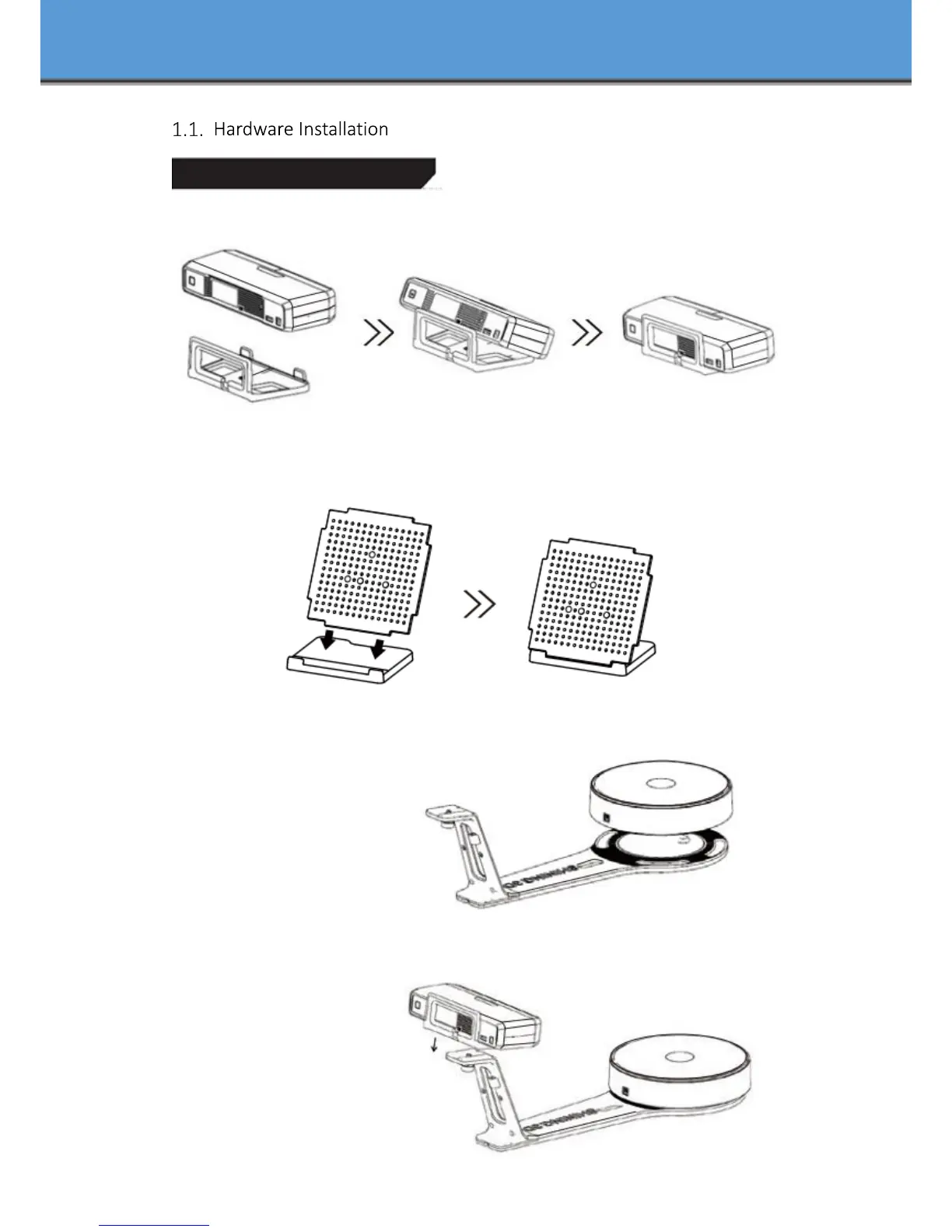
Step 1. Place the scanner head onto the bracket.
Step 2. Insert calibration board onto the board holder .
NOTE : Rotate the calibration board only while calibration.
Step 3. Turntable and Scanner installation.
1) Place the turntable onto
scanner stand
2) Screw the scanner into
the socket on the stand.














 To Next Page