Page 11
845180 SHOPSMITH MARK V
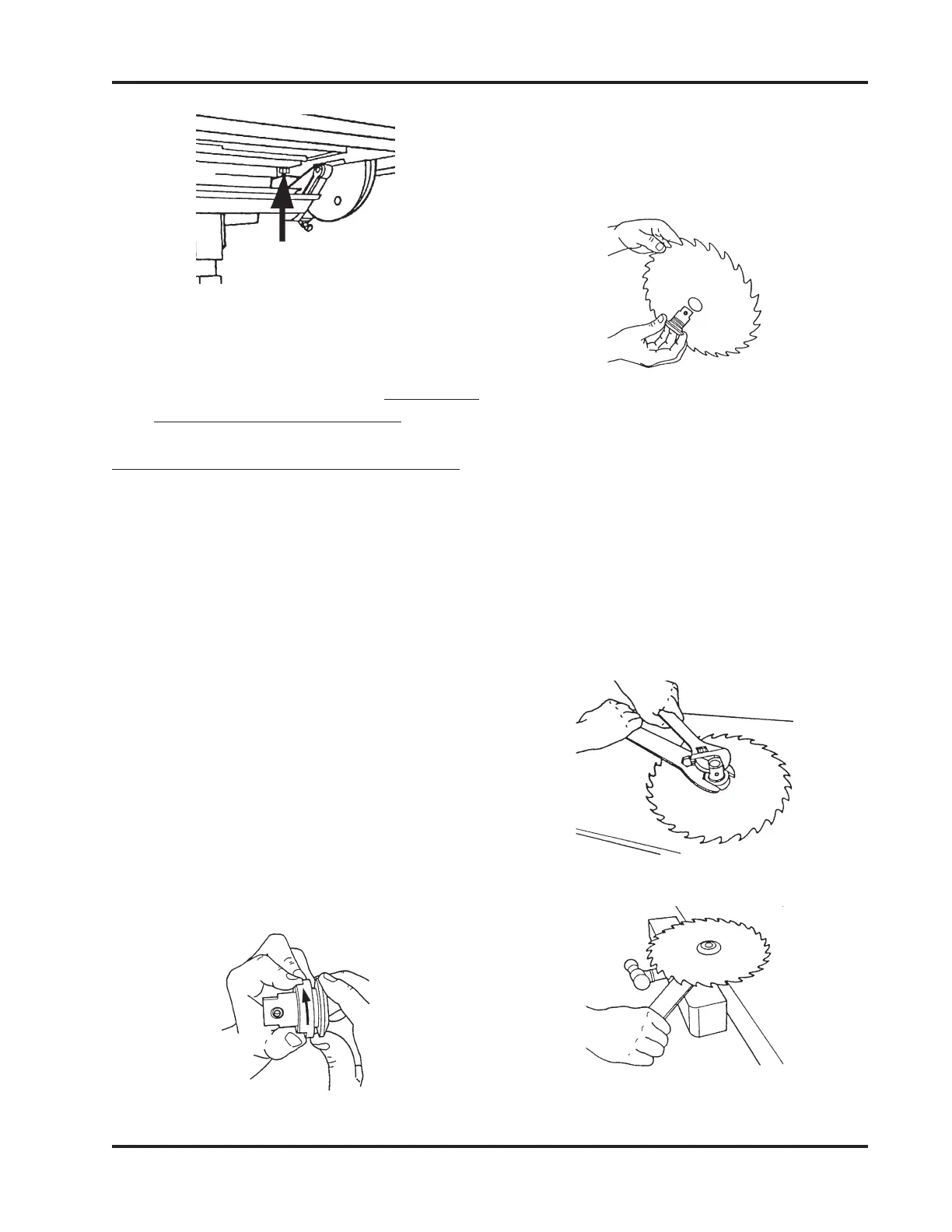
Figure 23
12. Recheck the setting by loosening the Tilt
Lock, moving the Table, and then re-
peating Steps 9 through 11. (
Rechecking
the settings is very important!)
SET THE WORKTABLE'S 0° STOP
1. Remove the Drill Bit and Drill Chuck
from the Spindle.
2. Loosen the Base Lock. Firmly grasp the
Way Tubes and lower the Headstock
into the horizontal position, then engage
the Headrest.
3. Loosen the Table Tilt Lock and place the
Table in the horizontal 0° position. Re-
tighten the Table Tilt Lock only enough
to allow movement with firm pressure.
4. Mount the Saw Blade on the Arbor:
b. Hold the Blade with the teeth point-
ing toward you, as shown in Figure
25, then insert the Arbor through
the hole. Replace the Nut and fin-
ger tighten it.
90° Stop
(Rear)
a. Remove the Arbor Nut by turning
it clockwise, as seen in Figure 24.
Hold the Arbor with the threaded
part pointing to the left.
c. Place the Blade and Arbor on your
Workbench with the Nut pointing
up.
d. Hold the Arbor with an Adjustable
Wrench and tighten the Arbor Nut
with the Arbor Wrench, as demon-
strated in Figure 26. Another way
to tighten the Arbor Nut is to clamp
the Arbor in a Bench Vise, as illus-
trated in Figure 27, and tighten the
Nut with the Arbor Wrench.
Figure 24
Figure 25
Figure 26
Figure 27


 To Next Page