SHOPSMITH MARK V 845180
Page 14
7. Loosen the Tilt Lock and tilt the Table
past the 45° setting. Then depress the
Plunger and tilt the Table back toward
that angle until the Stop hits the Plunger.
Tighten the Tilt Lock, then check the
angle. If the angle is not 45°, the Stop
needs adjusting.
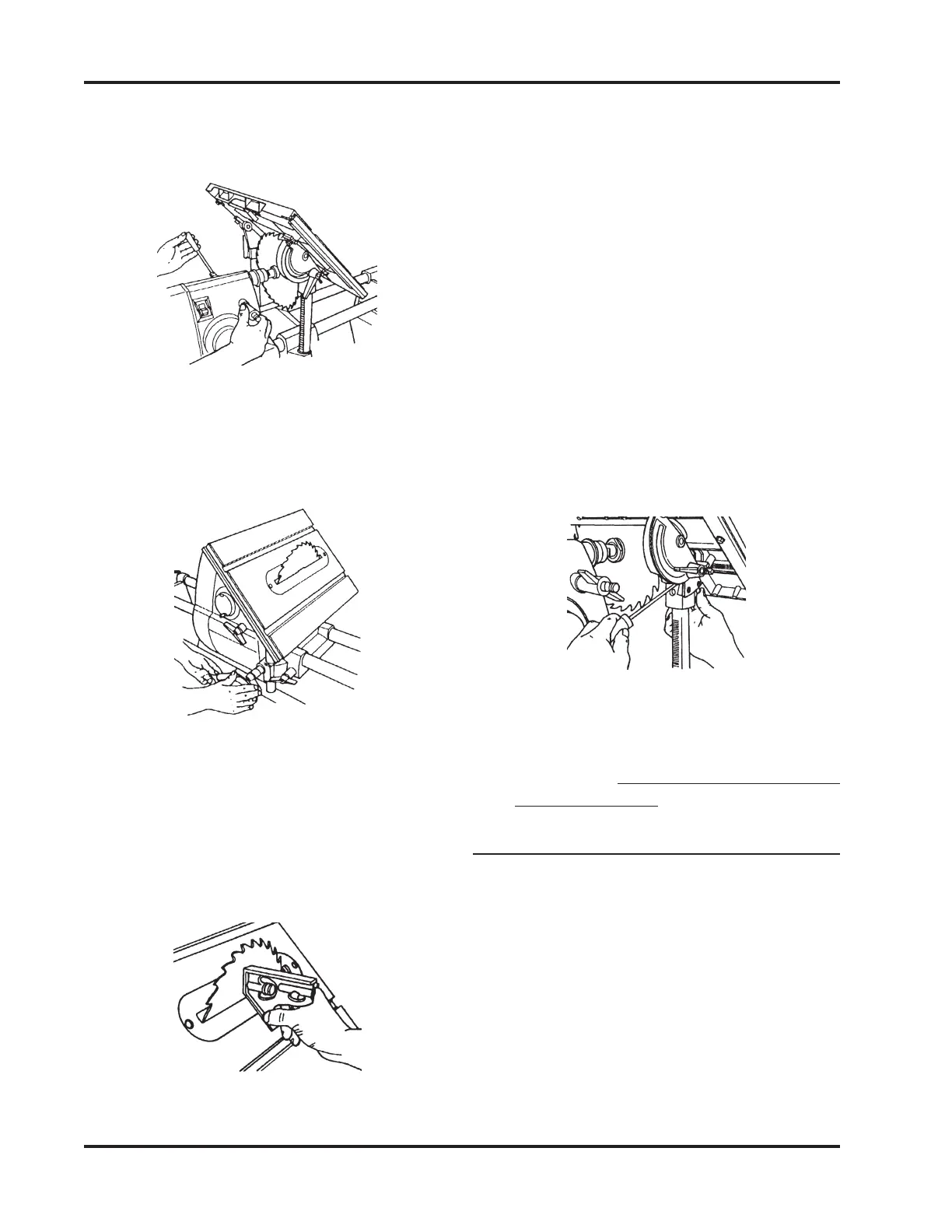
8. To adjust the 45° Right Stop, see Figure
40. Set the Table to 45° Right. Then use
the Combination Square to set the tilt of
the Table to precisely 45° Right. Use a
Small Screwdriver to back out the 0° stop
2-3 turns. Depress the Plunger under the
Table Tilt Indicator up toward the Front
Trunnion, and hold it there with your
finger. Slowly turn the 45° Stop in until
you fell it touch the Plunger.
Figure 40
9. Loosen the Tilt Lock and move the Table.
To recheck the 45° Stop, repeat Steps 4
through 9. (It is very important to re-
check the setting!)
ADJUST THE WORKTABLE'S 45° STOP
(MARK V MODELS 510 & 520)
1. Loosen the Table Height Lock and raise
the Table until it clears the Saw Blade.
Tighten the Height Lock.
2. Loosen the Tilt Lock and tilt the Work-
table to the right until it makes contact
with the two 45° Stop Bolts.
3. Tighten the Tilt Lock only enough to
allow movement with firm pressure.
Blade is centered beneath the slot in the
Table Insert. When it is centered, lock the
Quill Feed.
Figure 37
5. Lower the Worktable so the Saw Blade
extends through the Table Insert slot.
See Figure 38. Lock the Table Height.
Figure 38
6. Remove the Blade from the Combina-
tion Square and place the Square against
the Saw Blade and the Worktable, as
shown in Figure 39. Make sure the Com-
bination Square doesn't rest on the Table
Insert.
Figure 39


 To Next Page