Page 19
845180 SHOPSMITH MARK V
ADJUST THE 90° POSITIVE STOP
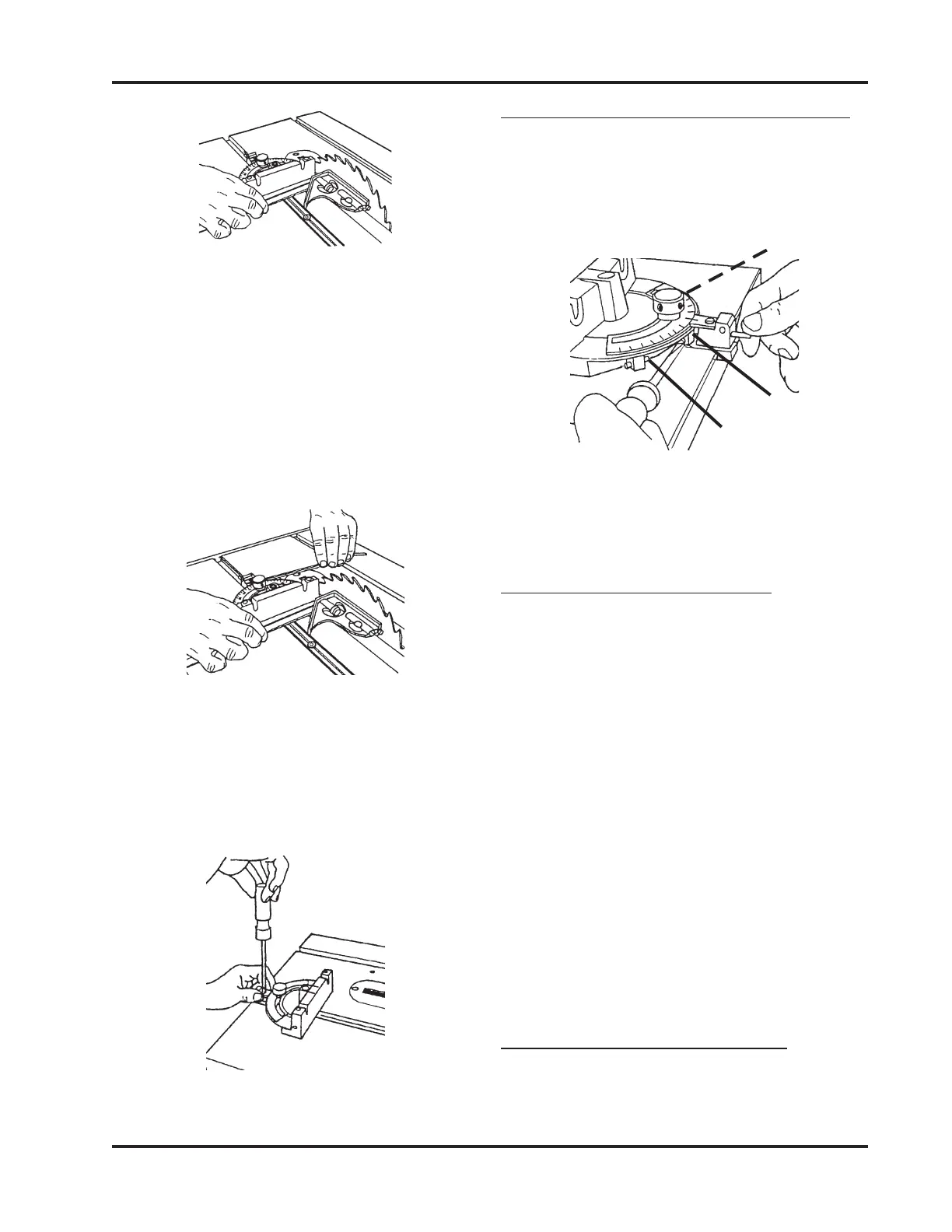
1. Use a Small Screwdriver to back out the
90° Stop Screw 2 to 3 turns, as shown in
Figure 61.
Figure 61
2. Depress the Plunger, then turn the Stop
Screw until you feel it touch the Plunger.
ADJUST BOTH 45° STOPS
1. Loosen the Lock Knob and pull out the
Plunger. Then, at the same time, rotate
the Miter Gauge and push in the Plunger
until it hits the 45° Stop (there is one on
each side of the 90° Stop).
2. Use a Combination Square to set the
Miter Gauge Face at 45° to the Saw Blade.
If the 45° Stop needs adjustment, use a
Medium Screwdriver to back out the 45°
Screw 2 to 3 turns.
3. Depress the Plunger, then turn the Stop
Screw until you feel it touch the Plunger.
4. To adjust the other 45° Stop, repeat Steps
1 to 3.
REMOVE THE SAW BLADE
1. Loosen the Table Height Lock and raise
the Table so that it clears the Saw Blade,
a. Use a Long Allen Wrench to loosen
the Lock Knob and adjust the Miter
Gauge so it is perpendicular to the
Saw Blade, then tighten the Lock
Knob. See Figure 59.
Figure 59
b. Use a Medium Screwdriver, loosen
the Screw which holds the Indica-
tor Plate, and set its 0° to the Miter
Gauge's 90°. Tighten the Screw. See
Figure 60.
Figure 58
3. If the Miter Gauge Face is not perpen-
dicular to the Saw Blade, do the follow-
ing:
Figure 60
90° Stop
45° Stop
45° Stop


 To Next Page