Page 23
845180 SHOPSMITH MARK V
ADJUST THE OUTFEED CLAMP
(MARK V MODEL 510)
1. Place the Rip Fence Base on the infeed
Table Tube, then lower the Rip Fence
onto the outfeed tube. The outfeed clamp
should just miss the Table Tube as it is
lowered into place.
2. Lock both the Base Lock and the Handle.
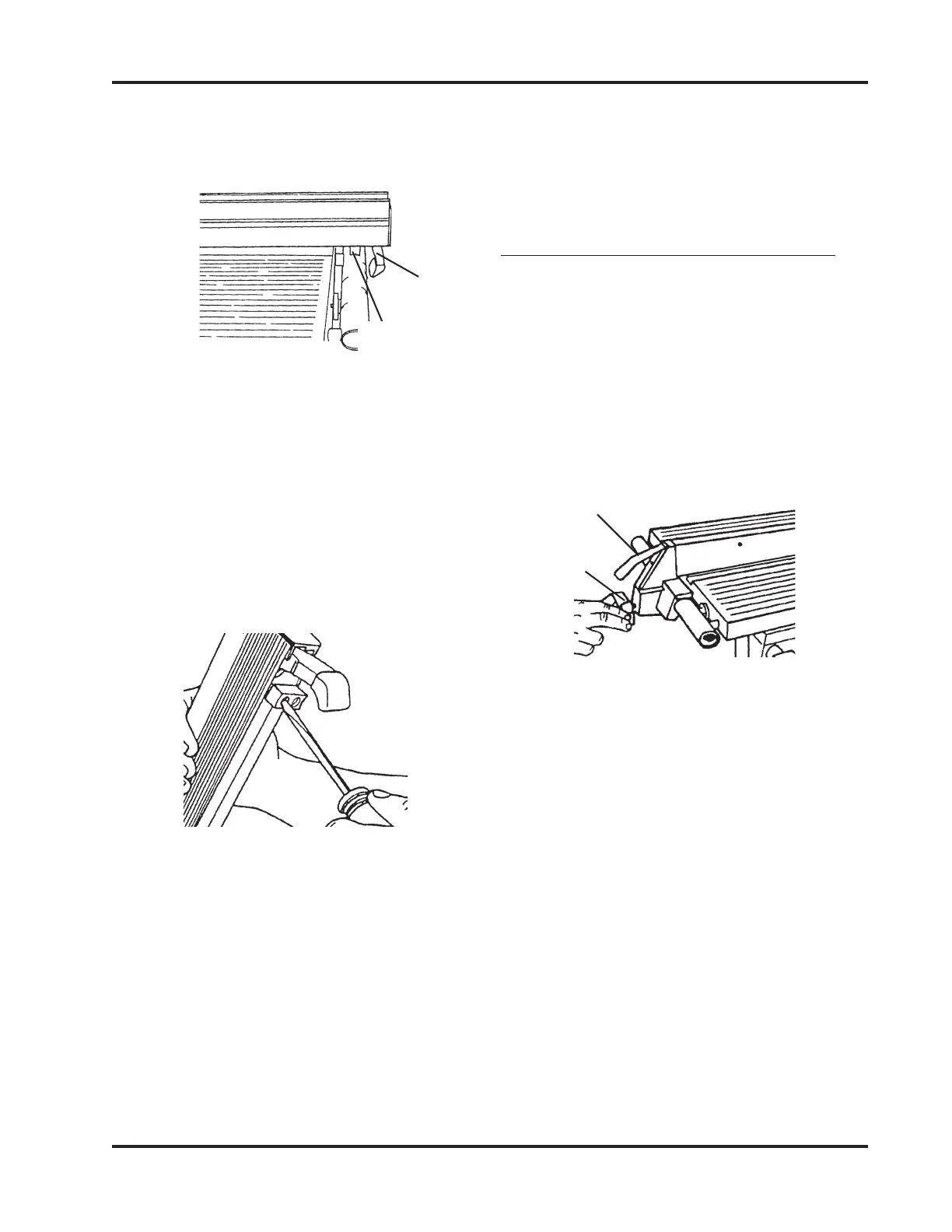
Figure 77.
Figure 77
3. If the clamp is too tight and hits the Table
Tube, or too loose and allows slippage
while it is locked, it needs adjusting. To
adjust the Outfeed Clamp, do the fol-
lowing:
b. Place the Rip Fence back on the
Table and lock the Handle.
c. Use your fingers to adjust the Fence
Rest until it fully contacts the
outfeed Table Tube.
d. Unlock the Handle and carefully
raise the Fence. Use the Medium
Phillips Screwdriver to tighten the
Fence Rest Screws.
a. Raise the outfeed end of the Rip
Fence and use a Medium Phillips
Screwdriver to loosen the two
Screws that attach the Fence Rest.
Tighten the Fence Rest just enough
to move it with firm pressure. See
Figure 76.
a. If too tight, raise the Handle, and
use a 1/2" Socket with Ratchet
Wrench to loosen the Lock Nut.
When the Clamp touches the Table
Tube, loosen the Lock Nut 1/8 turn
or less.
b. If too loose, lock the Handle, and
use a 1/2" Socket with Ratchet
Wrench to tighten the Lock Nut.
When the Clamp touches the Table
Tube, loosen the Lock nut 1/8 turn
or less. See Figure 78.
3. Check to see if the Fence Rest fully con-
tacts the outfeed Table Tube, as shown in
Figure 75.
Figure 75
4. If it doesn't, adjust the Fence Rest by
doing the following:
Figure 76
e. Recheck the Fence Rest by remount-
ing the Rip Fence on the Worktable.
If further adjustments are needed,
repeat Steps 4a through 4d.
Outfeed
Clamp
Fence
Rest
Handle
Base
Lock


 To Next Page