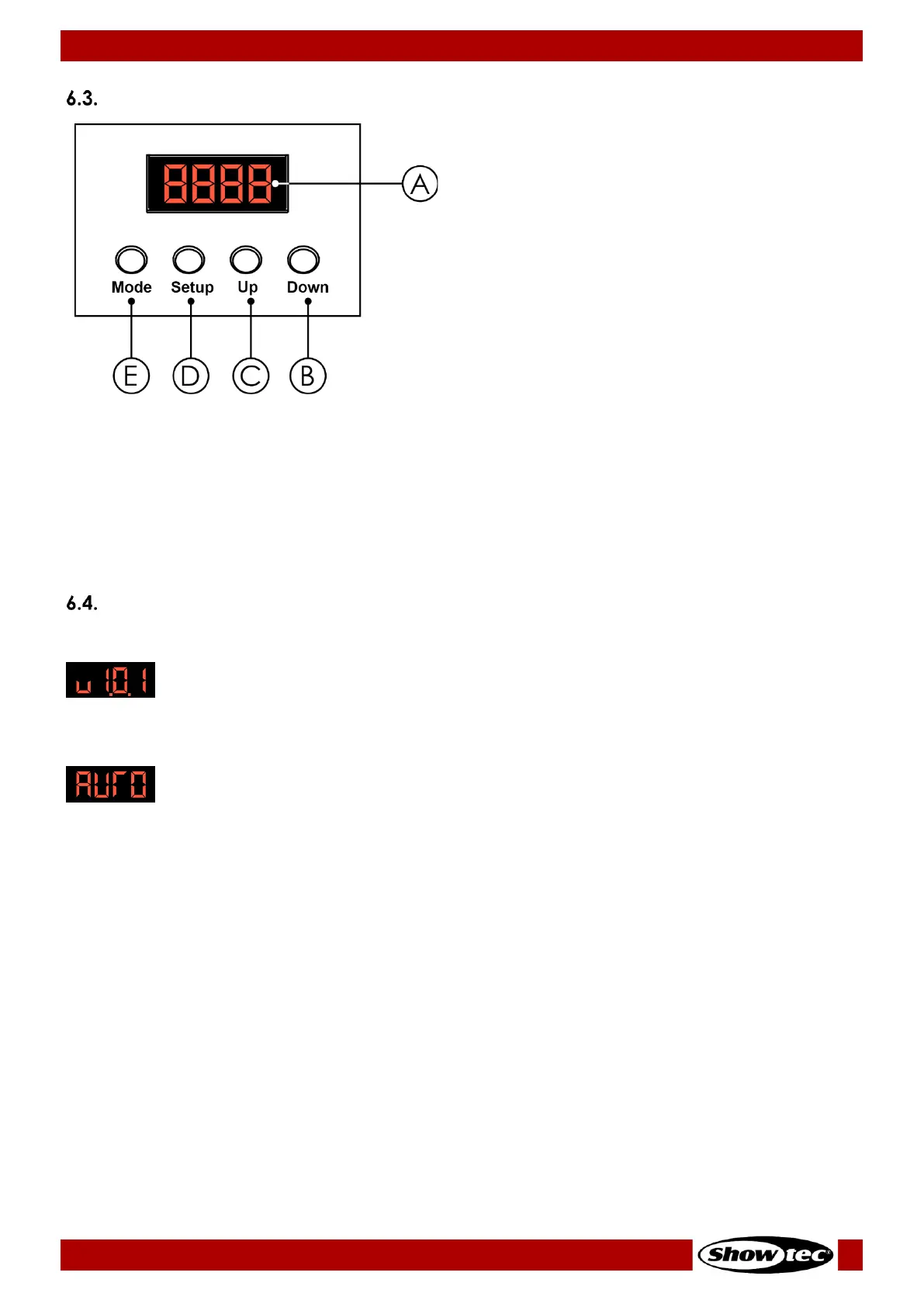
A) LED display
B) DOWN button
C) UP button
D) SETUP button
E) MODE button
● Use the MODE button to navigate through the main menu and to return to the main menu.
● Use the SETUP button to navigate through the submenus and open the submenus.
● Use the UP/DOWN buttons to scroll through the available options/values.
Note:
You do not need to confirm the selected options or values. Selecting an option or a value activates it
immediately.
Start-up
Upon start-up the display will show the firmware version:
If you start up the device for the first time or after a reset, it will enter by default into auto operation mode
and the display will show the following:
The next time you start up the device, it will enter into the last selected operation mode.
Note:
If no button is pressed, after 20 seconds of inactivity the display will turn off. Press any button to turn the
display on.











 To Next Page