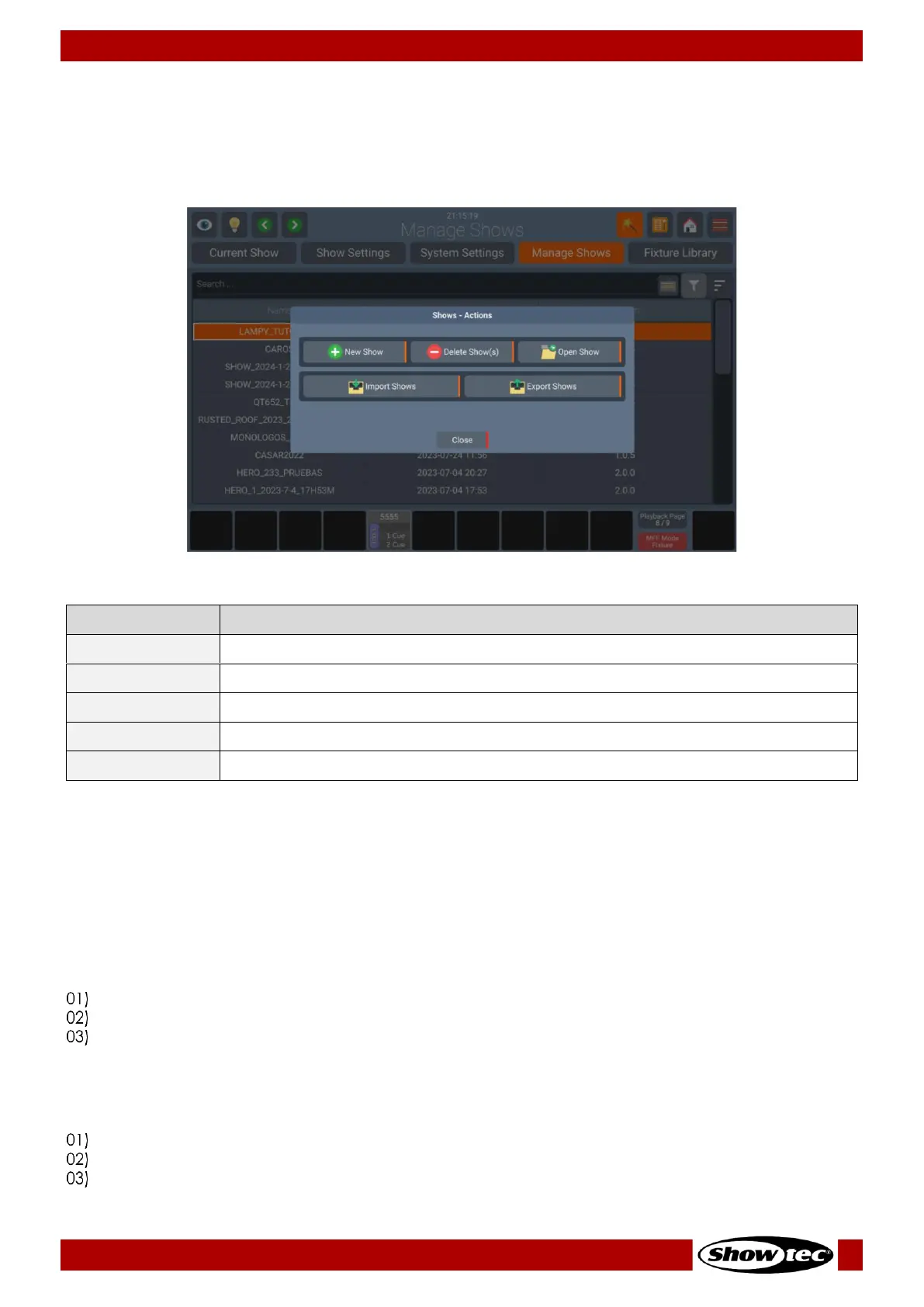
8.4.4.1. Manage Shows Action Dialog
The Manage Shows Action Dialog provides all functionality to work with the Manage Shows tab. It may
be opened by pushing the Magic Wand Button from within the Manage Shows tab. Some of the actions
are only available if only one show is selected within the Manage Shows Table.
Starting a new Show
To start a new show from within the Manage Shows tab, open the Action Dialog by clicking on the Magic
Wand Button.
Select New Show from the Action Dialog.
Deleting one or multiple Shows
Should you wish to delete one or more shows from the console memory, proceed as follows:
Select one or more shows from within the Manage Shows tab.
Open the Action Dialog by pressing the Magic Wand Button.
Select Delete Show(s) from the Action Dialog.
Opening a Show
Should you wish to open a show from within the Manage Shows Tab, proceed as follows:
Select one show from within the Manage Shows tab list of shows.
Open the Action Dialog by pressing the Magic Wand Button.
Select Open Show from the Action Dialog.













 To Next Page