Product: 50740 / 50741 / 50742 / 50743
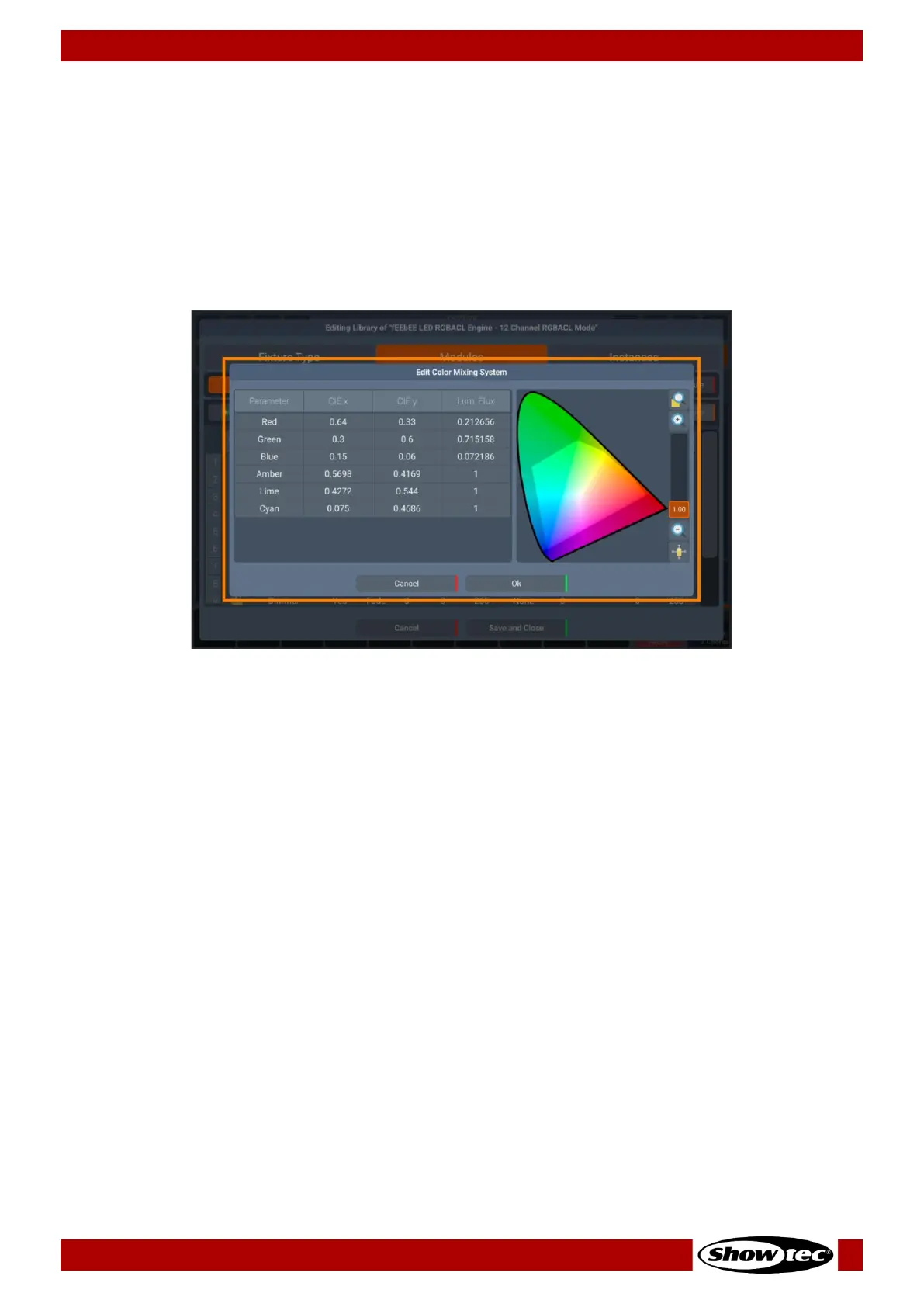
for CIE x, CIE Y and Luminous Flux for each emitter. Luminous Flux can be provided in any units if they
match across all channels.
By setting the luminosity of all emitters to 1 -thus equalizing their output- seamlessly transitions back to the
conventional fixture color management. Notably, this mirrors the default configuration for fixtures lacking
specific light source data in the library. This approach should also be used by Fixtures that are run in a
factory calibrated mode.
On the right side of the Edit Color Mixing System dialog, you may preview the color space, defined by the
provided coordinates.
Fig. 87: Edit Fixture Library – Modules Tab – Edit Color Mixing System
Adding a Virtual Strobe
Fixtures equipped with a single dimmer channel (virtual or non-virtual) but lacking a shutter channel, can
now incorporate a virtual strobe. This addition empowers users with the capability to engage
synchronized strobing or opt for random strobe effects.
Adding a Virtual Dimmer
By enabling the virtual dimmer, you may add dimmer functionality to the fixtures that do not have a
dedicated dimmer function but use a color mixing system (RGBxxxx, CMY, HIS or CIE).













 To Next Page