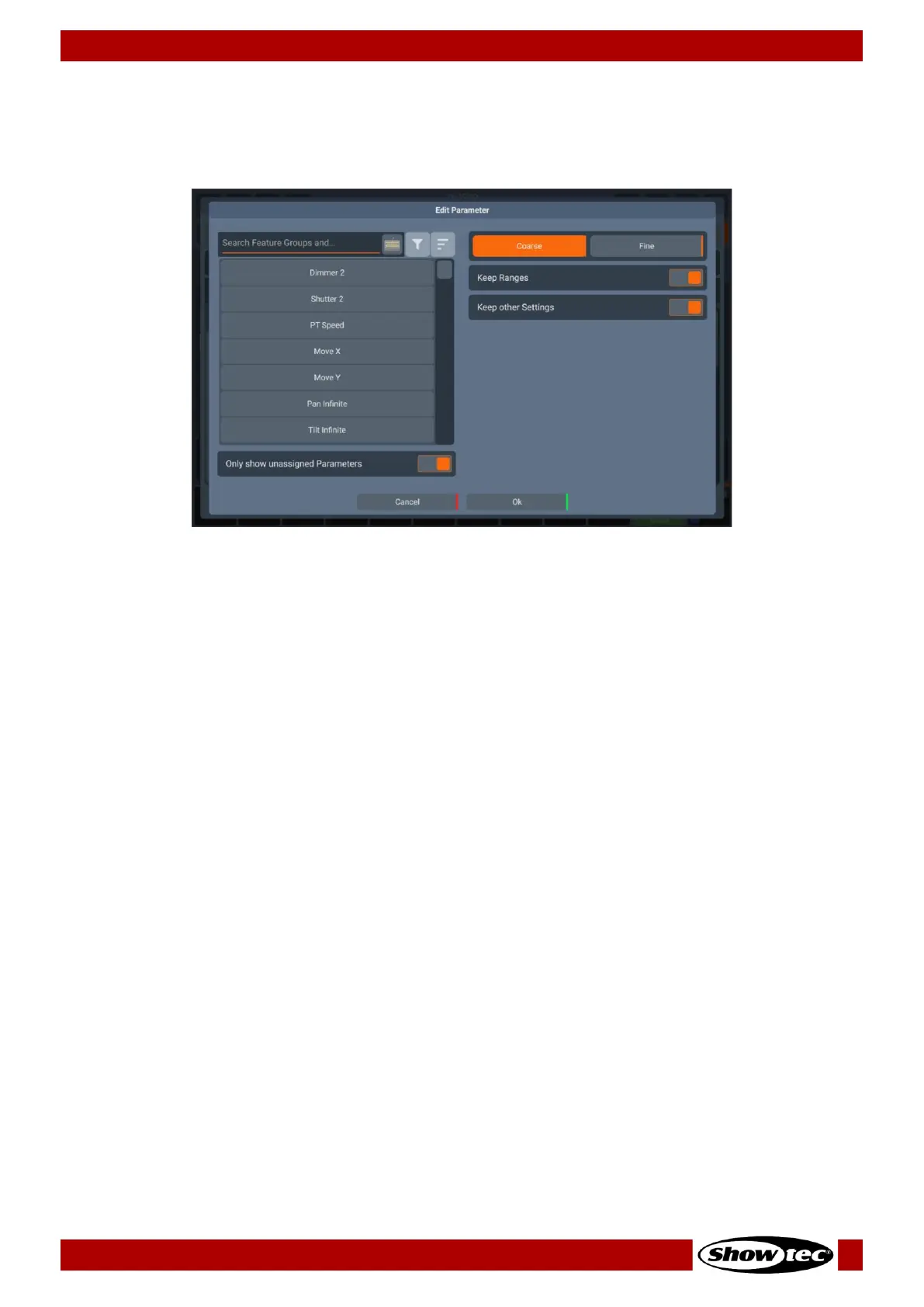
Edit Parameter Dialog
The Edit Parameter Dialog is used to select the Parameter mapped to a channel after double or right
clicking within a parameter cell.
It shows a list of available parameters on the left-hand side. This list may be filtered by entering the search
string into the Filter Text field in the top part of the screen. You may further define the search by filtering
by attribute groups.
Additionally, you may select to only show unassigned Parameters, using the toggle button for it. If this
option is not on, you will see all parameters, even if they have already been added to a fixture type.
The Coarse and Fine buttons may be used to toggle between the assignment of a coarse or a fine
channel.
When changing an existing parameter to a different parameter you have the option to keep the existing
ranges or overwrite them by using the Keep Ranges toggle button. Also, Keep Other Settings toggle
button, allows you to keep the values assigned to Dimmable, Type, Default, Blackout, Highlight, MiB Type,
Inverted and DMX Max and DMX Min.




 To Next Page