5. DMX Mode
When using the DMX controller, the system takes 2 channels
If use together with HOST CONTROLLER ZK6200/6300, each unit of SPARKULAR
®
must use
different DMX address, otherwise it may leads to signal interference.
Δ Operation Guide
1. Install SPARKULAR
®
mini
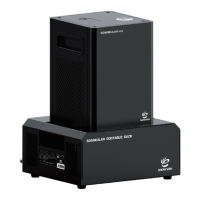
a) Horizontal installation is preferred for SPARKULAR
®
mini. If need to installed SPARKULAR
®
mini in angles, please turn the Tip over to OFF status first, maximum firing angle is 45 ° and
can only be angled to the right side as below picture.
b) Make sure the machine is securely installed to avoid tipping.
c) The safety zone area shifts accordingly when machine installed in tilt position. Please
increase the safety distance in the direction which machine tilt.
d) Check carefully the output nozzle of each machine, make sure the output nozzle is in good
shape and there is no powder aggregate.
Don’t change. 4 DMX Channel and 2+3 DMX
Channel are for special use.
When ON, the machine can firing only when
heating up was finished


 To Next Page