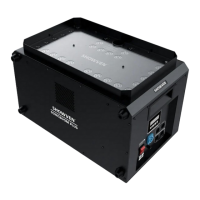
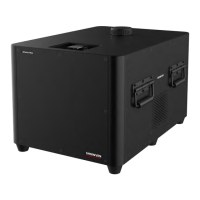
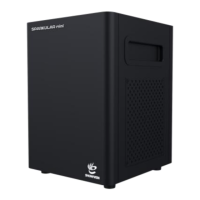
2. Fill SPARKULAR
®
mini
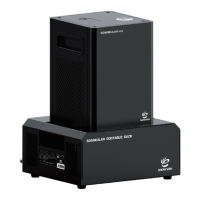
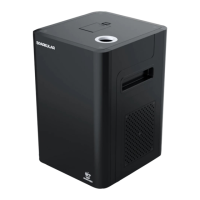
a) Open powder bags and fill the feeding hopper. Hopper capacity of SPARKULAR
®
mini is
100g.
b) Choose correct consumable according to the application scenario. HC8200 LARGE will have
some sparks drop on ground, suggest HC8200 MEDIUM or SMALL for indoor use.
c) Maximum effect height for HC8200 LARGE is 3.5m, HC8200 MEDIUM is 2.5m.
d) Make sure the lid of hopper is locked tight after filling.
3. Connect Power / DMX cable
a) Connect a power cable to the POWER IN socket of SPARKULAR
®
mini. Connect the other
end of power cable to the power source. Make sure power supply in consistent with the
rated voltage of the equipment, and the socket must well grounded.
b) If connect machine in sequence, please connect a power link cable to the POWER OUT of
previous machine, connect the other end of the power link cable to POWER IN of the next
machine.
c) The SPARKULAR
®
mini power supply cable maximum allowed cascade is 6 units (220V
version) / 3pcs (110V version). Do not connect exceed units to a single electrical circuit.
d) Power ON all SPARKULAR
®
mini.
e) Assign DMX address for each unit of SPARKULAR
®
mini. If use SHOWVEN host controller or
FXcommander to control the machine please allocate a unique DMX address for each unit
of machine.
If use remote controller to control SPARKULAR
®
mini wirelessly, please set machine to
wireless ON status and match machine with remote controller. For DMX cable control please
execute below operations (f to h).
f) Connect a DMX cable to the DMX IN socket of first unit of SPARKULAR
®
mini, connect the
male connector end of DMX cable to your DMX controller (FXcommander, HOST
CONTROLLER, light console etc).
g) Connect a DMX cable to the DMX OUT of previous machine, and the other end of to the
DMX IN of next machine. Connect all devices in series in this way.
a) Suggest to plug in a DMX terminator into the DMX OUT in last unit of machine to improve
signal reliability. Signal amplifier is required for long distance (>200m) DMX signal
transmission.


 To Next Page