EasyManua.ls Logo

Shur-Co SMART3 - User Manual

Shur-Co SMART3
8 pages
Print Icon
To Next Page IconTo Next Page
Loading...
Wireless Remote
P/N 1126870 Rev. B

Questions and Answers

  • J
    John MccormickAug 13, 2025
    What to do if Shur-Co Remote Control SMART3™ remote is not working but the receiver buttons are?
    • S
      Sarah FrazierAug 14, 2025
      If the SMART3™ remote for your Shur-Co Remote Control system is not working, and the remote channel light is blinking (for example, next to Tarp System), and blinks faster when you press the Open/On button, try the following: 1. Ensure the remote is set to the correct channel. If you cannot set the remote to the desired channel (e.g., Tarp System) by pressing the Select button, the channel must be enabled. Refer to the Channel Enable/Disable section and enable the channel. 2. Reprogram the remote to the receiver and try again. Refer to the Remote to Receiver Programming section. 3. Call Shur-Co’s Help Line.
  • P
    Patricia AndersonAug 18, 2025
    How to troubleshoot Shur-Co Remote Control SMART3™ remote with no LED lights?
    • T
      Todd GonzalezAug 18, 2025
      If the SMART3™ remote for your Shur-Co Remote Control is not working, and no LED lights are on, here’s what you can do: 1. Close the lid and open it again. 2. Ensure the batteries are placed correctly. 3. Replace both AAA batteries in the remote. 4. If the issue persists, the remote may be damaged. Call Shur-Co’s Help Line.
  • Y
    yterryAug 23, 2025
    Why does my Shur-Co SMART3 flash and turn off?
    • C
      Craig ReedAug 23, 2025
      If all lights flash for three seconds and the Shur-Co Remote Control turns off, it means the batteries are too low and must be replaced.
  • T
    Teresa PowellAug 28, 2025
    How to fix Shur-Co SMART3 Remote Control system not running in Express Mode?
    • G
      grodgersAug 28, 2025
      If the Shur-Co Remote Control system will not run in Express Mode, check all encoder wires between the motor and receiver for cuts. Ensure connectors are tightly connected and that the black encoder wire is always connected to another black encoder wire at the connectors. On 4500 HD tarping systems, make sure the sealed weatherpack connectors are snap-locked together. There is one weatherpack connector near the motor and one in the kingpin area. If problems persist, call Shur-Co’s Help Line.
  • S
    Spencer HillNov 2, 2025
    What to do if the Shur-Co SMART3 Remote Control system won't operate with the remote or buttons?
    • A
      Ashley McguireNov 2, 2025
      If your Shur-Co Remote Control system won't operate with either the remote or the buttons on the trailer-mounted receiver, and you don't hear a loud click from the receiver box when pressing the Open or Close button, consider the following: 1. Ensure the master disconnect switch on the trailer (if equipped) is in the On position. 2. The circuit breaker may have tripped; wait 15 seconds and try again. 3. Inspect for loose or corroded connections between the battery and the solenoid in the receiver box. 4. Check for low system voltage by measuring the voltage between the positive and negative posts on the solenoid in the receiver box on the trailer. With the truck off, the voltage should measure between 12.5 and 12.7 volts. Also, ensure the voltage reading is not negative, which would ...
  • J
    James KirbyNov 7, 2025
    What to do if Shur-Co Remote Control solenoid clicks but the motor doesn't turn?
    • M
      Maurice JonesNov 7, 2025
      If your Shur-Co Remote Control system won't operate with the remote or buttons on the trailer-mounted receiver, but the solenoid in the receiver box clicks loudly (or chatters) when the Open or Close button is pressed (but the motor doesn't turn), here are some steps to troubleshoot: 1. Bypass the circuit breaker in the battery box and try again. If the problem is resolved, the breaker was fatigued or corroded and should be replaced. 2. Make sure the battery connections are tight and free of corrosion. Inspect all wires between the batteries for corrosion and verify the battery voltage is between 12.5 and 12.7 volts with the truck off. Be sure to measure the voltage on the battery to which the system is connected. 3. Inspect the dual-pole power connection at the front of the trailer an...

Summary

ShurCo SMART3 Wireless Remote Operation

Wireless Remote Components Identification

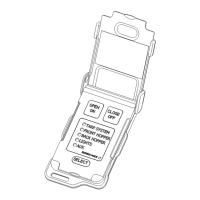
Identifies and labels the physical components and buttons of the ShurCo SMART3 wireless remote.

Remote Power and Operating Modes

Explains how the remote powers on/off and the differences between Momentary and Express operating modes.

Pairing Remotes to the Receiver

Provides step-by-step instructions for pairing the wireless remote with the trailer's receiver unit.

Channel Configuration and Battery Management

Guides on setting channel modes, enabling/disabling channels, and managing battery status and replacement.

ShurCo SMART3 Wireless Remote Troubleshooting

Remote Unresponsiveness and Power Issues

Addresses common issues like no lights, flashing lights, and complete remote non-response or power loss.

System Operation and Solenoid Malfunctions

Troubleshoots general system failures, including solenoid clicks without motor engagement and voltage checks.

Express Mode and Interference Resolution

Covers resolving problems with Express Mode functionality and potential radio or television interference.

Shur-Co SMART3 Specifications

General IconGeneral
BrandShur-Co
ModelSMART3
CategoryRemote Control
LanguageEnglish

Related product manuals