Shure Incorporated
7/21
1.
◦
◦
◦
◦
2.
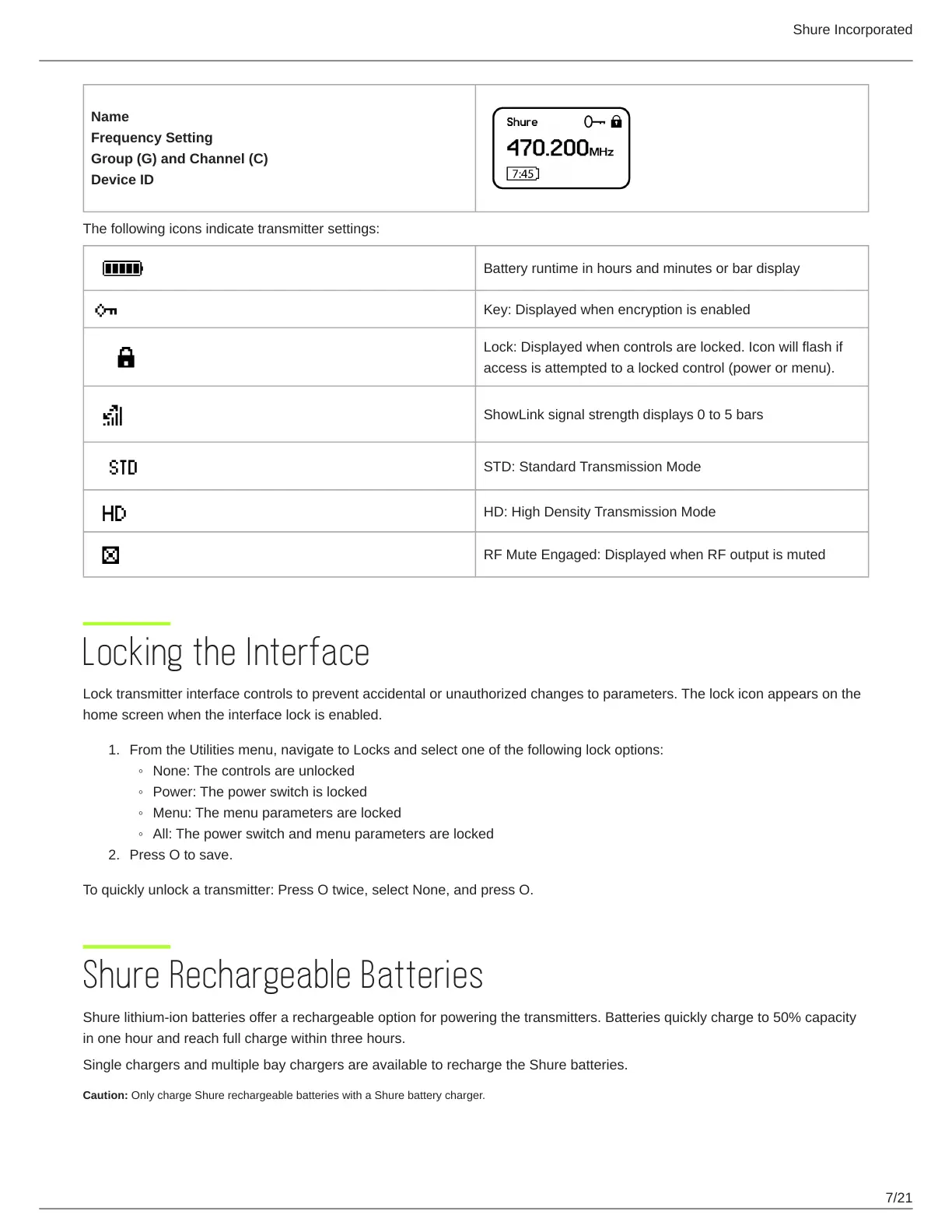
Name
Frequency Setting
Group (G) and Channel (C)
Device ID
The following icons indicate transmitter settings:
Battery runtime in hours and minutes or bar display
Key: Displayed when encryption is enabled
Lock: Displayed when controls are locked. Icon will flash if
access is attempted to a locked control (power or menu).
ShowLink signal strength displays 0 to 5 bars
STD: Standard Transmission Mode
HD: High Density Transmission Mode
RF Mute Engaged: Displayed when RF output is muted
Locking the Interface
Lock transmitter interface controls to prevent accidental or unauthorized changes to parameters. The lock icon appears on the
home screen when the interface lock is enabled.
From the Utilities menu, navigate to Locks and select one of the following lock options:
None: The controls are unlocked
Power: The power switch is locked
Menu: The menu parameters are locked
All: The power switch and menu parameters are locked
Press O to save.
To quickly unlock a transmitter: Press O twice, select None, and press O.
Shure Rechargeable Batteries
Shure lithium-ion batteries offer a rechargeable option for powering the transmitters. Batteries quickly charge to 50% capacity
in one hour and reach full charge within three hours.
Single chargers and multiple bay chargers are available to recharge the Shure batteries.
Caution: Only charge Shure rechargeable batteries with a Shure battery charger.



 To Next Page