Low-Profile Boundary
Microphone
General Description
Shure
®
MX395 low-profile microphones are for
use in boardrooms and other sites where aesthet-
ics are important. The MX395 is only 2.5 cm (1
in.) in diameter, and extends just 2 cm above the
mounting surface when installed. Despite its small
size, the MX395 delivers clear, high quality sound.
Features
• Low profile, aesthetic design
• Wide dynamic range and smooth frequency
response
• RF filtering with CommShield
®
technology
• Available with logic-controlled bi-color status
indicator
Model Variations
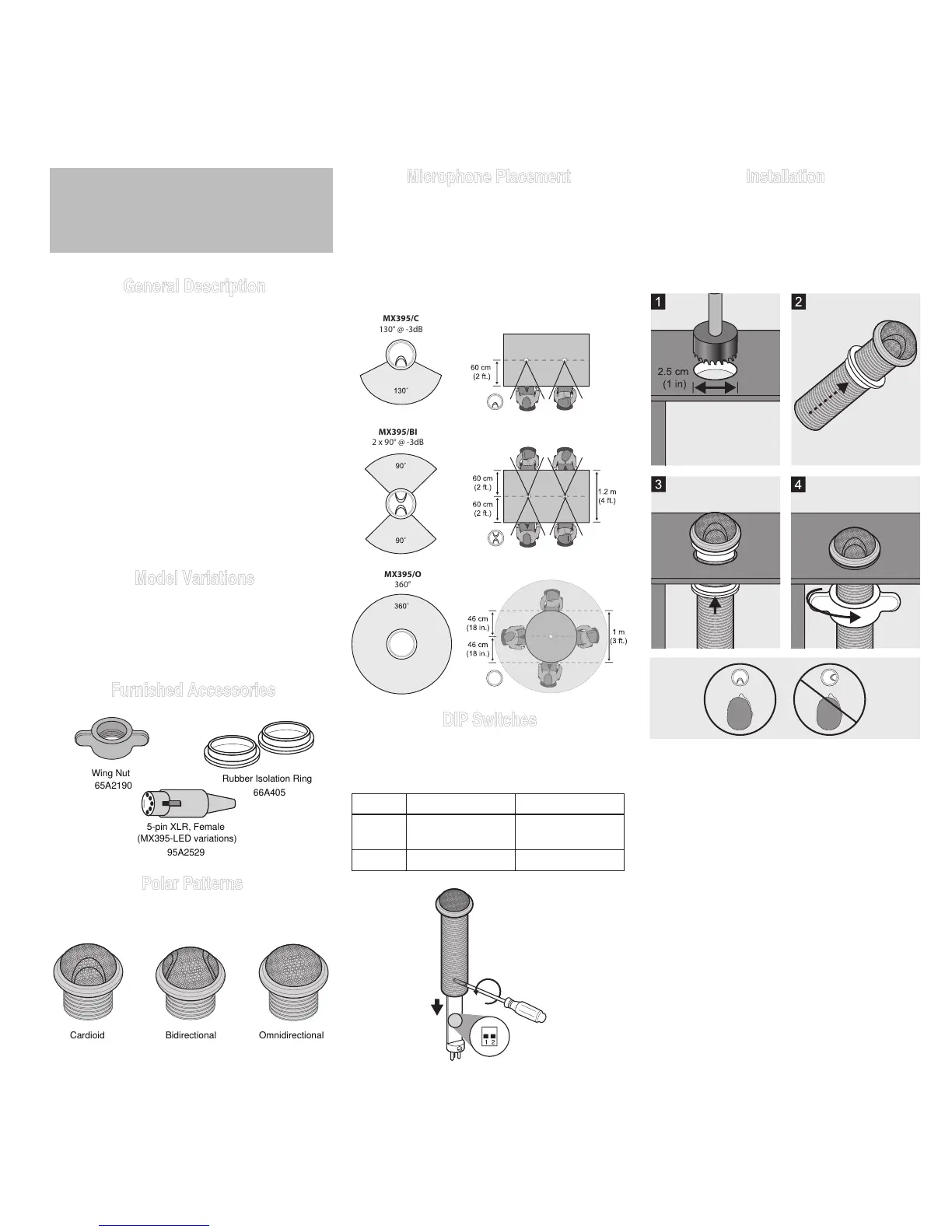
The MX395 is available in cardioid, omnidirection-
al, and bidirectional polar patterns, with or without
an LED status indicator, with a black, white, or
aluminum finish.
Furnished Accessories
Microphone Placement
For best low-frequency response and rejection
of background noise, place the microphone on
a large, flat surface, such as a floor, table, or
lectern.
To reduce reverberance, avoid reflective surfaces
above or to the side of the microphone, such as
beveled sides of pulpits or overhanging shelves.
Installation
Install the microphone into a tabletop as shown.
Important:
• Align indentation toward talker
• Do not over tighten the wing nut, as this
reduces shock isolation
DIP Switches
Set DIP Switch 1 up to engage the low cut filter,
which attenuates frequencies by 6 dB per octave
below 150 Hz.
Switch Down (default) Up
1 Full frequency
response
Low cut filter
2 -- --
3



 To Next Page