Shure Incorporated
7/25
Single Mixer (Half Rack) Installation
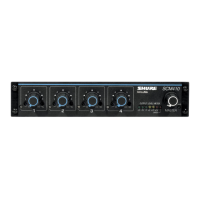
1. Attach the short and long rack-mount brackets to the SCM410/E with eight (8) of the supplied bracket screws.
INSTALLING HALF RACK MOUNTING BRACKETS
2. Place the mixer in an equipment rack and secure it with the supplied rack-mount screws and plastic washers.
RACK MOUNTING A SINGLE SCM410/E MIXER
Dual Mixer (Full Rack) Installation
1. Place the two mixers side-by-side and connect them with two (2) straddle brackets. The brackets should strad-
dle the recessed edges on the top and bottom of each mixer.
INSTALLING STRADDLE BRACKETS
2. Fasten the straddle brackets using eight (8) bracket screws.
3. Attach the short rack-mount brackets to the outsides of the combined mixers with eight (8) of the bracket
screws.
INSTALLING FULL RACK MOUNTING BRACKETS
4. Place the mixer in an equipment rack, using the supplied rack-mount screws and plastic washers.


 To Next Page