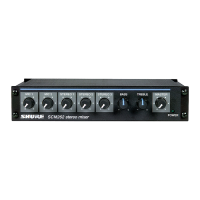
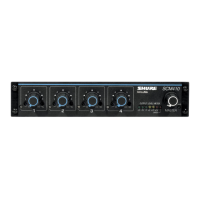
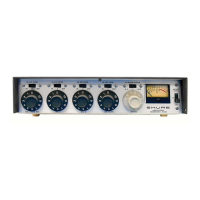
2.
Connect SR110 MONITOR OUTPUTS/LINE LEVEL
3-pin connector and/or phone jacks (7,
6)
to
power amplifier and/or recording equipment.
3. Connect
SR110 ACCESSORY INPUT AND OUT-
PUT Multi-Pin Male Connector
(8)
to SRlOl or
SR109.
4. If additional SRllO is to be used (tandem opera-
tion), connect ACCESSORY INPUT AND OUTPUT
Multi-Pin Male Connector (8) of second
SR110 to
ACCESSORY INPUT AND OUTPUT Female Con-
nector (9) of first
SR110.
5. If common mix between two SRlOls or SRlO9s
and two SRllOs is desired, interconnect MIX BUS
Phono Jacks (10) of each SR110 and interconnect
the link output jacks of the SRlOls or
SRlO9s.
6. (SRl10-2E only) Move VOLTAGE SELECTOR
Switch (14) to 115V or 220V position as required.
7.
Connect ac line cord to grounded 108- to 132-volt
(SRl1 O), or 105-1 25V or 21 0-250V (SR110-2E),
50/60
Hz
ac source.
8. Turn on front-panel POWER OFF Switch on
MASTER Volume Control (3). Red indicator lamp
(2) will light, indicating power is being applied.
9. Adjust
SRlO1 or SR109 and associated power
amplifier for desired operating levels.
10. Adjust SRllO and associated power amplifier
and/or recording equipment for desired operating
levels.
11. Set OUTPUT SELECTOR Switch (5) to MIXED IN-
PUTS or PROGRAM INPUT as desired.
Mounting and Ventilation
The
SRl10 Professional Monitor Mixer is designed
for rack-mounting in a standard 19 in. (483 mm) audio
equipment cabinet rack and is supplied with the nec-
essary mounting hardware (see Figure C). If possible,
the
SR110 should be rack-mounted above its as-
sociated
SRl 01 or SR109.
The SR110 may also be operated while mounted in
a Shure
A105A Carrying Case. The A105A will accept
panel heights of
7
in. (178 mm), providing space for
one
SRl10 and one SR109 Professional Mixer.
44.4
mm
(1-3/4 IN)
FIGURE
C.
OVERALL DIMENSIONS
No special precautions are required for ventilation.
The
SRl10 may be operated over a temperature range
of
-7" to 54°C (20" to 130°F) in continuous duty with-
out derating.
Power Supply
The
SR110 Professional Monitor Mixer is furnished
with a three-conductor power cable and three-prong
grounded plug (11). Connect the
SR110 to an outlet
which supplies 108 to 132 volts ac, 50/60
Hz
power.
The nominal power consumption at 120 volts under
normal operating conditions is 3 watts maximum (0.025
amperes at 120 volts). If extension cords are required
to supply power to the
SR110, a high-quality, 18-gauge
or larger cord should be used.
The
SRl10-2E is furnished with a three-conductor
line cord without a power plug. Obtain a suitable three-
pin male power plug and attach it to the line cord. The
plug should be installed by qualified service personnel.
(Brown lead goes to "hot" or "live" terminal, blue lead
to neutral terminal, and
green/yellow lead to ground
or earth terminal.) Select proper operating voltage
(115V for 105-125V supply or 220V for 210-250V sup-
ply) using the VOLTAGE SELECTOR Switch (14).
A POWER-OFF Switch located on the front-panel
MASTER Volume Control (3) controls the application
of ac power to the
SRl10, and a red indicator lamp
(2) indicates the power-on condition.
Functional Circuit Description
The inputs to the SRllO Professional Monitor Mixer
enter through the 11-pin
male connector located on
the cable (8) (see Figure D). The 11-pin female
con-
FIGURE D.
SR110 BLOCK DIAGRAM
INPUT
AND OUTPUT
\
/'
/
-24
08
HEADPHONES
TRANSFORMER
MASTER
VOLUME
CONTROL
-----C-
/
-1
DB
f
=
OUTPUT
TRANSFORMER
-
2
DB
MIX
RESISTOR
CHANNEL
I
DB
i
VOLUME -MIX
-



 To Next Page
 Loading...