①
②
③
③
④
⑤
18
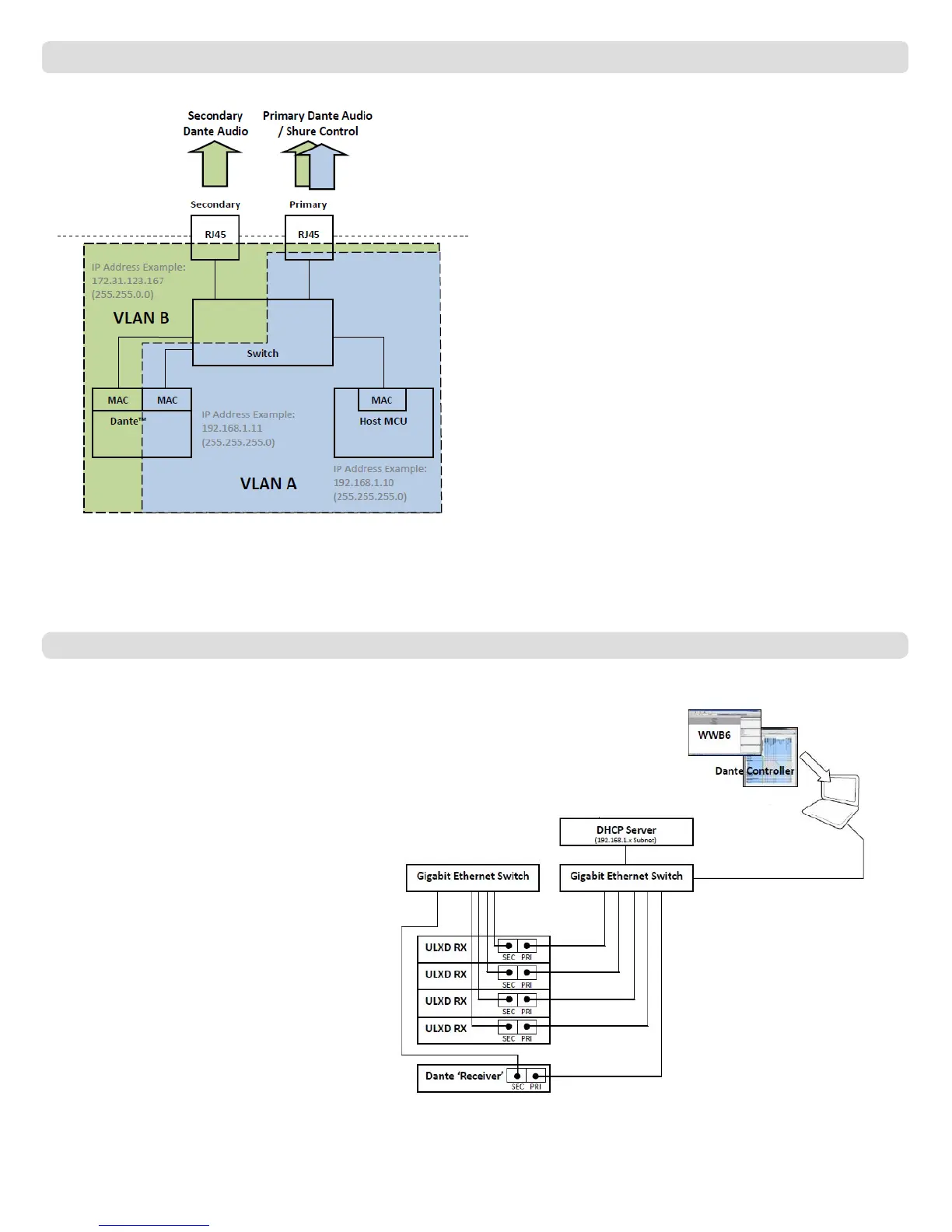
Redundant Audio Mode
Use Redundant mode to carry a backup copy of the Dante audio on the
Secondary network in case the audio on the primary network is interrupted.
Network Characteristics:
• Dante Primary Audio and Shure Control are present on the Primary port
• Backup Dante audio is present on the Secondary port
• The Primary Dante IP address and the Shure Control IP address must be
on the same subnet. The computer running WWB6 must also be on this
subnet.
• The Secondary Dante IP Address must be set to a different subnet
Note: Devices connected to the Redundant network must be compatible
with Redundant audio.
Network Example
① Computer
Connect the computer running the Dante controller and
WWB6 to the Primary port.
② DHCP Server
Can be configured with or without a DHCP server. Do
not route audio through the server.
③ Gigabit Ethernet Switches
• Use dedicated switches for the Primary and Secondary
networks
• Do not connect both network ports to the same
Ethernet switch
• Use a star network topology to minimize audio latency
④ Receiver Connection
Connect Primary and Secondary ports to dedicated
switches.
Note: The Secondary port only supports manual IP
or automatic Link-Local configuration. The Link-Local
Dante Secondary address subnet is preset to 172.31.x.x
(255.255.0.0)
⑤ Dante Receiver
Connect Dante receivers (mixers, recorders, amplifiers)
to the Primary or Secondary ports.
Note: Dante controller does not
support Wi-Fi network connections.
(AXT620, Wi-Fi router, etc...)
(mixers, recorders,
amplifiers, etc...)



 To Next Page