EasyManua.ls Logo

SIC SIC4340 - Figure 7: Tap a Tag Status; Figure 8: Success Status

Default Icon
14 pages
Print Icon
To Next Page IconTo Next Page
To Previous Page IconTo Previous Page
Loading...
Application Demonstration
SIC4340 USER MANUAL
SIC4340 Development Kit
PROPRIETARY AND CONFIDENTIAL
10
USER MANUAL SIC4340
DEC, 2020
V1.0
Copyright © 2020 Silicon Craft Technology PLC
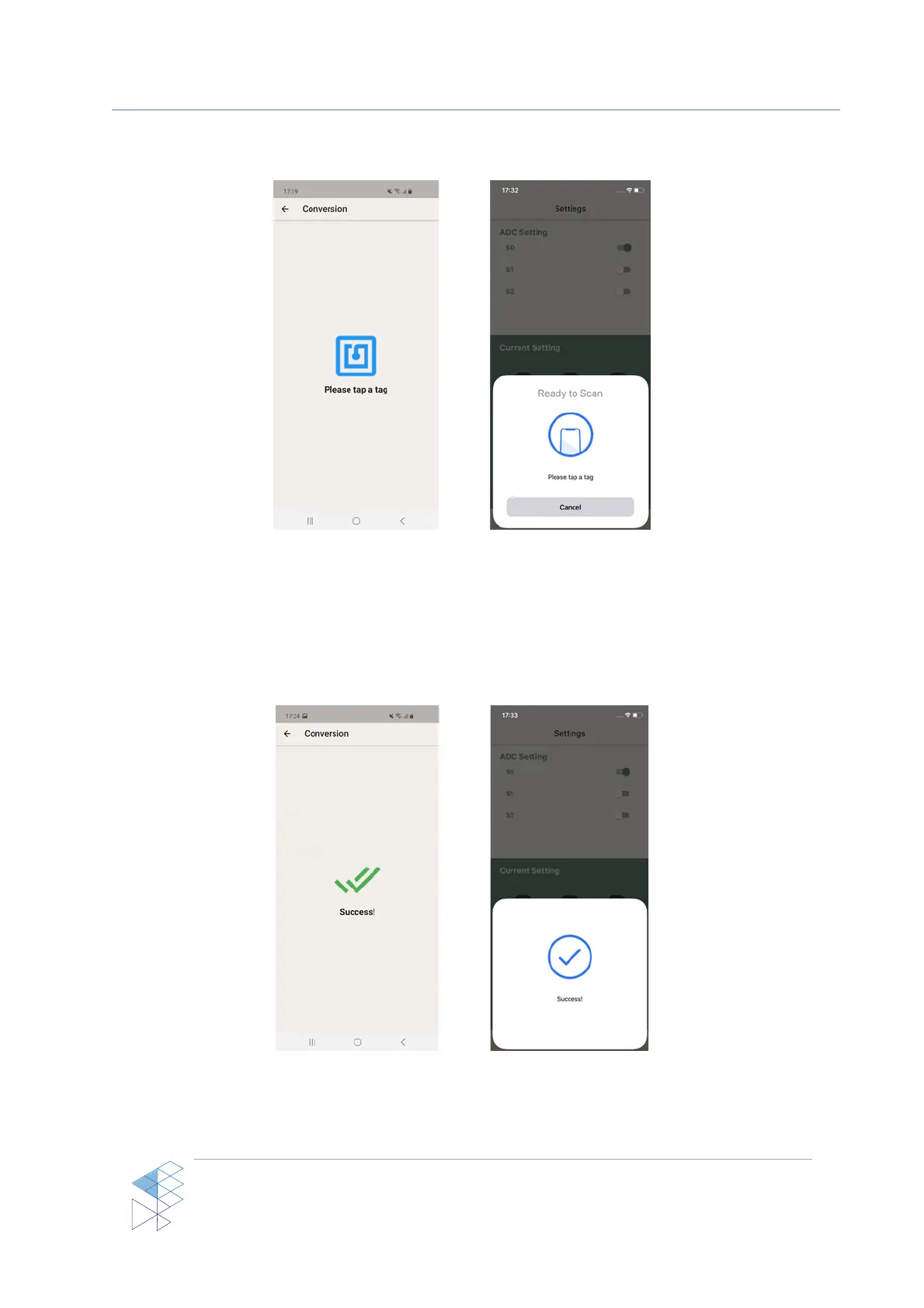
After the NFC session has started, the NFC dialog will show the status as in Figure 7 (a)
for Android and Figure 7 (b) for iPhone.
Figure 7: Tap a tag status
After the status has shown as in Figure 7, user have to tap and hold the mobile on the
antenna of SIC4340 development kit board until the status changed to success as in Figure 8
(a) for Android and Figure 8 (b) for iPhone
Figure 8: Success status

(a)
(b)
(a)
(b)

Related product manuals