4.3 Result Display
After finished an NFC communication and status shown ‘Success’ as Figure 8, the
page in application will be automatically change to result page.
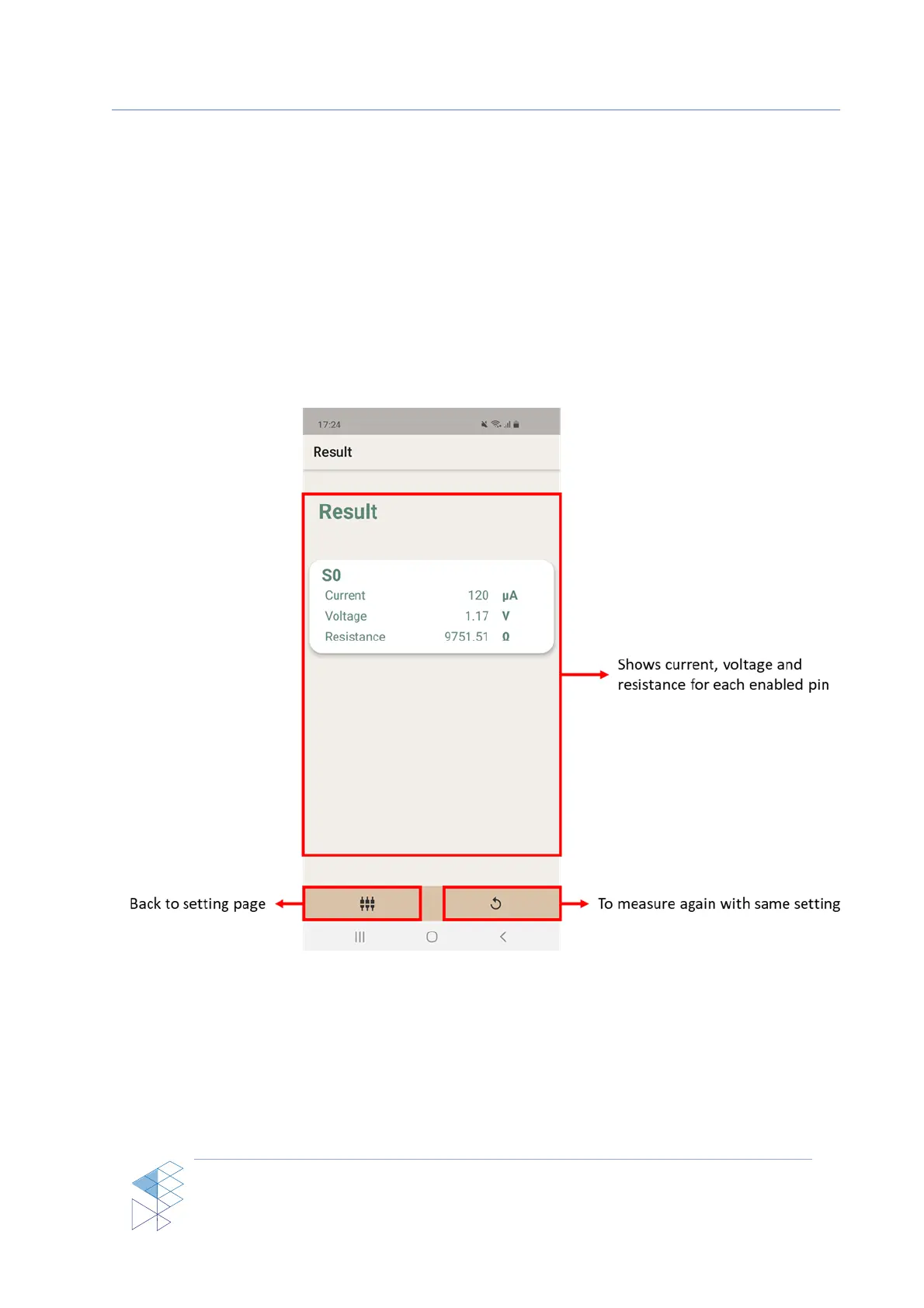
In the Result page bias current, voltage and resistance for each enabled pin will be
displayed. The bottom bar contains 2 buttons, one for go back to setting page and one for
measuring again with the same setting as shown in Figure 10
Figure 10: Result page



 To Next Page