4. Application Demonstration
This part demonstrates how to use SIC4340 Development kit board with SIC4340 Tools
application. The content in this part includes setting, NFC communication, result display, and
blank NDEF setting.
4.1 Setting
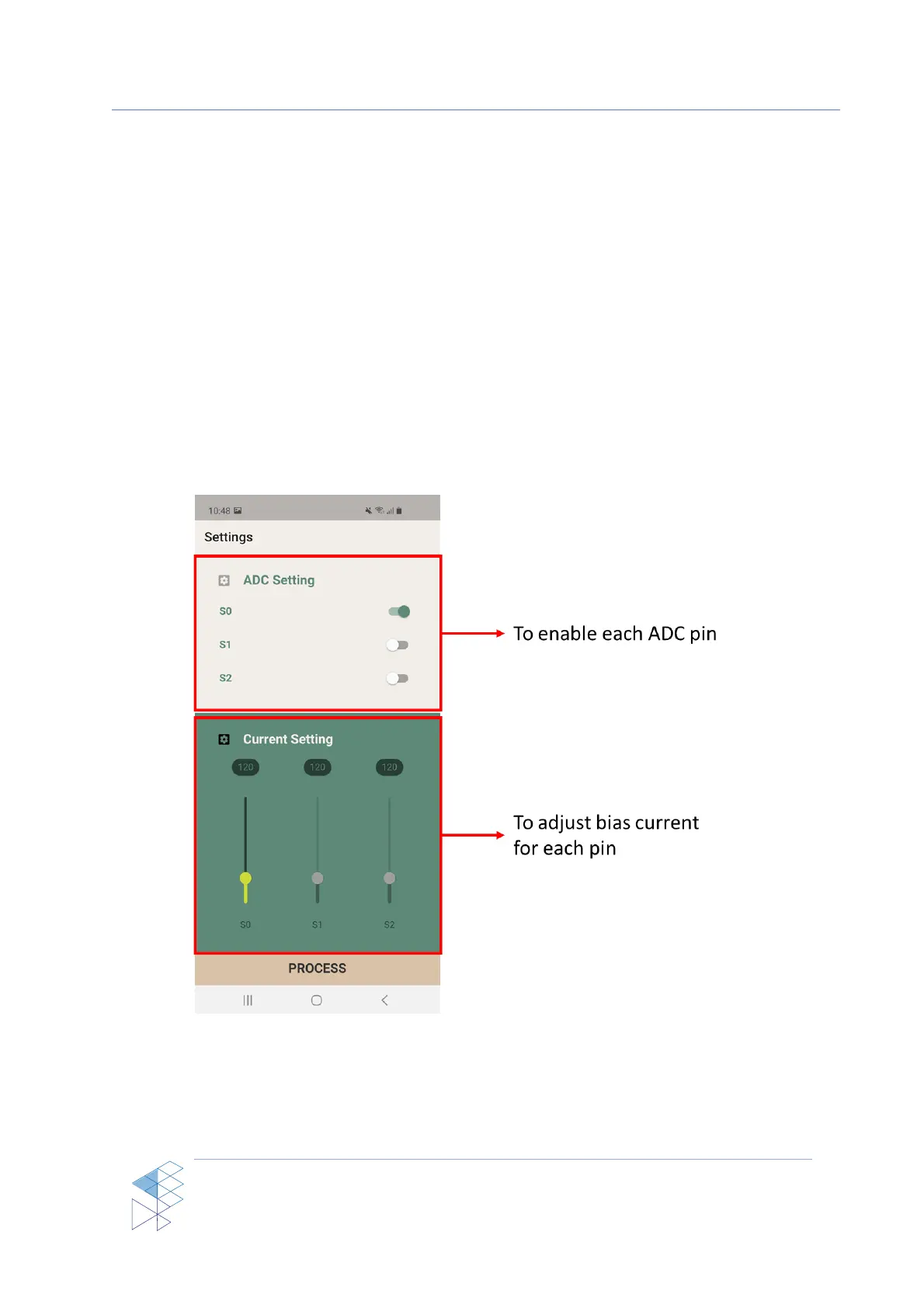
In the setting page of SIC4340 Tools, user can enable or disable each pin and set the
bias current separately for each pin as shown in Figure 4
Figure 4: Setting page of SIC4340 Tools



 To Next Page